EasyManua.ls Logo

Lasonic i-931X - Setup Menu Operation; Navigating and Adjusting Settings

Lasonic i-931X
28 pages
Print Icon
To Next Page IconTo Next Page
To Previous Page IconTo Previous Page
Loading...
Setup
Menu
Operation
Setup Menu
is
where
user can adjust various
setting related
to
the functionality
of this
unit.
You
can enter the Setup Menu
by
pressing
MENU
button
@.
1.
Press
MENU button
@
repeatedly
to select available
Options,
and
press
the MENU
button
@to
confirm the
selected
value
and to
enter next
adjustable
field.
2. Press the
NEXT@
and
PREV@
button to change
the
available
value in
each
adjustable field.
o
In
Setup
menu
period,
adjust volume
@
to exit setup menu fast.
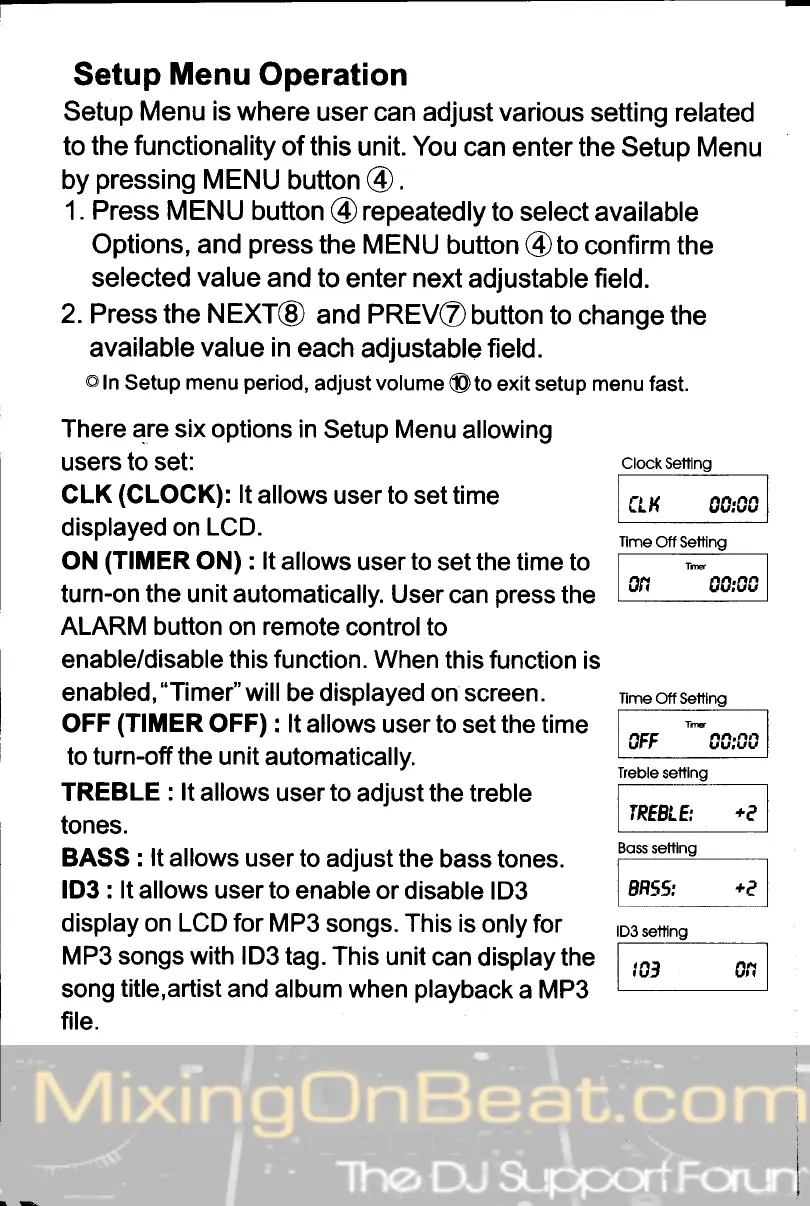
There are six options in
Setup Menu
allowing
users to set:
CLK
(CLOGK):
lt
allows
user to set time
displayed on
LCD.
ON
(TIMER
ON) : lt
allows
user
to
set the time to
turn-on the unit automatically.
User
can
press
the
ALARM button on remote
controlto
enable/disable this function. When
this function
is
enabled,"Timer"will
be displayed on screen.
OFF
(TIMER
OFF) : lt allows
user to set the time
to turn-off
the
unit automatically.
TREBLE
: lt
allows
userto adjust the
treble
tones.
BASS : lt allows
user to adjust the
bass tones.
lD3 : lt allows
user
to
enable or
disable lD3
display on LCD for MP3
songs. This is
only for
Clock Setting
tf
,(
A0:C0
Tlme
Off Setting
vrl
vv;vv
Iime
Off Setting
]lE
OFF CC;00
Treble
settlng
IREELE
+Q
Boss settlng
BH55:
+f,
lD3 settlng
MP3 songs with lD3
tag. This unit
can
display the
i
,,q____j._,
song
title,artist
and album when
playback
a MP3
L-
file.