EasyManua.ls Logo

Lasonic i-931X - Radio Operation; Tuning and Storing Stations; RDS Feature

Lasonic i-931X
28 pages
Print Icon
To Next Page IconTo Next Page
To Previous Page IconTo Previous Page
Loading...
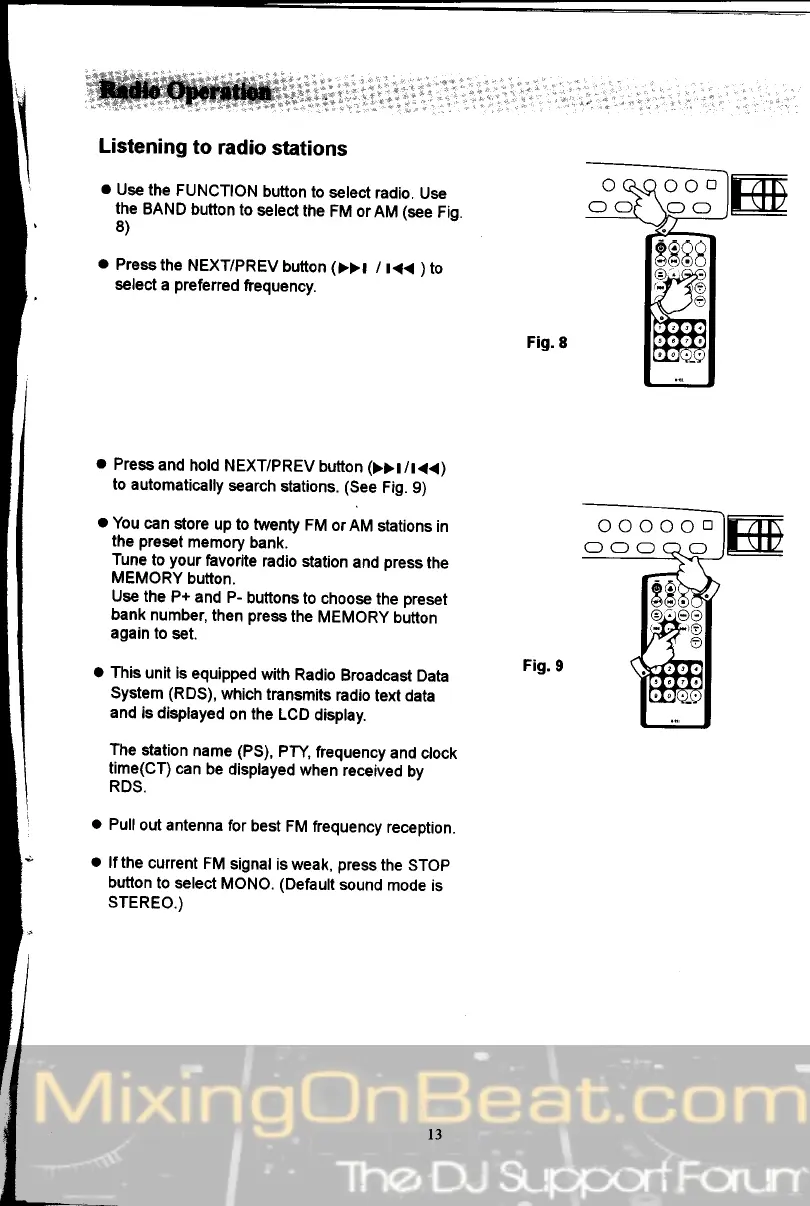
Listening
to
radio
stations
o
Use
the
FUNCTION
bufton
to
select
radio.
Use
the
BAND
bufton
to
select
the
FM orAM (see
Fig
8)
o
Press
the
NEXT/PREV
button
(>>t
/
t<<
)
to
select
a
preferred
frequency.
o
Press
and
hold
NEXT/PREV
button
(>>t
/t<<)
to automatically
search
stations.
(See
Fig.
9)
o
You
can
store
up to twenty
FM
or
AM stations
in
the
preset
memory
bank.
Tune
to
your
favorite
radio station
and
press
the
MEMORY
button.
Use the
P+ and
P-
buttonsto
choose
the
preset
bank
number,
then
press
the
MEMORy
button
again
to
set.
a
This
unit is
equipped
with
Radio
Broadcast
Data
System
(RDS),
which
transmits
radio
text data
and
is displayed
on the
LCD
display.
The
station
name (PS),
PW,
frequency
and
clock
!qte(CT)
can
be
displayed
when
received
by
RDS.
o
Pull
out antenna
for
best
FM frequency
reception.
o
lf the
current
FM
signal
is weak,
press
the STOp
button
to select
MONO.
(Default
sound
mode is
STEREO.)
l3