2100HD User’s Guide
6
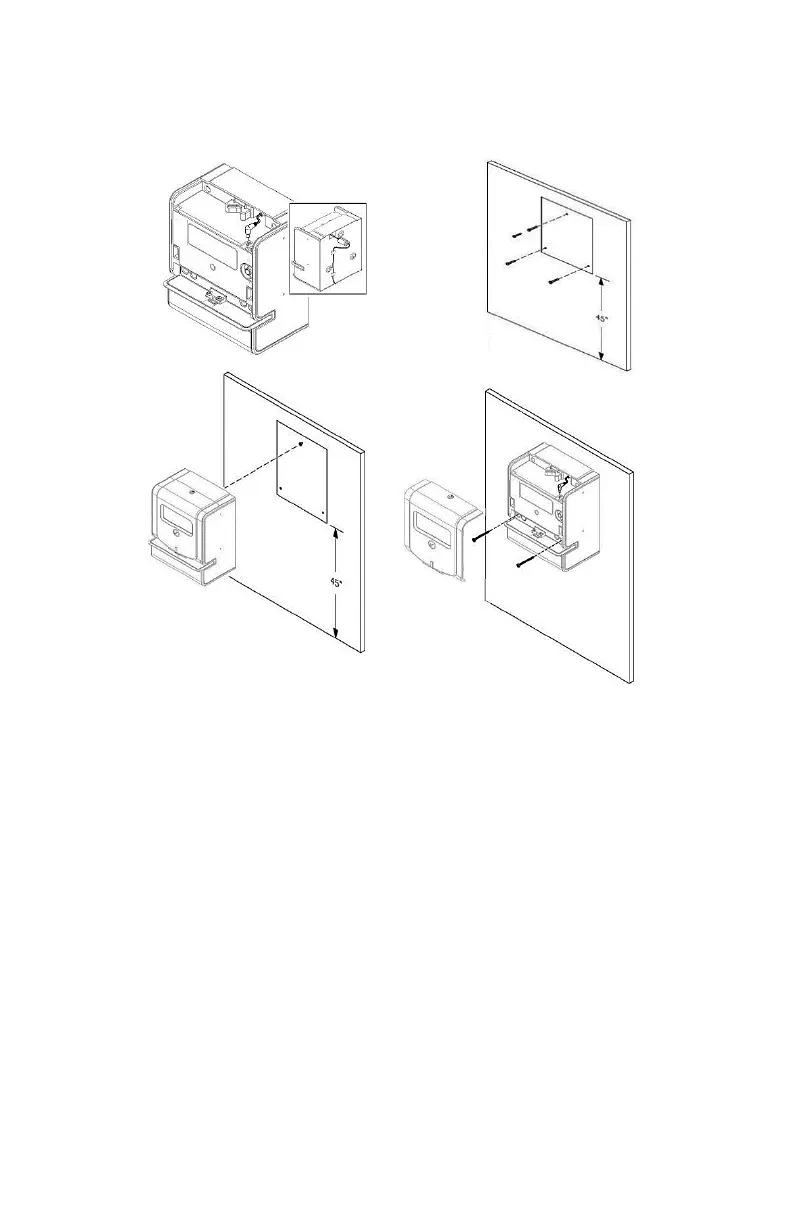
◼ Wall Mounting
1. Remove the front cover using the supplied key. Route the
power cord as shown and connect to port on 2100HD.
Plug adapter into AC power outlet.
2. Use the provided template provide to mark 3 mounting
holes on the wall about 45” from the ground. Install 3 wall
anchors, and then install top hanging screw as indicated.
3. Hang the clock on the wall from the top hanging screw
using the keyhole slot on the back of the case.
4. Secure the clock to the wall by passing retaining screws
through the two holes on front of case as shown. Replace
the front cover and lock using supplied key.


 To Next Page