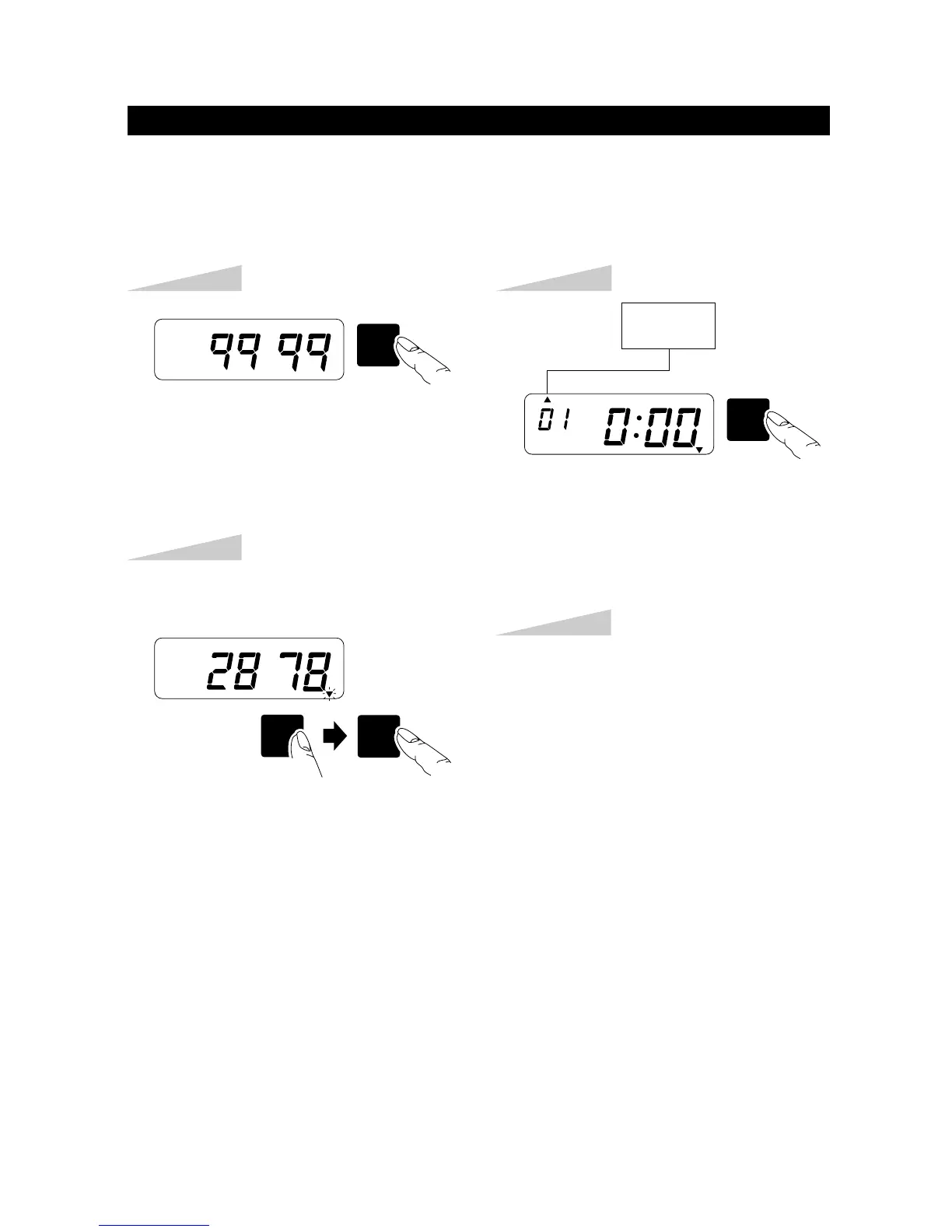
Step 4
Select desired setting mode by pressing
the [SW5: MODE] key. Then make
settings as explained.
SW5
MODE
TU WE TH FR SA SUMO
Step 1
Press the [SW5: MODE] key.
Example: Password "2878"
TU WE TH FR SA SUMO
Step 2
Once password is set, you have to enter the password for changing any settings.
"99 99" will be displayed when you press the [SW5: MODE] key before entering
password.
Press the [SW3: HOUR/MONTH],
[SW2: MINUTE/DAY] key until the
correct number appears.
SW2SW3
MINUTE
DAY
HOUR
MONTH
Step 3
Press the [SW1: SET] key.
SW1
SET
TU WE TH FR SA SUMO
HOUR
MINUTE
HOW TO CHANGE SETTINGS WHEN PASSWORD IS SET
14


 To Next Page