Step 1
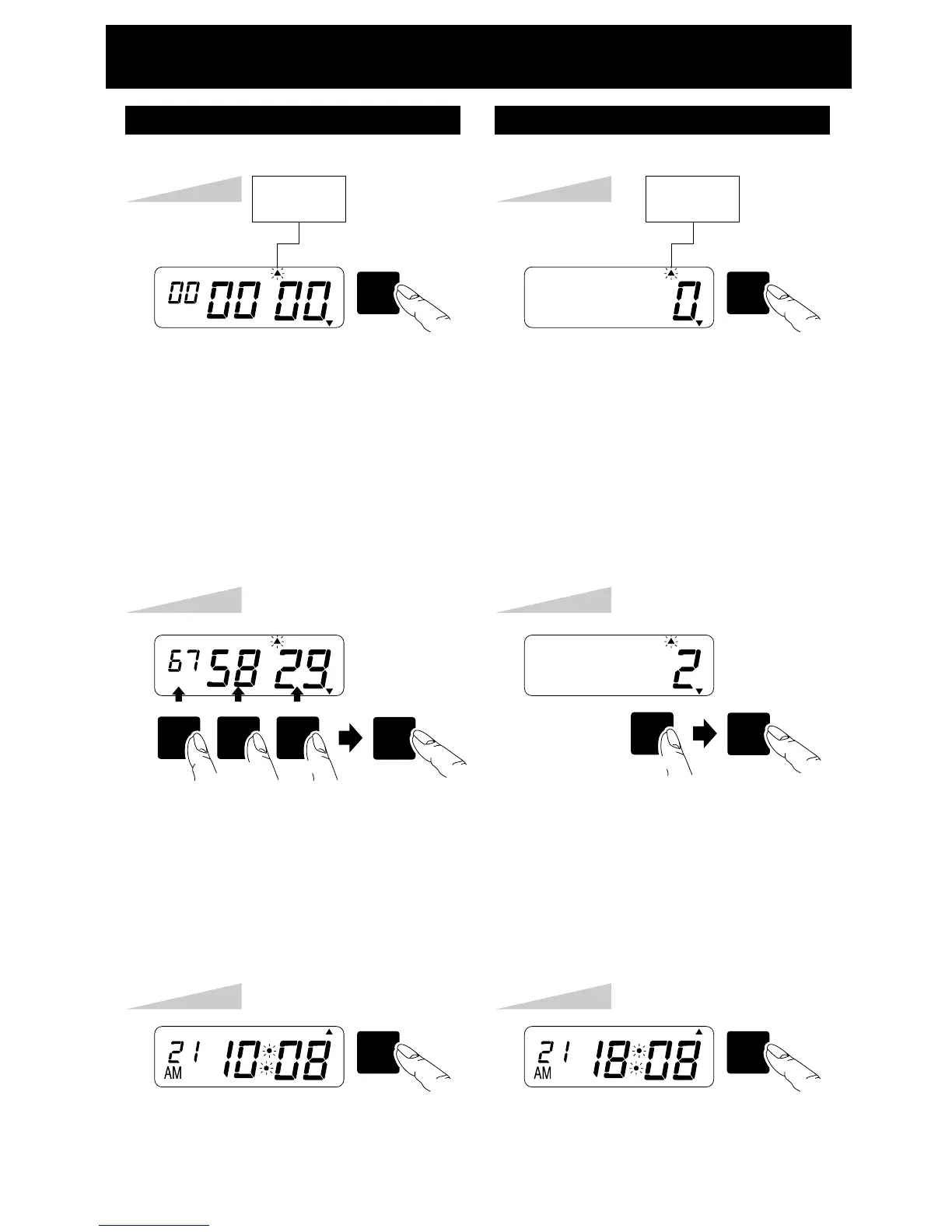
Press the [SW5: MODE] key five times,
the "INITIAL NUMBER SET" arrow
flashes.
Example:
Setting initial number to 675829.
SW5
MODE
TU WE TH FR SA SUMO
INITIAL
NUMBER
SET
Step 2
Press the SW2, 3 or 4 key until the
correct number appears.
Longer pressing speeds advancement.
Press the [SW1: SET] key after checking
the desired number on the LCD.
TU WE TH FR SA SUMO
Step 3
Press the [SW1: SET] key again.
SW1
SET
TU WE TH FR SA SUMO
Step 3
Press the [SW1: SET] key again.
SW1
SET
TU WE TH FR SA SUMO
Step 1
Press the [SW5: MODE] key six times,
the "NUMBER REPEAT TIMES" arrow
flashes.
Example:
Setting 2 times repeat.
The repeat times can be set to 0 to 9.
SW5
MODE
TU WE TH FR SA SUMO
NUMBER
REPEAT
TIMES
SW1SW4 SW3 SW2
SET
YEAR
SW1SW2
SET
MINUTE
DAY
HOUR
MONTH
Step 2
Press the [SW2: MINUTE/DAY] key
until the correct number appears.
The repeat times can be selected 0 to 9.
Press the [SW1: SET] key after checking
the desired number on the LCD.
TU WE TH FR SA SUMO
MINUTE
DAY
SETTING THE NUMBER
INITIAL NUMBER SET
NUMBER REPEAT TIMES SET
10


 To Next Page