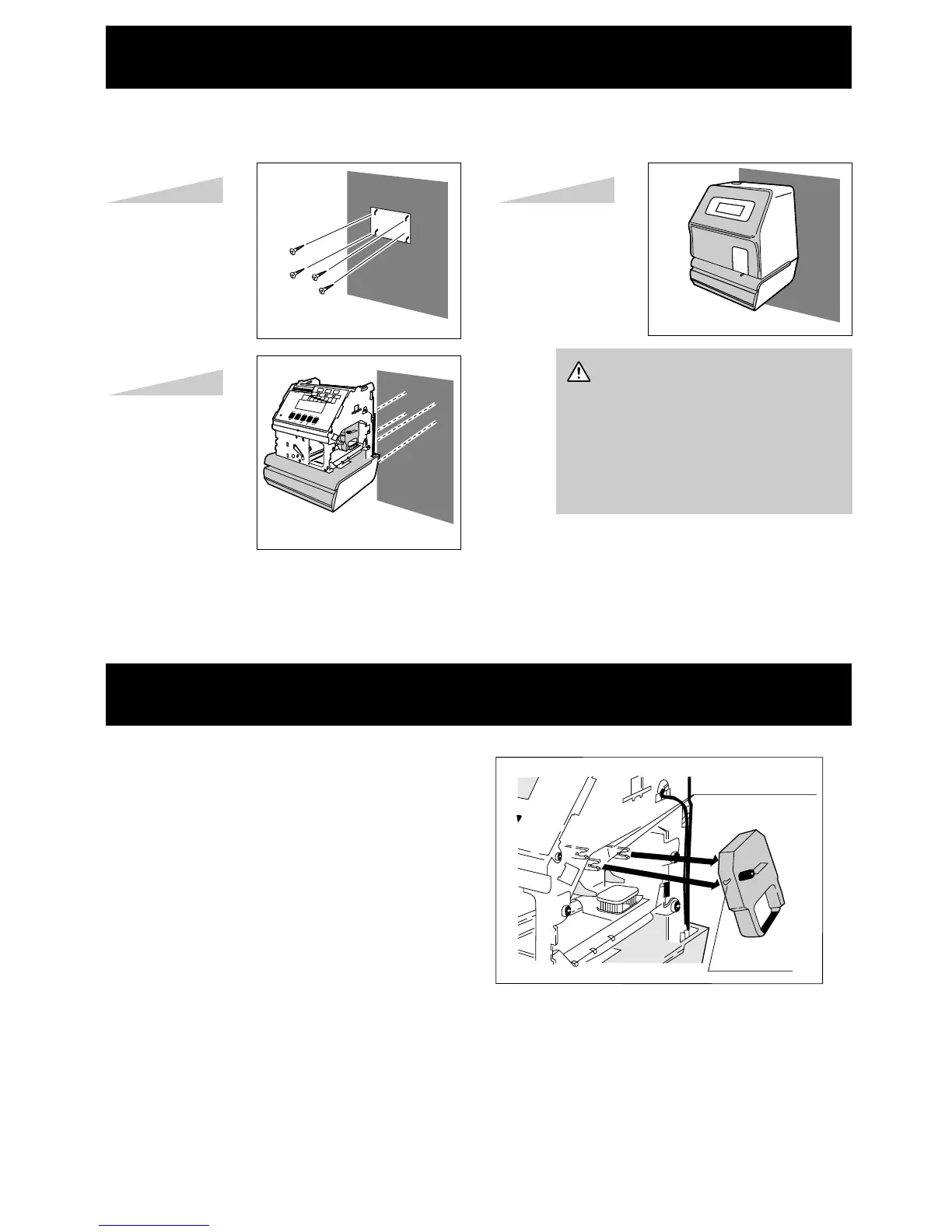
1. Carefully slide the exposed ribbon under
the print head.
2. Push cassette with the projection into the
ribbon cassette holder until snapped into
place.
3. Turn the ribbon feed knob clockwise until
the ribbon is taut.
Ribbon cassette
holder
Projection
WALL MOUNTING
REPLACING RIBBON CASSETTE
Four screws
• Leave screw heads
about 1/8" from wall.
• Remove the top case
and hang on the wall.
• Put on the top case.
Step1
Step2
Step3
• Select wall area near AC outlet.
• Mount the Time Recorder on
wood or a surface which can
support weight (dry wall will
not support unit).
18


 To Next Page