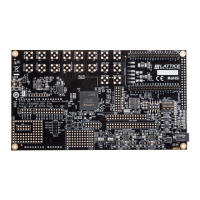
ECP5 Face Identification Quick Start Guide
Application Note
© 2019 Lattice Semiconductor Corp. All Lattice trademarks, registered trademarks, patents, and disclaimers are as listed at www.latticesemi.com/legal.
All other brand or product names are trademarks or registered trademarks of their respective holders. The specifications and information herein are subject to change without notice.
FPGA-AN-02010-1.0 3
Contents
Acronyms in This Document ................................................................................................................................................. 4
1. Introduction .................................................................................................................................................................. 5
1.1. Design Process Overview .................................................................................................................................... 6
2. Machine Training and Creating Frozen file ................................................................................................................... 7
2.1. Caffe Installation ................................................................................................................................................. 7
2.2. Preparing the Dataset ......................................................................................................................................... 7
2.3. Training the Machine with Caffe ......................................................................................................................... 8
2.4. Training the Machine with TensorFlow ............................................................................................................. 11
2.5. Generating the Frozen (*pb) File ...................................................................................................................... 11
3. Generating the Binary File .......................................................................................................................................... 12
3.1. Programming the Bitstream and Binary files to VIP Board and SD Card ........................................................... 12
Technical Support Assistance ............................................................................................................................................. 13
Revision History .................................................................................................................................................................. 14
Figures
Figure 1.1. Lattice EVDK with MicroSD Card Adapter Board ................................................................................................ 5
Figure 1.2. Lattice Machine Learning Design Flow ............................................................................................................... 6
Figure 2.1. Default Content of the Train Folder .................................................................................................................... 8
Figure 2.2. Machine Training Contents ................................................................................................................................. 8
Figure 2.3. Update Proto File for Dataset Label File Name .................................................................................................. 8
Figure 2.4. Last Fully-connected Layer Output Number Setting ........................................................................................... 9
Figure 2.5. train.sh Parameter Setting Example ................................................................................................................... 9
Figure 2.6. Executing train.sh Script Command .................................................................................................................... 9
Figure 2.7. Training Status Example ................................................................................................................................... 10
Figure 2.8. Machine Training Output File ........................................................................................................................... 10
Figure 2.9. Machine Training Output File ........................................................................................................................... 11
Figure 2.10. TensorBoard – Launch .................................................................................................................................... 11
Figure 2.11. *pb File Generation from Checkpoint ............................................................................................................ 11


 To Next Page
 Loading...