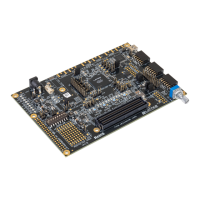
MachXO2 Dual Sensor
Interface Board
To Connect the DSIB, HDR-60 and NanoVesta Boards:
1. Plug the bottom connectors of the DSIB into the HDR-60 Base Board. The two connectors
align on the bottom of the DSIB to the HDR-60 Base Board, as shown below. These connec-
tors permit mating only one configuration, so no misconnection is possible.
2. Plug a 9MT024 NanoVesta sensor into sensor location #1. Both sensor board connectors
permitmatingonlyoneway.MakesurejumperJ2ontheNanoVestaboardhaspins1
and 2 shorted, as shown below. You can optionally insert another NanoVesta sensor into
sensorlocation#2,howeverjumpersettingsandsolderedresistorswillneedtobemodi-
fied accordingly as the default configuration is for one sensor. For further details on these
options, see EB69, MachXO2 Dual Sensor Interface Board User’s Guide.
3. Plug in the 12V power supply of the HDR-60 Base Board into the power connector.
4. Connect the HDMI cable to the HDR-60 Base Board and then to a digital monitor. It is
not necessary to use the HDMI-to-DVI connector if the display accepts HDMI, it can be
directly connected. If the display has a DVI connector, use the HDMI-to-DVI adapter.
This procedure is continued on the next page.
USB Connector
NanoVesta Sensor #1
Optional NanoVesta
Sensor #2
HDMI Connector
For single sensor configuration,
J2 must have a jumper
shorting pins 1 and 2
5. PlugtheUSBcableintotheUSBconnectorontheHDR-60BaseBoardandtheotherend
to a PC.


 To Next Page
 Loading...