X-431 HTT Professional Automotive Diagnosis Handset
15
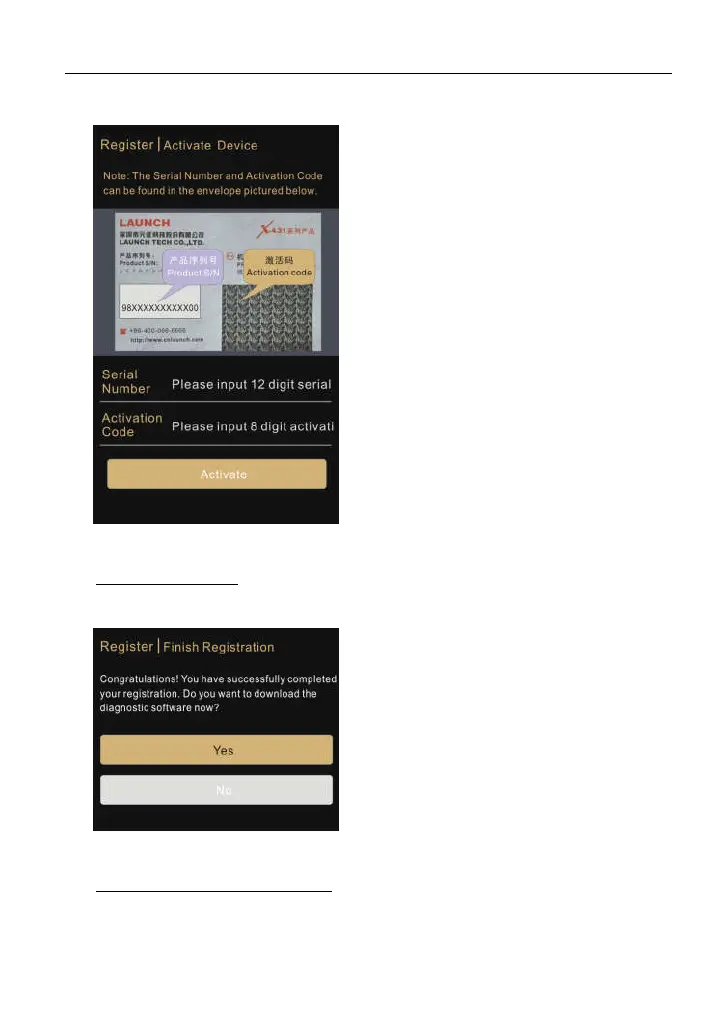
Fig. 4-4
*Notes:
The Serial Number and Activation
Code can be found in the password
envelope.
If user does not activate the X-431
HTT in this step, you can alternatively
activate it by tapping “Personal
Center” -> “Activate Device”.
4. Finish Registration: To download the diagnostic software, tap “Yes” to enter
download center.
Fig. 4-5
Tap “No” to ignore this operation. To
download the diagnostic software
later, you can also tap “Upgrade
Center” on the main menu screen to
download it.
5. Download Diagnostic Software: On the update page, tap “Update” to start
downloading. To pause downloading, tap “Stop”. To resume it, tap
“Continue”. Once download is complete, the system will install the software
package automatically.



 To Next Page