LAUNCH
X-431 PRO V4.0 User Manual
19
F
ig. 4-11
3. Choose one of the two ways to obtain power from:
A. Power adaptor: Connect one end of the included power adaptor to
ch
arging port of the tablet, and the other end to AC outlet.
B. Internal battery pack
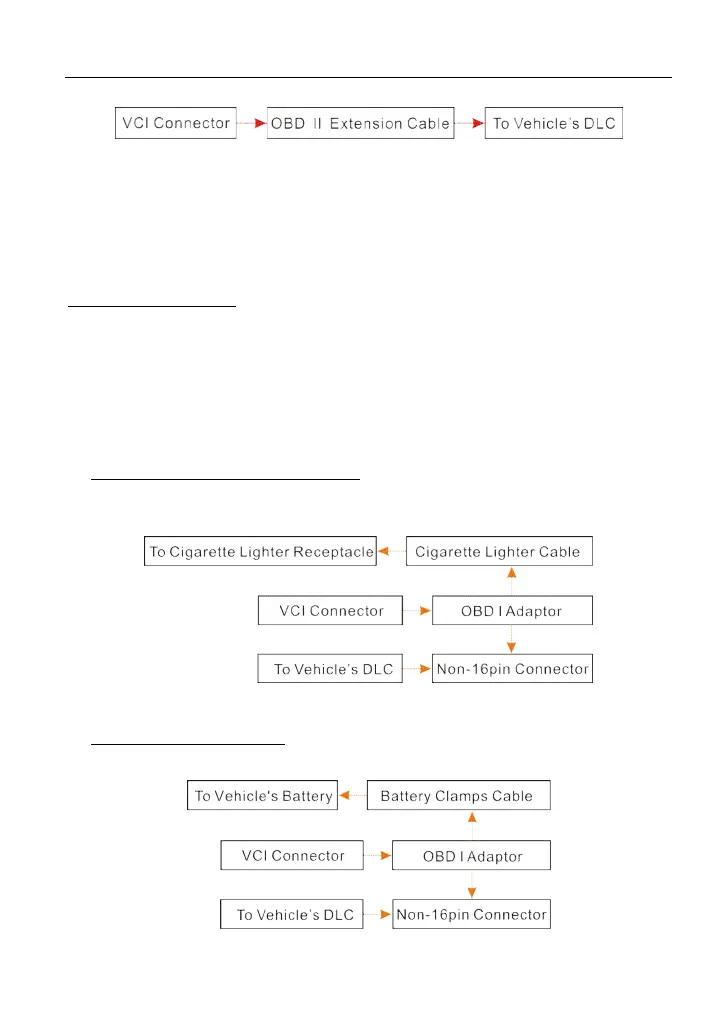
For non-OBDII vehicle, proceed as follows:
1. Locate vehicle’s DLC socket.
2. Select the corresponding non-16pin connector.
3. Plug the non-16pin end of the connector into the DLC socket, then connect
th
e other end to the OBD I adaptor, and then tighten the captive screws.
4. Connect the other end of the adaptor to the included VCI device.
5. To supply power to OBD I adaptor from:
A. Cigarette Lighter cable (optional): Connect one end of the cigarette lighte
r
ca
ble to vehicle’s cigarette lighter receptacle, and the other end to the powe
r
jack of OBD I adaptor.
F
ig. 4-12
B. Battery Clamps Cable: Connect one end of the battery clamps cable to
v
ehicle’s battery, and the other end to the power jack of OBD I adaptor.
Fig. 4-13



 To Next Page