LAUNCH
X-431 PRO V4.0 User Manual
50
10 Others
10.1
Email
T
he function allows you to send and receive emails.
10.1.1 Configure an email account
N
ote: Before sending or receiving email, you have to set up an email account. In
addition, this function requires a stable network connection.
1. On the home screen, tap
E
mail.
2. Choose the desired email account type.
3. Input email address and password, tap “Next”.
N
ote: If “Manual setup” is selected, please consult your email service provider for
detailed parameter setting
.
4
. Follow the on-screen instructions to proceed until the system prompts y
ou
th
at the account setup has been finished.
10.1.2 Add an email account
1. Tap Settings --> Accounts.
2. Tap Add account.
3. Choose the desired account type.
10.2
Browser
1
0.2.1 Open browser
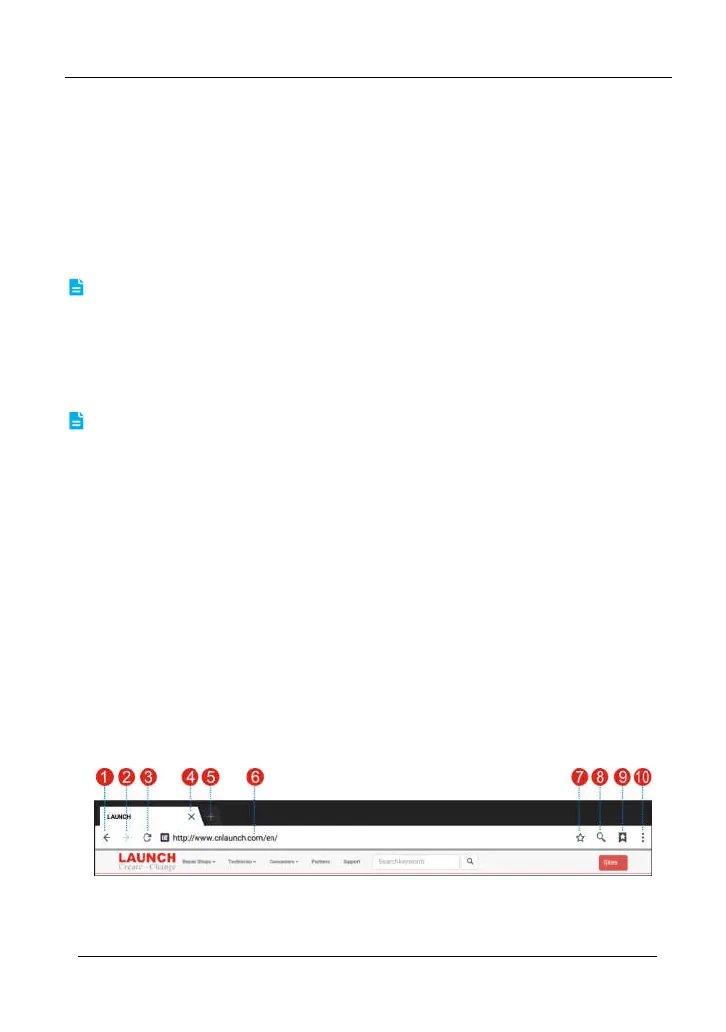
On the home screen, tap Browser to launch the browser. You can choose the
desired homepage or input the website address to browse.
F
ig. 10-1
1 Return to the previous page.



 To Next Page