LAUNCH
X-431 PRO V4.0 User Manual
20
4.4
Communication Setup
E
nter Bluetooth setting screen (“Settings” -> “Bluetooth”), slide the Bluetooth
switch to ON and the tablet will start searching for all available Bluetooth devices,
tap the desired VCI to pair.
By default, the Bluetooth ID is 98********00 (where ******** stands for 8 digits.).
*Note: In case no Bluetooth setting is done before diagnostic software is launched, y
ou
can also configure it while using the software. For details on Bluetooth connection,
please refer to Chapter 4.5 “Start diagnostics”.
4.5
Start Diagnostics
Tap “Tradition Diagnose” to enter the vehicle selection page.
Tap a corresponding diagnostic software logo, and then follow the on-screen
instruction to access the diagnostic software.
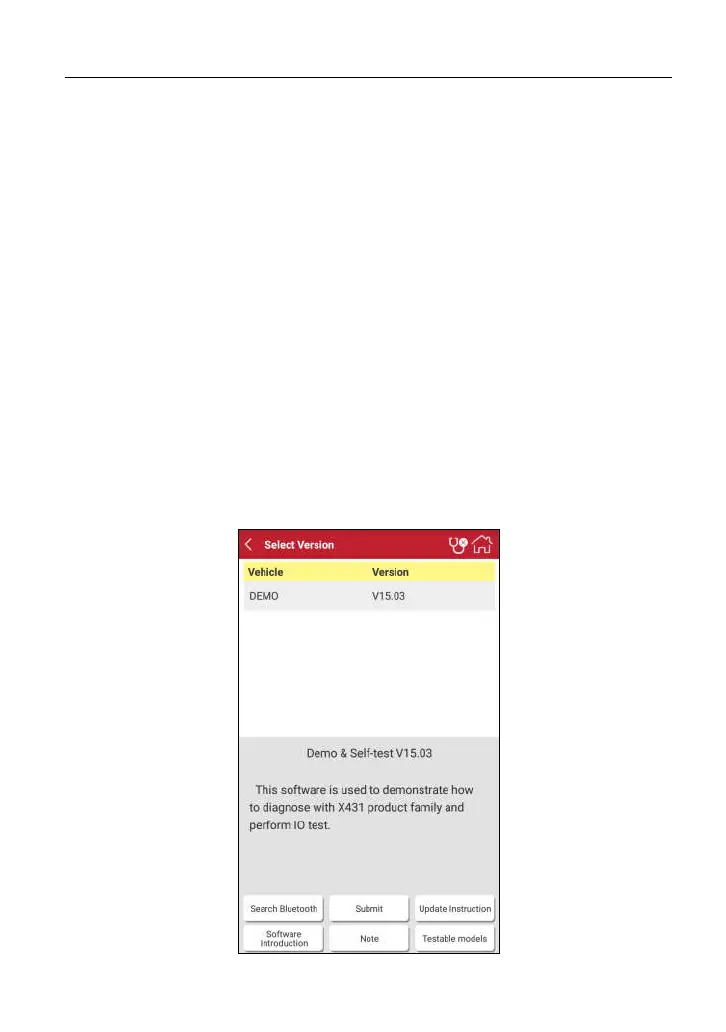
Take Demo as an example to demonstrate how to diagnose a vehicle.
1. Tap “DEMO” to ignore Bluetooth connection and jump to the DEMO system
selection screen. (Note: No Bluetooth connection is required for DEMO
program.)



 To Next Page