LAUNCH
X-431 PRO V4.0 User Manual
43
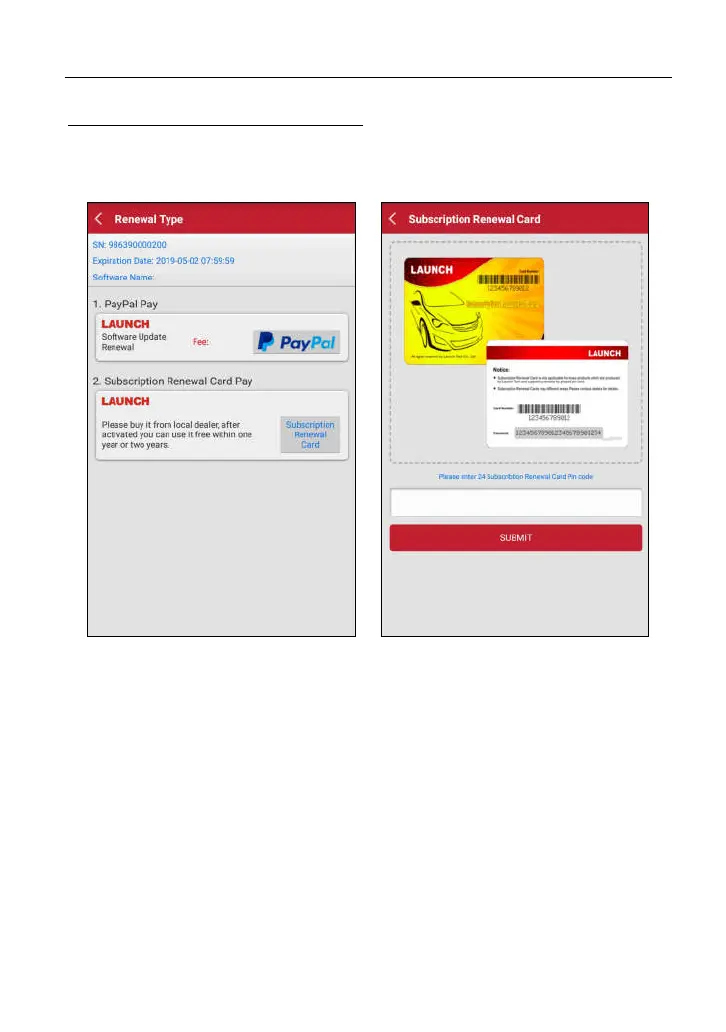
B. Using Subscription Renewal Card
1. T
ap “Renewal” to navigate to the renewal type selection screen.
2
. S
elect “Subscription Renewal Card
”.
F
ig. 7-3 Fig. 7-4
3. Input the 24-digit pin code of Subscription Renewal Card and then
tap “Submit” to finish the renewal.
4. Go to update center to update the diagnostic software.



 To Next Page