LAUNCH
29
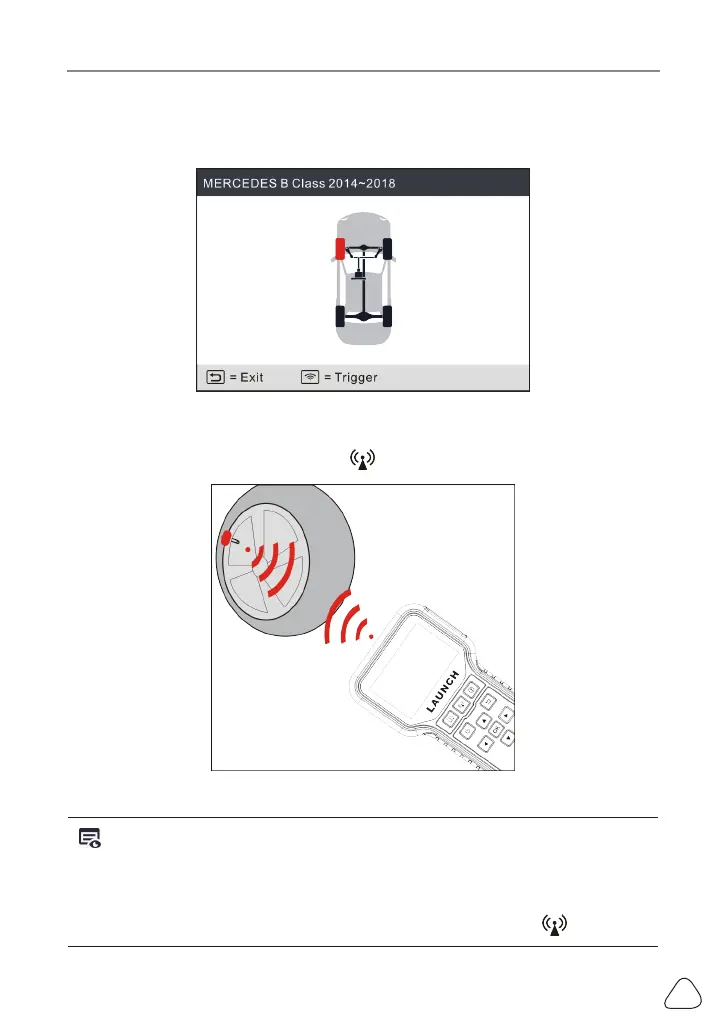
1. Select CHECK SENSOR and press the OK button to enter the following
screen.
Figure 5-5
2. For universal sensors, place the tool alongside the valve stem, point toward
the sensor location, and press the
button.
Figure 5-6
Notes:
1. For early magnet-acvated sensors, place the magnet over the stem and then
place the tool alongside the valve stem.
2. If the TPMS sensor requires re deaon (of the order of 10PSI), then deate
the re and place the tool alongside the stem while pressing the
buon.


 To Next Page