EasyManua.ls Logo

LawnMaster CLMF4841E - User Manual

LawnMaster CLMF4841E
36 pages
Print Icon
To Next Page IconTo Next Page
Loading...
Instruction Manual
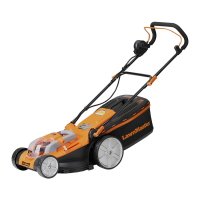
41cm 48V Lithium-Ion Cordless Mower CLMF4841E
Read all safety instructions carefully before assembling and operating
this machine. Ensure the machine has been assembled correctly and safely. Keep the
instructions safe and pass them on to any subsequent user so that the information is always
available.
WARNING:
Original Instructions

Questions and Answers

  • K
    Kayla OrtizSep 10, 2025
    What to do if LawnMaster CLMF4841E Lawn Mower blade fails to rotate?
    • J
      John ScottSep 10, 2025
      If the blade on your LawnMaster Lawn Mower fails to rotate: * The blade may be blocked by grass. Switch off the mower and remove the grass (always wear gardening gloves). * The blade nut/bolt may be loose. Tighten the blade nut/bolt.
  • K
    Kiara LaneAug 23, 2025
    Why is my LawnMaster Lawn Mower showing poor collection performance?
    • M
      Melissa TaylorAug 23, 2025
      If your LawnMaster Lawn Mower demonstrates poor collection performance, consider the following: * The mowing conditions may not be optimal. Cut long grass in stages by gradually lowering the cutting height and wait for wet grass to dry. * A mulching plug might be inside the collection chute. Remove it. * The area of cut (battery duration) may not be large enough. Increase the cutting height and walk slower. * The grass may be too high. Increase the cutting height and walk slower. * The grass may be wet or damp. Wait until it is dry and walk slower. * The grass may be dense. Increase the cutting height, walk slower, and cut more frequently.
  • A
    Autumn HopkinsAug 25, 2025
    How to fix LawnMaster CLMF4841E Lawn Mower cutting grass unevenly?
    • W
      William BrownAug 25, 2025
      If your LawnMaster Lawn Mower cuts grass unevenly or the motor labours, consider these potential causes: * The lawn may be rough or uneven, or the cutting height may not be set properly. Adjust the cutting position to the height best suited for your lawn. * The blade may be blunt. Replace the blade. * The blade area may be blocked. Clean the blade area and remove any blockage. * The blade may be assembled incorrectly. Install the blade correctly, ensuring the blade wings face up away from the ground.
  • P
    Patrick RodriguezAug 27, 2025
    What to do if my LawnMaster Lawn Mower motor stops?
    • A
      Andrew BrownAug 27, 2025
      If the motor of your LawnMaster Lawn Mower stops, it could be due to a foreign object blocking the mower. Remove the object to resolve this. Alternatively, the motor protection may have engaged because of overheating. If this is the case, allow the mower to cool down. When mowing, cut long grass in stages and avoid overloading the motor to prevent future occurrences.
  • L
    laurakingAug 28, 2025
    Why LawnMaster CLMF4841E cuts unevenly?
    • K
      khowellAug 28, 2025
      If your LawnMaster Lawn Mower cuts grass unevenly or the motor labors, the issue might stem from a few causes. If the lawn is rough or uneven, or the cutting height isn't set properly, adjust the cutting position to the height best suited for your lawn. A blunt blade can also cause these issues, so consider replacing it. Check for blockages in the blade area and clean as necessary. Lastly, ensure the blade is assembled correctly, with the blade wings facing up away from the ground.
  • A
    Andre WashingtonAug 29, 2025
    Why LawnMaster Lawn Mower has poor collection performance?
    • S
      Shawn EwingAug 29, 2025
      If your LawnMaster Lawn Mower has poor collection performance, it may be because the mowing conditions are not optimal. Try cutting long grass down in stages by gradually lowering the height of cut, and wait for wet grass to dry. Also, check if the mulching plug is inside the collection chute and remove it if it is.
  • D
    Dawn MillerSep 18, 2025
    Why LawnMaster Lawn Mower charge control LEDs do not light up?
    • J
      josephmckinneySep 18, 2025
      If the charge control LEDs on your LawnMaster Lawn Mower do not light up after inserting the mains plug into the socket, ensure the mains plug of the battery charger is fully inserted into the socket outlet. If that doesn't work, the socket outlet, mains cable, or battery charger could be defective. Check the mains voltage and if necessary, contact the aftersales helpline.
  • U
    ugriffinSep 12, 2025
    Why charge control LEDs do not light up on LawnMaster CLMF4841E Lawn Mower?
    • Z
      zgonzalezSep 12, 2025
      If the charge control LEDs on your LawnMaster Lawn Mower do not light up after inserting the mains plug, here are some possible causes: * The mains plug of the battery charger may not be plugged in properly. Ensure the mains plug is fully inserted into the socket outlet. * The socket outlet, mains cable, or battery charger may be defective. Check the mains voltage and if necessary, contact the aftersales helpline.
  • S
    Sean PatelSep 8, 2025
    What causes no charging procedure possible in LawnMaster Lawn Mower?
    • W
      whitenormanSep 8, 2025
      If a charging procedure is not possible for your LawnMaster Lawn Mower, check these items: * The battery contacts may be contaminated. Clean them by inserting and removing the battery several times, or replace the battery. * The socket outlet, fuse, mains cable, or battery charger could be defective. Check the mains voltage and fuse; if necessary, contact the aftersales helpline. * The battery might have a fault. Replace the battery.
  • L
    Logan DyerSep 5, 2025
    Why is my LawnMaster CLMF4841E Lawn Mower making excessive noise?
    • G
      Gabrielle WilliamsSep 5, 2025
      If your LawnMaster Lawn Mower is producing excessive vibrations or noise, check the following: * The blade nut/bolt might be loose. Tighten it. * The blade could be damaged. Replace it. * The motor shaft might be bent. Stop the mower, remove the isolator key and batteries, and inspect for damage. Have repairs made by a qualified person.

Summary

Symbols

Safety Warning

General warning to read and understand instructions to prevent serious injury and damage.

Safety Information

General Safety Precautions

Covers essential safety precautions, user responsibilities, and general operating rules for the lawnmower.

Battery Safety Information

Provides critical safety guidelines for charging, handling, and storing battery packs to prevent hazards and ensure safe operation.

Charger Safety Information

Details safety measures for using the battery charger, covering electrical safety, proper connections, and maintenance.

Intended Use

Specifies the intended domestic use of the lawnmower and prohibits unauthorized, commercial, or unintended applications.

In the Box

Assembly

Assembly Preparation

Instructions for unpacking, checking contents, and ensuring all necessary accessories and protective equipment are ready.

Assembling the Lower Handle

Step-by-step guide for attaching and securing the lower handle to the mower housing.

Assembling the Upper Handle

Guide on aligning and fastening the upper handle to the lower handle for operational use.

Assembling the Grass Collection Bag

Details on how to assemble the grass collection bag frame and attach it to the mower.

Attaching and Removing the Grass Collection Bag

Procedure for connecting and disconnecting the grass collection bag to the mower deck, including deflector guard operation.

Grass Collection Full Indicator

Explanation of the indicator that signals when the grass collection bag is full.

Attaching and Removing the Mulching Plug

Instructions for fitting and removing the mulching plug for grass deposition on the lawn, ensuring proper installation.

Installing and Removing Battery Packs

Step-by-step guide for safely inserting and removing the battery packs from the mower, including securing them properly.

Operation

Setting the Cutting Height

Guide on adjusting the mower's cutting height to suit lawn conditions, including a table of positions and recommended practices.

Battery Charging

Instructions for charging the battery packs, including charger compatibility and temperature guidelines.

Battery LED Indicators

Explanation of the battery's charge level indicator lights and their meaning.

Charger Operation

Details on connecting and operating the battery charger, including status indicator lights.

Starting and Stopping the Mower

Procedure for safely starting and stopping the lawnmower using the controls.

iPower Mode Indicator

Explanation of the iPower mode settings, detailing how they adjust motor power output for different mowing conditions.

iPower Battery Indicator

Guide to understanding the battery status indicators, showing charge level and indicating when recharge is needed.

General Operation

Overview of general operational checks, safety practices, and immediate actions during mower use.

Mowing

Guidance on effective mowing techniques, covering slope safety, cutting height, grass conditions, and lawn care.

Maintenance

General Maintenance

Routine cleaning and checks of safety devices, air vents, motor housing, and general mower condition.

Replacing the Blade

Step-by-step instructions for safely removing and replacing the mower blade, emphasizing safety precautions.

Sharpening the Blade

Procedure for removing, sharpening, and re-installing the mower blade to maintain cutting performance and motor efficiency.

Balancing the Blade

Method for checking and ensuring the mower blade is balanced to prevent excessive vibration and mower damage.

Storing the Mower

Instructions for properly folding and storing the mower indoors to save space, ensure safety, and protect from elements.

Battery and Charger Maintenance

Guidelines for cleaning, storing, and maintaining battery packs and chargers for optimal performance and longevity.

Troubleshooting

Technical Data

Recycling and Disposal

LawnMaster CLMF4841E Specifications

General IconGeneral
TypeCordless Lawn Mower
Cutting Width48 cm (19 in)
Weight24.5 kg
Battery TypeLithium-Ion
Warranty2 years
Cutting Height Adjustment6 positions

Related product manuals