V_pro8 Manual V1.0/2 63
Operation (Web Browser Control)
Status
Status -> SDI In
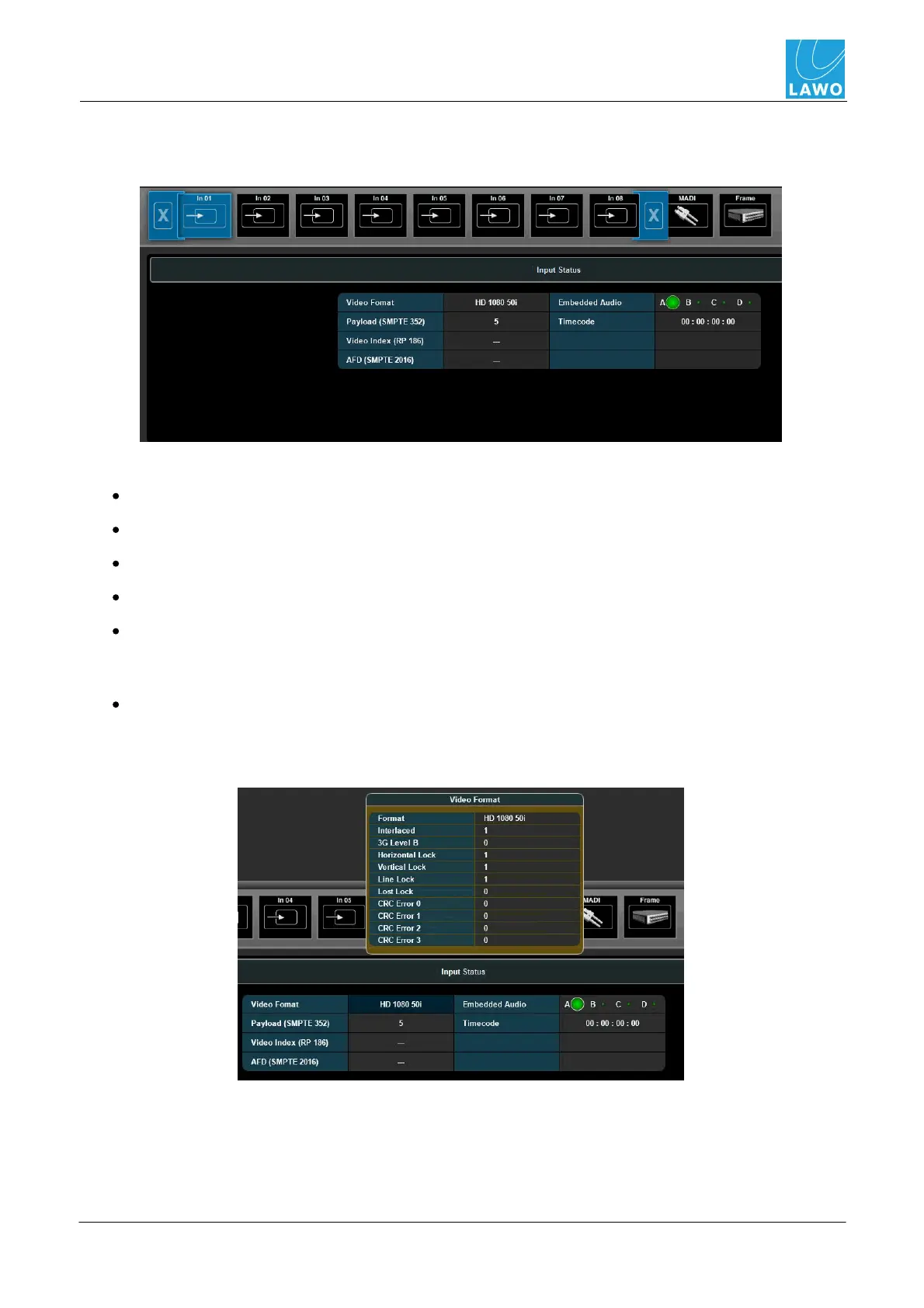
1. Select Status -> SDI In, and then select an input (In01 to In08) from the sub menus:
The fields display standard meta data contained within the SDI input stream:
Video Format - describes the video format.
Payload - the contents of the payload packet.
Video Index - various information on the aspect ratio, colour, etc.
AFD - the Active Format Description.
Embedded Audio - information about the 16 embedded audio channels, such as sample
rate, bit rate, PCM or Dolby E, etc. In our example, the green circle indicates that signal is
present on at least one channel within SDI Group A.
Timecode - embedded timecode (VITC 1, VITC 2 and LTC).
2. Click on a field to open a pop-up with further information:
Video Format:



 To Next Page