V_pro8 Manual V1.0/2 73
Operation (Web Browser Control)
SDI Out
Display Options
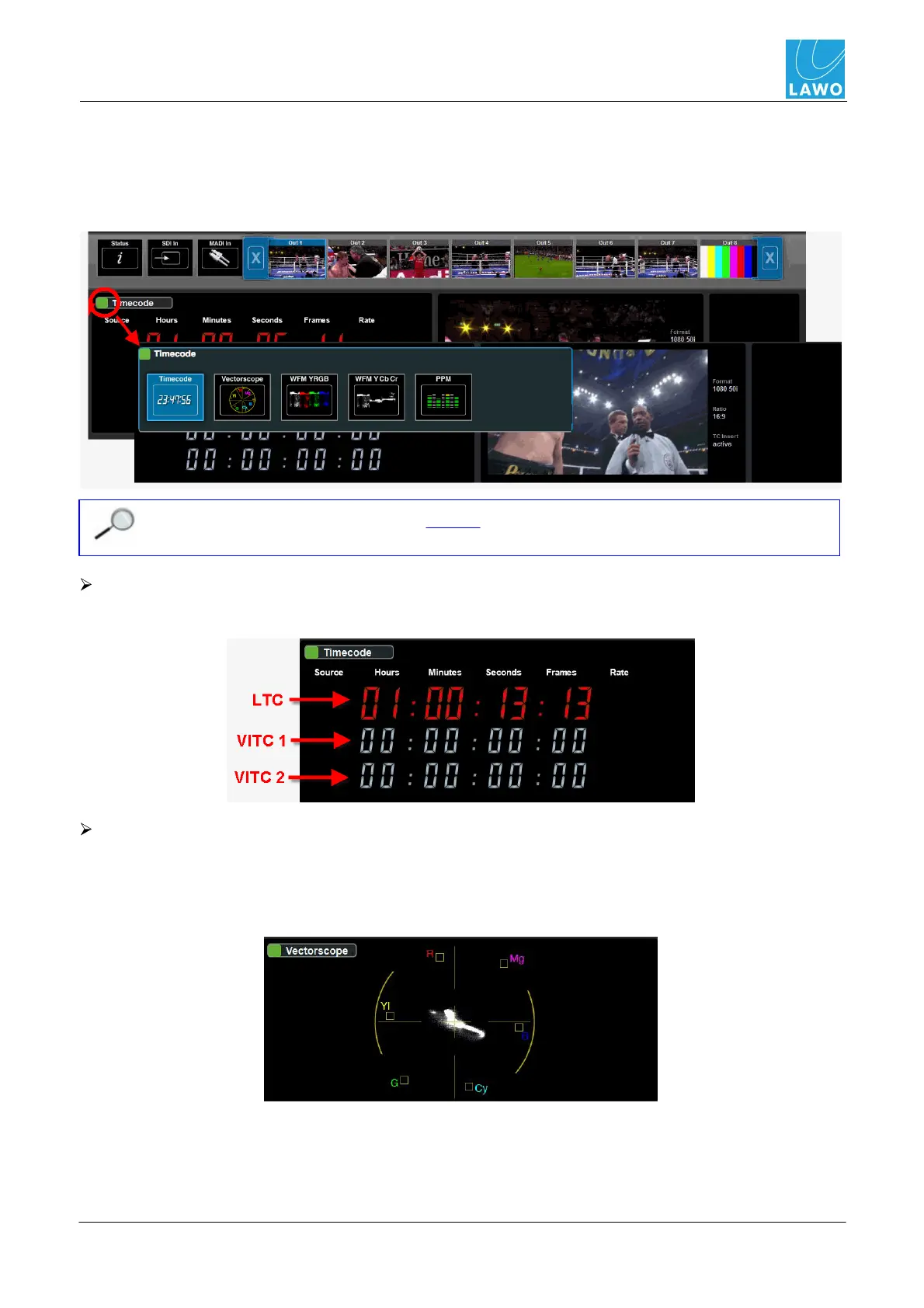
The left hand side of the SDI Out page can display different options.
1. Click on the green button beside the current display (e.g. Timecode) to open the selector and
choose a new option:
You must have the correct software license in order to access the Vectorscope and WFM
options.
Timecode
Displays the three embedded timecode streams (VITC 1, VITC 2 and LTC):
Vectorscope
Vectorscope monitoring of the video channel.
The X-Y plot compares the amplitude of different colour components (R = Red, Mg = Magenta, B =
Blue, Cy = Cyan, G = Green, Yl = Yellow):



 To Next Page