V1.0/272 V_pro8 Manual
Operation (Web Browser Control)
SDI Out
SDI Out
This main menu is the principle menu for dealing with SDI signals. Here you can monitor the video
and adjust signal routing and processing for any SDI output.
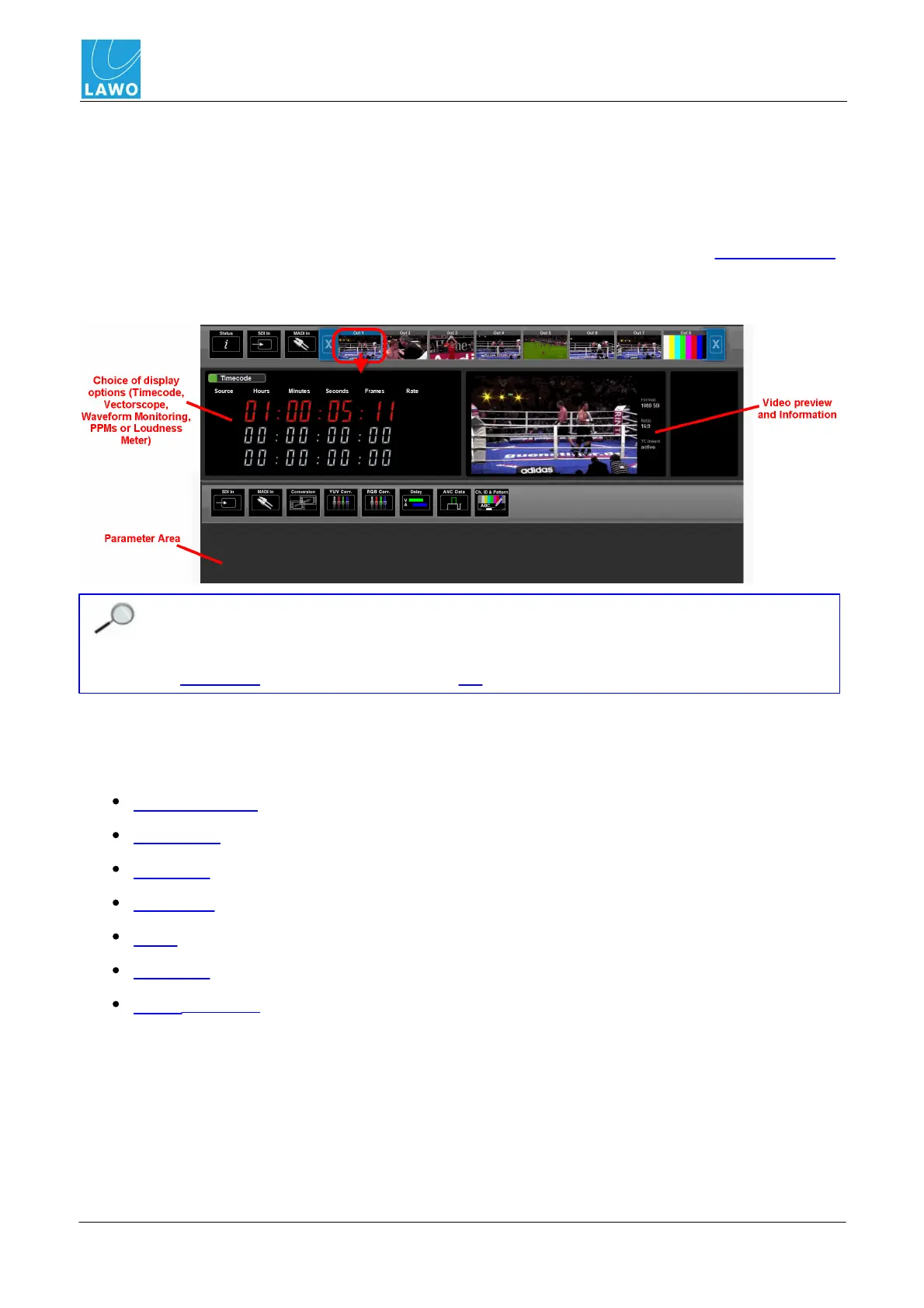
1. Select SDI Out and an output (Out 1 to 8) from the main menus.
In the upper part of the operating window you will see Timecode (or one of the other Display Options)
plus a preview of the embedded video channel and information on its format, aspect ratio and
timecode insertion:
If you have signals connected, then you will see audio levels on any metering and live video
in the thumbnails and preview. If no signals are present, then these elements will be blank.
Note that the video preview is not streamed at broadcast quality. For broadcast quality, use
the Quad Split monitoring feature via the MV SDI output.
The lower half of the screen is used to adjust signal routing and video or audio processing for the
selected SDI output.
2. Select a sub menu from:
SDI In & MADI In - re-assign channels from any SDI or MADI input.
Conversion - up/down/cross format and aspect ratio conversion for the video channel.
YUV Corr. - standard ProcAmp colour correction for the video channel.
RGB Corr. - RGB-style colour correction for the video channel.
Delay - output delay (for each video and embedded audio channel).
ANC Data - ancillary data such as embedded timecode, AFD and audio.
Ch. ID & Pattern - insertion of channel ID and timecode into the video channel, and test tone
into all embedded audio channels.



 To Next Page