V1.0/280 V_pro8 Manual
Operation (Web Browser Control)
SDI Out
SDI Out -> YUV Corr
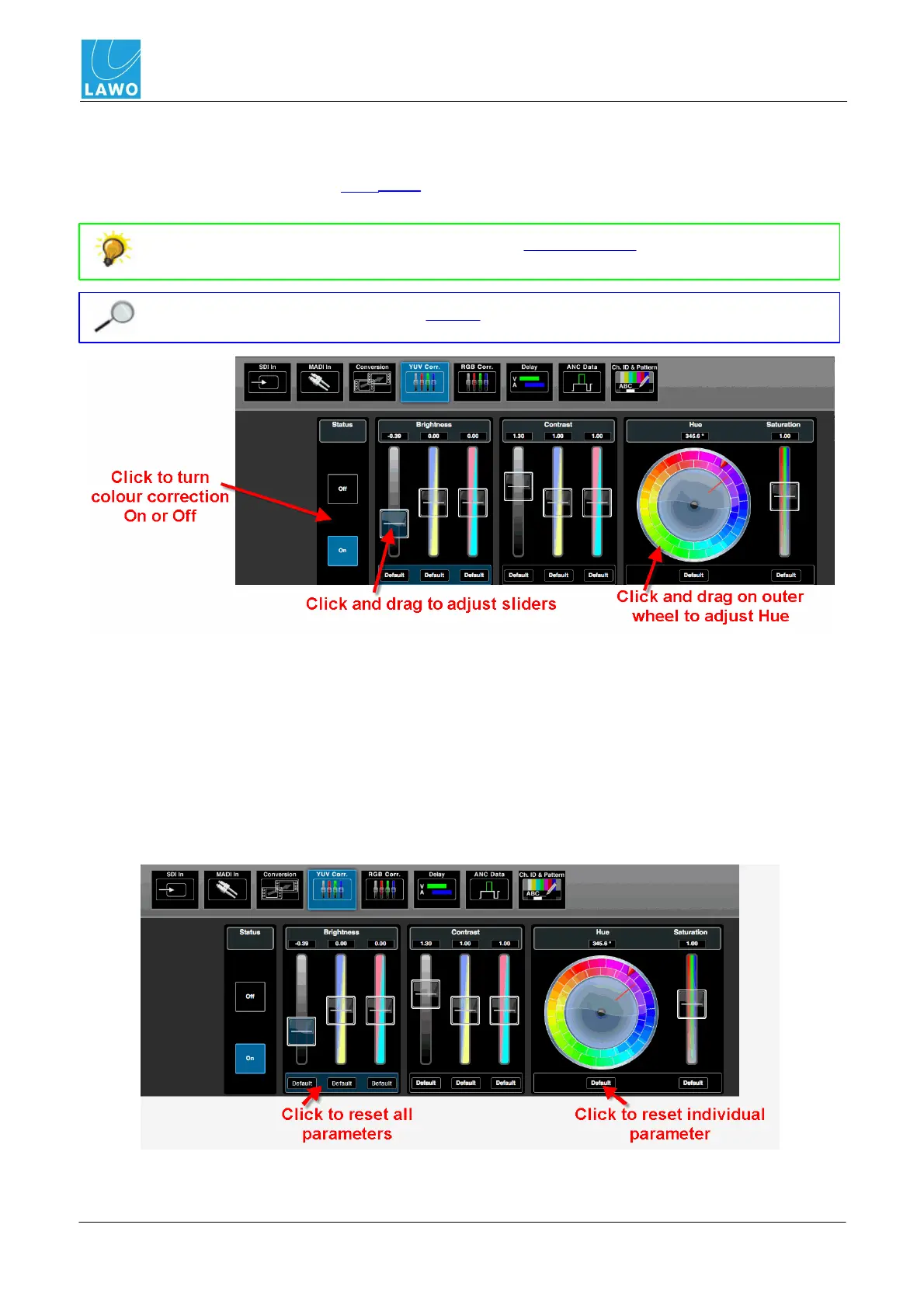
This sub menu provides colour correction for the video channel using standard Proc Amp controls
(YUV). Alternatively, you can use RGB Corr. Both sets of controls affect the luminance (black &
white) and chrominance (colour) components of the embedded video channel.
Select either the Vectorscope or WFM (YCbCr) display options to visualise luminance
and chrominance as you make adjustments.
You must have the correct software license in order to access this menu.
To apply colour correction:
1. Select the Status On button to enable the controls.
2. Click and drag on a slider to adjust its value. For Brightness and Contrast, you can adjust
the Luminance (Y) and colour difference (U & V) components.
3. Click and drag on the outer colour wheel to adjust the Hue - you can use the inner wheel,
which remains static, for reference.
4. To reset a parameter, click on its Default button. Or, click between the buttons to reset a
parameter block:



 To Next Page