V1.0/282 V_pro8 Manual
Operation (Web Browser Control)
SDI Out
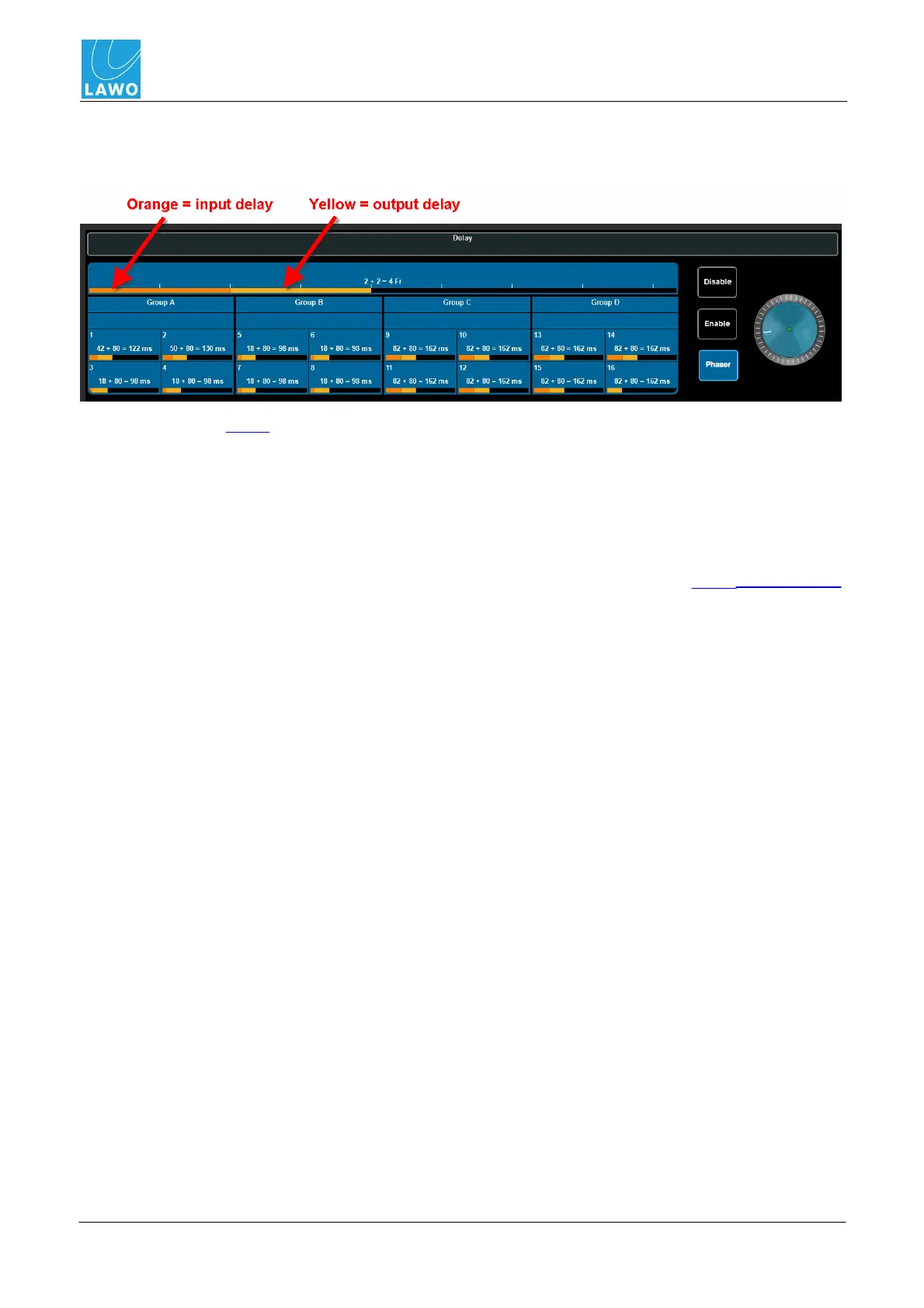
SDI Out -> Delay
This sub menu adjusts output delay for the embedded video and audio channels:
For full details, see Delay.
In addition, it can be used to enable or disable the auto phaser (the default setting is Phaser on).
The auto phaser is used to align video input signals within the line phaser range (2 lines for the pro8).
It ensures the smallest processing delay between the video input and video output, if the incoming
video signal's timing position matches the range of the studio's timing environment.
If the incoming video signal doesn't match the auto phaser range, then the timing of the input signal
must be modified (externally to the pro8). Or, if this is not possible, the pro8's frame synchroniser
can be enabled to solve the problem, but note that this introduces a one video frame delay.



 To Next Page