V_pro8 Manual V1.0/2 99
Operation (Web Browser Control)
Settings
To install and boot a new version of software:
Note that settings are deleted after rebooting from new software.
Audio is muted during the installation process.
1. First download or copy the new software file onto your computer. Do not unzip the file.
You can download the latest pro8 software release from the Lawo website by registering at
www.lawo.de (click on Login and then navigate to the Downloads area).
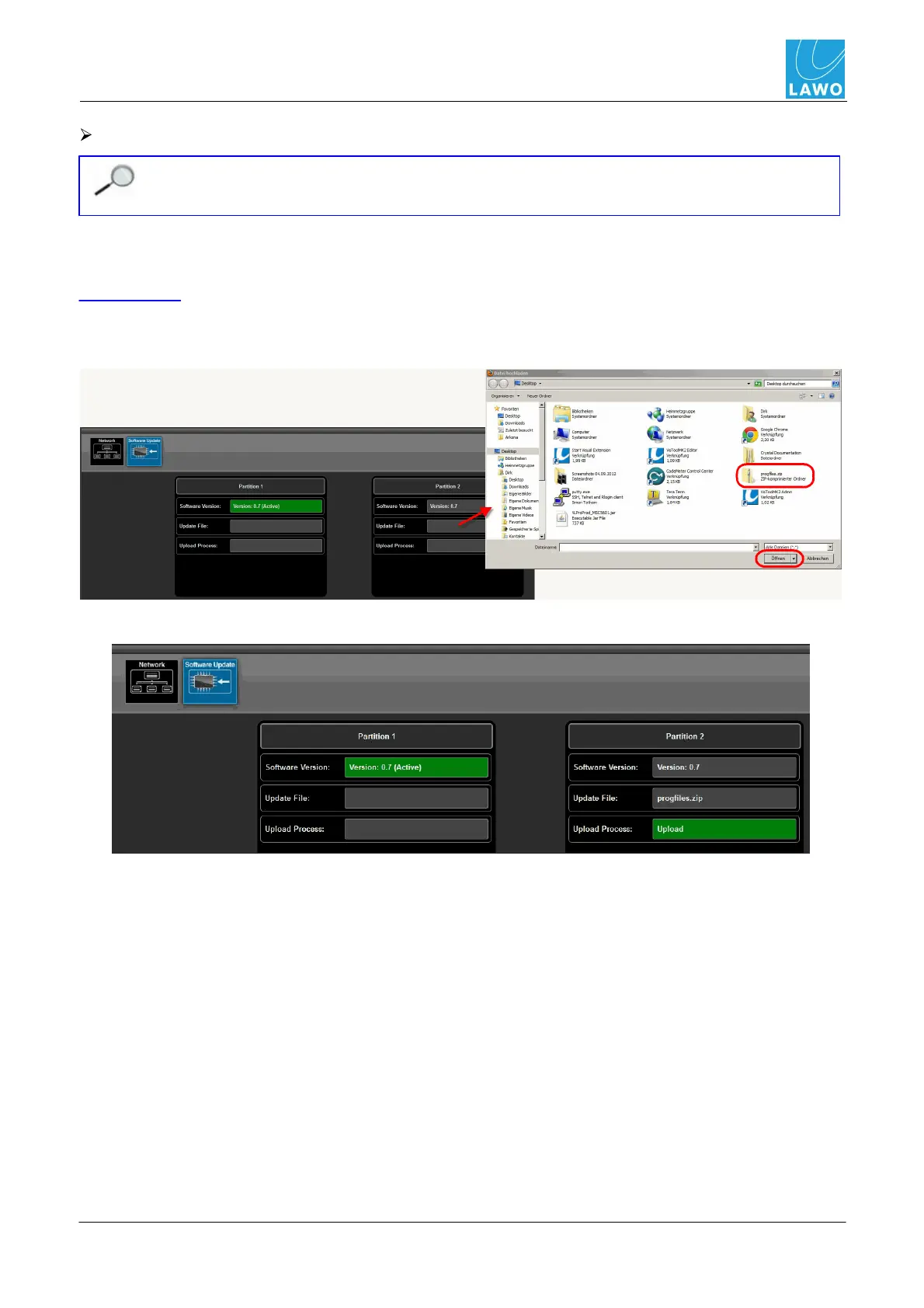
2. Then click on the Update File button to open a file browser window. Select the software file
(progfiles.zip) and click on Open:
The Update File field shows the file name and a green Upload button appears:



 To Next Page