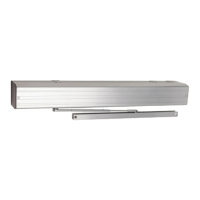
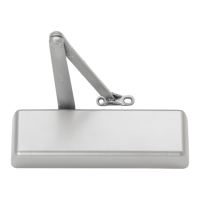
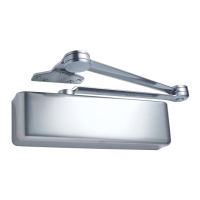
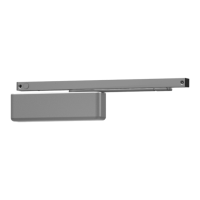
EasyManua.ls Logo

LCN ELECTRIC AUTO-EQUALIZER 4630 - User Manual

LCN ELECTRIC AUTO-EQUALIZER 4630
19 pages
Print Icon
To Next Page IconTo Next Page
Loading...
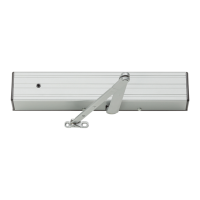
4630 / 4640
ELECTRIC AUTO-EQUALIZER SERIES
Princeton, IL 61356
Phone: 800 - 526 - 2400
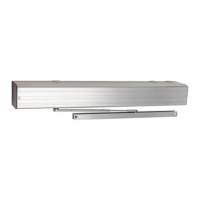
4640
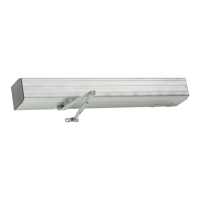
PUSH SIDE MOUNT
INSTRUCTION MANUAL FOR THE INSTALLATION AND ADJUSTMENT
OF THE 4600 SERIES ELECTRONIC LOW ENERGY DOOR OPERATOR
The 4600 Series electric Auto-Equalizer series combines all door operator and
door control functions in one package. This versatile, easy-to-install system is low
maintenance and offers the following features:
- Top jamb mounting on either side of an interior door allows 90° of power opening.
( Mounting for exterior door on the inside only.)
- Manual opening up to 170° (4630) or 100° (4640).
- Easy access to on / off and hold open switches.
- Quiet, reliable operator delivers consistent performance.
- No expensive service contracts or periodic maintenance required.
- Fail safe operator acts as a standard door closer in event of power outage.
- Low energy operator does not require guard rails or safety mats.
- Advanced, easy-to-install controller module allows independent adjustment of:
» Door Opening Speed » Delay / Trigger Time for Sequential Option
» Door Opening Force » Electric Strike Delay Time
» Hold Open Time » 90° Slow Down
» Alternate Action Timeout » Safety Scanner Lockout Time
®
TABLE OF CONTENTS
Pg. 2 ...... General Information
Pg. 3 ...... Install Mounting Plate
Pg. 4 ...... 4630 Template
Pg. 5 ...... 4640 Template
Pg. 6 ..... Installing Closer Assembly
Pg.7-8.... 4600 Series Arm Installation
Pg. 9 .... Closer Regulation & Power Adjustment
Pg. 10 ...... Controller Installation
Pg. 11 ...... Electrical Connections
Pg.12-13... Typical Wiring
Pg.14 ....... Auxiliary Electrical Device Wiring
Pg.15 ....... Controller Setting Adjustment
Pg. 16-17.. Controller Programming
Pg.18 ....... Basic Operation & Cover Installation
Pg.19 ....... Illustrated Parts List
4630
PULL SIDE MOUNT
®
9/06 ©2006 SCHLAGE LOCK Company. All rights reserved. DP# 28101R7
Question and Answer IconNeed help?

Do you have a question about the LCN ELECTRIC AUTO-EQUALIZER 4630 and is the answer not in the manual?

Summary

General Information for LCN Auto-Equalizer Series

Compliance with Industry Codes and Standards

Details compliance with industry codes like ANSI, ADA, and UL standards.

Model Features and Installation Specifications

Outlines operational features and physical requirements for 4631/4642 models.

Electrical Requirements and Compatibility

Covers power supply needs, voltage, and compatibility with accessories.

Securing Mounting Plate Assembly to Frame

Conduit Options and Frame Preparation

Discusses concealed vs. surface wiring and template usage for frame prep.

Mounting Channel Installation Procedure

Details the steps for securely attaching the mounting channel to the frame.

Routing Conduit Through Mounting Channel

Explains how to properly connect and route conduit through the mounting channel.

Installing the Closer Assembly

Closing Force Adjustment Guide

Explains how to adjust spring power based on door width using tables.

Mounting the Closer Body to the Channel

Details the process of attaching the closer body to the mounting channel assembly.

4630 Series Arm Assembly Installation

Track Installation and Roller Setup

Steps for inserting track plugs and rollers into the track assembly.

Mounting the Track Assembly to the Door

Instructions for securely attaching the track assembly to the door.

Connecting Arm Assembly to Closer Shaft

Details how to connect the arm assembly to the closer shaft extension.

Attaching Arm to Track Roller

Describes the final connection of the arm to the track roller.

4640 Series Arm Assembly Installation

Connecting Arm Assembly to Closer

Details connecting the arm assembly to the closer shaft.

Attaching Rod and Shoe Assembly to Door

Instructions for securing the rod and shoe to the door.

Final Arm Assembly Adjustments

Explains rod insertion and tightening the arm set screw.

Door Closer Hydraulic Regulation and Power Adjustment

Closing Speed and Backcheck Adjustment

Covers hydraulic regulation of opening and closing speeds.

4640 Series Latch Closing Power Adjustment

Specific adjustment for the 4640 model's closing power at latch.

Automatic Door Decal Placement Guidelines

Instructions for correctly positioning the caution door decals.

Controller Board Installation and Adjustment

Mounting the Controller Assembly

Details the process of attaching the controller unit to the operator assembly.

Controller Wiring Connections

Explains how to connect the wiring harnesses to the controller.

Electrical Connections Overview

High Voltage Electrical Connections

Wiring diagrams and procedures for high voltage components.

Low Voltage Wiring and Terminal Mapping

Covers low voltage wiring and functional terminal assignments.

Sequential Wiring Connections

Simultaneous Pair Wiring Configuration

Wiring diagram for paired operators in simultaneous mode.

Simultaneous Vestibule Wiring

Wiring diagram for vestibule applications in simultaneous mode.

Independent Vestibule Wiring

Wiring diagram for vestibule applications in independent mode.

Sequential Pair Wiring Connections

Simultaneous Vestibule Pairs Wiring

Wiring diagram for paired vestibule operators in simultaneous mode.

Independent Vestibule Pairs Wiring

Wiring diagram for paired vestibule operators in independent mode.

Wiring for Electronic Latching Devices

Fail Safe;Secure Latching Device Wiring

Wiring instructions for electronic latching devices using 12V/24V power.

Wiring for Electric Strike and Mag-Lock Systems

Electric Strike and Mag-Lock Wiring Diagrams

Wiring for 24V DC and 12V DC electric strikes and mag-locks.

Controller Setting Adjustments

Controller Interface and Button Functions

Explains the physical controls, indicators, and button operations.

Adjusting Opening Speed and Force

Details how to use controls for adjusting opening speed and force.

Adjusting Timing and Mode Settings

Guides on adjusting timing parameters and programming modes.

Controller Programming Modes Explained

Hold Open and Slow Down Time Settings

Configuration options for door hold open duration and slow down time.

Input, Exterior, and Mode Settings

Settings for input types, exterior operation, and operational modes.

Delay, Action Time, and Lockout Settings

Settings for sequential, alternate action, and safety lockout delays.

Controller Programming Procedures

Entering Programming Mode and Error Codes

How to access programming, interpret error codes, and check switch states.

Detailed Programming Parameter Adjustments

Step-by-step guide for modifying each controller setting.

Exiting Programming and Factory Reset

Procedures for saving settings, exiting programming, and performing a factory reset.

Basic Operation Information

Door Opening Speed Specifications

Lists maximum door opening speeds as per ANSI 156.19 standards.

Operation When Triggered by Actuator

Explains how actuator inputs initiate door cycles and safety checks.

Obstruction Handling and Hold Open Delay

Details the 'Second Chance' feature and hold open delay functionality.

Replacement Parts List Information

4630 Series Arm Assembly Parts

Lists specific replacement parts for the 4630 series arm assembly.

4640 Series Arm Assembly Parts

Lists specific replacement parts for the 4640 series arm assembly.

Main Operator Assembly Replacement Parts

Identifies replacement components for the main operator unit.

Summary

General Information for LCN Auto-Equalizer Series

Compliance with Industry Codes and Standards

Details compliance with industry codes like ANSI, ADA, and UL standards.

Model Features and Installation Specifications

Outlines operational features and physical requirements for 4631/4642 models.

Electrical Requirements and Compatibility

Covers power supply needs, voltage, and compatibility with accessories.

Securing Mounting Plate Assembly to Frame

Conduit Options and Frame Preparation

Discusses concealed vs. surface wiring and template usage for frame prep.

Mounting Channel Installation Procedure

Details the steps for securely attaching the mounting channel to the frame.

Routing Conduit Through Mounting Channel

Explains how to properly connect and route conduit through the mounting channel.

Installing the Closer Assembly

Closing Force Adjustment Guide

Explains how to adjust spring power based on door width using tables.

Mounting the Closer Body to the Channel

Details the process of attaching the closer body to the mounting channel assembly.

4630 Series Arm Assembly Installation

Track Installation and Roller Setup

Steps for inserting track plugs and rollers into the track assembly.

Mounting the Track Assembly to the Door

Instructions for securely attaching the track assembly to the door.

Connecting Arm Assembly to Closer Shaft

Details how to connect the arm assembly to the closer shaft extension.

Attaching Arm to Track Roller

Describes the final connection of the arm to the track roller.

4640 Series Arm Assembly Installation

Connecting Arm Assembly to Closer

Details connecting the arm assembly to the closer shaft.

Attaching Rod and Shoe Assembly to Door

Instructions for securing the rod and shoe to the door.

Final Arm Assembly Adjustments

Explains rod insertion and tightening the arm set screw.

Door Closer Hydraulic Regulation and Power Adjustment

Closing Speed and Backcheck Adjustment

Covers hydraulic regulation of opening and closing speeds.

4640 Series Latch Closing Power Adjustment

Specific adjustment for the 4640 model's closing power at latch.

Automatic Door Decal Placement Guidelines

Instructions for correctly positioning the caution door decals.

Controller Board Installation and Adjustment

Mounting the Controller Assembly

Details the process of attaching the controller unit to the operator assembly.

Controller Wiring Connections

Explains how to connect the wiring harnesses to the controller.

Electrical Connections Overview

High Voltage Electrical Connections

Wiring diagrams and procedures for high voltage components.

Low Voltage Wiring and Terminal Mapping

Covers low voltage wiring and functional terminal assignments.

Sequential Wiring Connections

Simultaneous Pair Wiring Configuration

Wiring diagram for paired operators in simultaneous mode.

Simultaneous Vestibule Wiring

Wiring diagram for vestibule applications in simultaneous mode.

Independent Vestibule Wiring

Wiring diagram for vestibule applications in independent mode.

Sequential Pair Wiring Connections

Simultaneous Vestibule Pairs Wiring

Wiring diagram for paired vestibule operators in simultaneous mode.

Independent Vestibule Pairs Wiring

Wiring diagram for paired vestibule operators in independent mode.

Wiring for Electronic Latching Devices

Fail Safe;Secure Latching Device Wiring

Wiring instructions for electronic latching devices using 12V/24V power.

Wiring for Electric Strike and Mag-Lock Systems

Electric Strike and Mag-Lock Wiring Diagrams

Wiring for 24V DC and 12V DC electric strikes and mag-locks.

Controller Setting Adjustments

Controller Interface and Button Functions

Explains the physical controls, indicators, and button operations.

Adjusting Opening Speed and Force

Details how to use controls for adjusting opening speed and force.

Adjusting Timing and Mode Settings

Guides on adjusting timing parameters and programming modes.

Controller Programming Modes Explained

Hold Open and Slow Down Time Settings

Configuration options for door hold open duration and slow down time.

Input, Exterior, and Mode Settings

Settings for input types, exterior operation, and operational modes.

Delay, Action Time, and Lockout Settings

Settings for sequential, alternate action, and safety lockout delays.

Controller Programming Procedures

Entering Programming Mode and Error Codes

How to access programming, interpret error codes, and check switch states.

Detailed Programming Parameter Adjustments

Step-by-step guide for modifying each controller setting.

Exiting Programming and Factory Reset

Procedures for saving settings, exiting programming, and performing a factory reset.

Basic Operation Information

Door Opening Speed Specifications

Lists maximum door opening speeds as per ANSI 156.19 standards.

Operation When Triggered by Actuator

Explains how actuator inputs initiate door cycles and safety checks.

Obstruction Handling and Hold Open Delay

Details the 'Second Chance' feature and hold open delay functionality.

Replacement Parts List Information

4630 Series Arm Assembly Parts

Lists specific replacement parts for the 4630 series arm assembly.

4640 Series Arm Assembly Parts

Lists specific replacement parts for the 4640 series arm assembly.

Main Operator Assembly Replacement Parts

Identifies replacement components for the main operator unit.

Overview

The LCN 4630/4640 Electric Auto-Equalizer Series is a versatile, low-energy door operator designed to combine all door operator and control functions into a single, easy-to-install package. This series is non-handed and non-sized, offering features typically found in heavy-duty LCN door closers, including independent adjustment of backcheck, main speed, and latch speed, as well as adjustable closing power. The units are shipped with LCN's "Ultra X" all-weather hydraulic fluid, ensuring reliable operation across a wide range of temperatures.

Function Description:

The 4600 Series electric Auto-Equalizer provides power opening for interior doors up to 90 degrees. For exterior doors, it must be mounted on the inside only. Manual opening is possible up to 170 degrees for the 4630 model and up to 100 degrees for the 4640 model. The operator is designed to be fail-safe, meaning it acts as a standard door closer in the event of a power outage. As a low-energy operator, it does not require guard rails or safety mats, simplifying installation and reducing overall costs.

Important Technical Specifications:

  • Power Supply: Requires 120VAC supplied to the operator.
  • AC Current Load: Maximum 1.5 amps.
  • Built-in DC Power Supply: 12VDC & 24VDC, rated for 1 amp combined current load, capable of powering peripheral actuators, electronic strikes, or mag-lock devices.
  • Temperature Range for Electrical Functions: 35°F up to 120°F.
  • Door Width Requirements:
    • 4630 (Pull Side): Minimum 36" door width, 2" minimum head frame, 1 1/8" minimum top rail of door, butt hinge size not exceeding 5". Maximum pull side reveal of 1/8".
    • 4640 (Push Side): Minimum 36" door width, 1 3/4" minimum head frame, 1 3/4" minimum top rail of door, butt hinge size not exceeding 5". Accommodates reveals up to 4 1/2". For reveal depths of 4 1/2" - 8", the 4642 L (Long Arm) is required. For reveals greater than 8", consult the factory.
  • Maximum Opening Speed (0° to 90°): 5 seconds (ANSI 156.19 compliant for low-energy door operators).
  • Maximum Opening Force: 15 lbs.
  • Compatibility: Compatible with all LCN 7900 series actuators and scanners, high-security card readers, and keypads.
  • Security System Integration: Accepts inputs from various security systems for access regulation.
  • Fire Alarm Integration: Accepts fire alarm input to deactivate the unit when triggered.
  • Protection: Features a circuit breaker and resettable fuses for high-voltage inputs and low-voltage output circuits.
  • Overall Operator Size: 33 1/2" x 4 3/8" x 5 3/16".

Usage Features:

The 4600 Series offers advanced control and adjustment capabilities through its easy-to-install controller module.

  • Adjustable Settings:
    • Door Opening Speed: Controls how quickly the door opens. Maximum adjustment ensures compliance with ANSI 156.19 specifications. Slower speeds are recommended for heavy doors or strong backcheck settings.
    • Door Opening Force: Adjusts the force the door exerts when opening (max 15 lbs). Proper adjustment prevents clutch slippage and motor overpower.
    • Hold Open Time: Determines how long the door stays open after reaching the 90° position.
    • Alternate Action Timeout: Sets the time the door remains open after an alternate action input, providing an automatic second input to close the door if no further input is received.
    • Delay / Trigger Time for Sequential Option: Controls the time between the first and second door activation in sequential door applications.
    • Electric Strike Delay Time (E.S. DELAY): Manages the time between an activation signal and actual door movement, allowing electric latching hardware to release.
    • 90° Slow Down (90° SLOW DOWN TIME): Adjusts the time from the start of door movement to a transition at approximately 70°, where opening speed is reduced.
    • Safety Scanner Lockout Time (LOCKOUT TIME): Controls the duration a safety scanner input is ignored during door closing (only if safety scanners are used).
    • One Shot Input (OFF/ON): Determines if hold open delay starts on the last or first activation input signal.
    • Exterior Mode (OFF/ON): If off, the door stops and the hold open timer starts upon the first restriction. If on, the door pauses for 1 second on the first restriction (e.g., wind) and then attempts to open again, with the hold open timer starting after the second restriction.
    • E.S. 3 Second Power (OFF/ON): Controls whether the E.S. Relay is powered for the entire door open time or only for 3 seconds after activation.
  • User Interface: Easy access to on/off and hold open switches. The controller features UP and DOWN buttons for adjusting settings, a MODE button to navigate programming setups, a TIME DISPLAY for numeric values, and OPERATING INDICATORS to show internal functions and external hardware status.
  • Second Chance Feature: If an obstruction is encountered during the opening cycle that exceeds the preset opening force, the controller pauses for one second and then attempts to open the door again.
  • Automatic Door Decal: Includes "AUTOMATIC CAUTION DOOR" decals to be placed on each side of the door, near the latch area, at 58" (+/- 5") from the floor.

Maintenance Features:

  • Low Maintenance: The system is designed for low maintenance, requiring no expensive service contracts or periodic maintenance.
  • Error Codes: The controller performs self-diagnostics and displays error codes (E01-E04) to assist in troubleshooting.
  • Factory Defaults Reset: The controller settings can be reset to factory defaults by holding down the MODE button while cycling power to the operator.
  • Controller Removal for Closer Adjustments: For adjustments to door closer regulating screws (main speed, latch speed, backcheck), the controller must be temporarily removed. This involves disconnecting power, unplugging electrical connections, removing a screw, tilting the controller, and disengaging it from mounting pins.

LCN ELECTRIC AUTO-EQUALIZER 4630 Specifications

General IconGeneral
BrandLCN
ModelELECTRIC AUTO-EQUALIZER 4630
CategoryDoor Opening System
LanguageEnglish

Related product manuals