PAGE 6
FT-857 Installation:
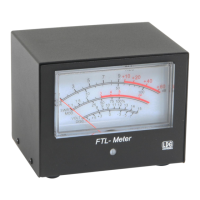
The meter jack on the FT-857 is located under the front panel, near the FUNC button. Plug the right-
angle end of the included 1/8” stereo cable into the meter jack. Plug the other end of the cable into the jack
marked “Radio” on the rear of the FTL-Meter.
If desired, connect a suitable power supply (12VDC @ 250mA) to the DC Power jack on the rear of the
FTL-Meter, using the supplied 2.5 x 5.5mm center-positive power cable. This power connection supplies
power to the backlight only. If the backlight feature is not desired, simply leave the DC power unconnected,
and the meter will still function normally.


 To Next Page