- 19 -
CH6. CONNECTING
Connect to the Internet
Your tablet’s networking capabilities allow you to access the Internet through Wi-Fi.
Wi-Fi
To use the Wi-Fi function, you would need to access a wireless access point or hotspot.
Turn on Wi-Fi and Connect to an Access Point
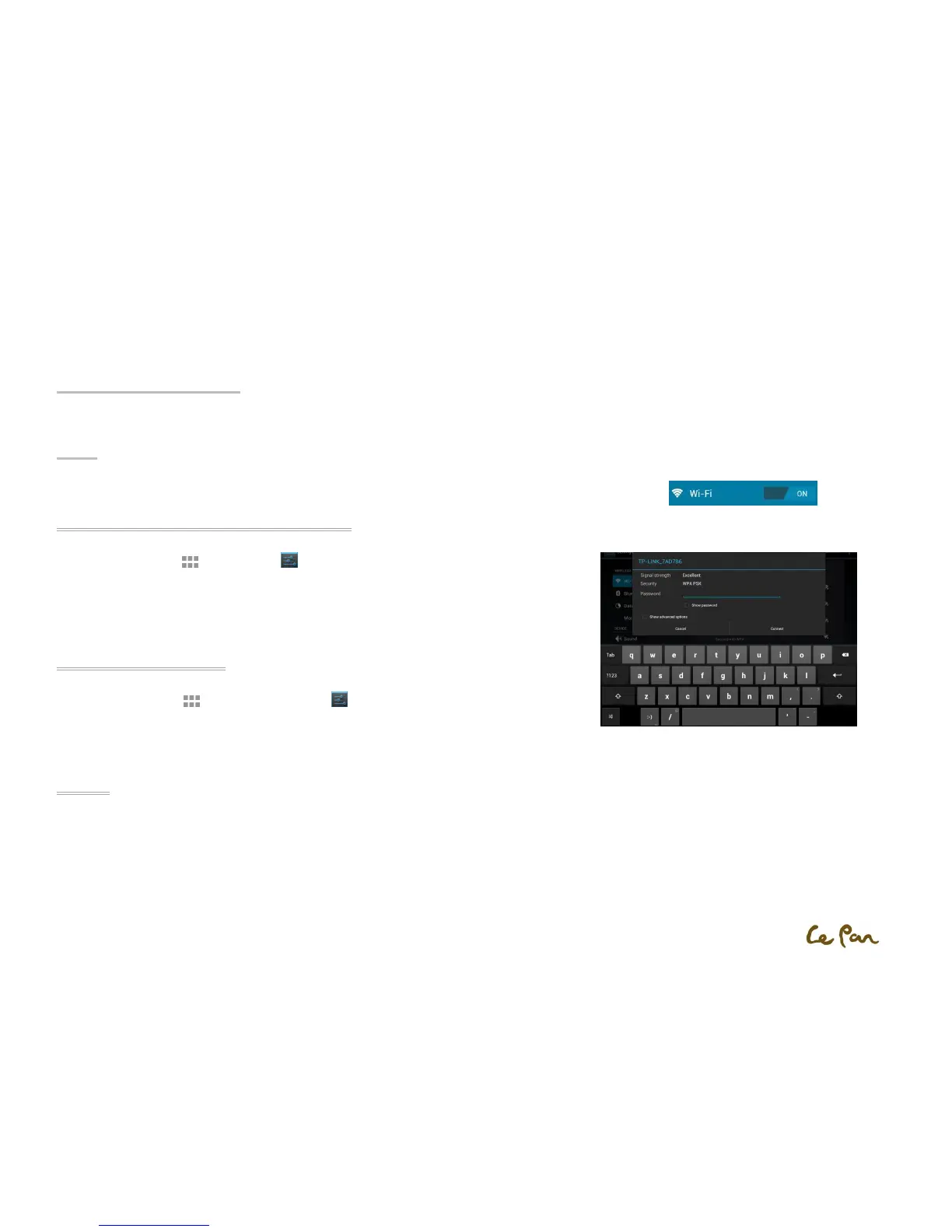
1. Press Applications , select Settings , and touch the checkbox to turn it on or turn it off.
2. When Wi-Fi turned on, you can see all available access points that were shown and displayed in
the list on the right.
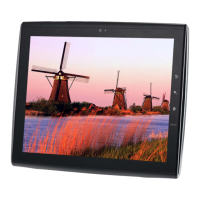
3. Select the one you wish to connect to and enter the password if required.
4. Touch Connect to connect the wireless access point.
Add a New Wi-Fi Network
1. Press Applications , and then touch Settings .
2. Touch Wireless & networks, turn on the Wi-Fi and then touch the Add Wi-Fi network at the top
of right corner.
3. Enter the network SSID and select the security, then touch Save.
Security
1. Open: No security.
2. WEP: Wired Equivalent Privacy. Note: A passphrase is required.
3. WPA/WPA2 PSK: Wi-Fi Protected Access. Note: A password is required.
4. 802.1 x EAP: 802.1x Extensible Authentication Protocol.


 To Next Page