- 20 -
Check Network Status
1. Press , and then touch Settings.
2. Turn on the Wi-Fi to display available access points.
3. The status of network will be displayed.
View Web Pages
Your tablet’s browser offers a host of features that let you view web pages just like on a desktop computer.
Change the Screen Orientation to Landscape View:
Turn your tablet sideways to view the web page in landscape mode. The screen automatically adjusts according to how you hold the tablet.
**Note: To select the Auto- rotation setting, you can switch the Hold Key on the back of your tablet.
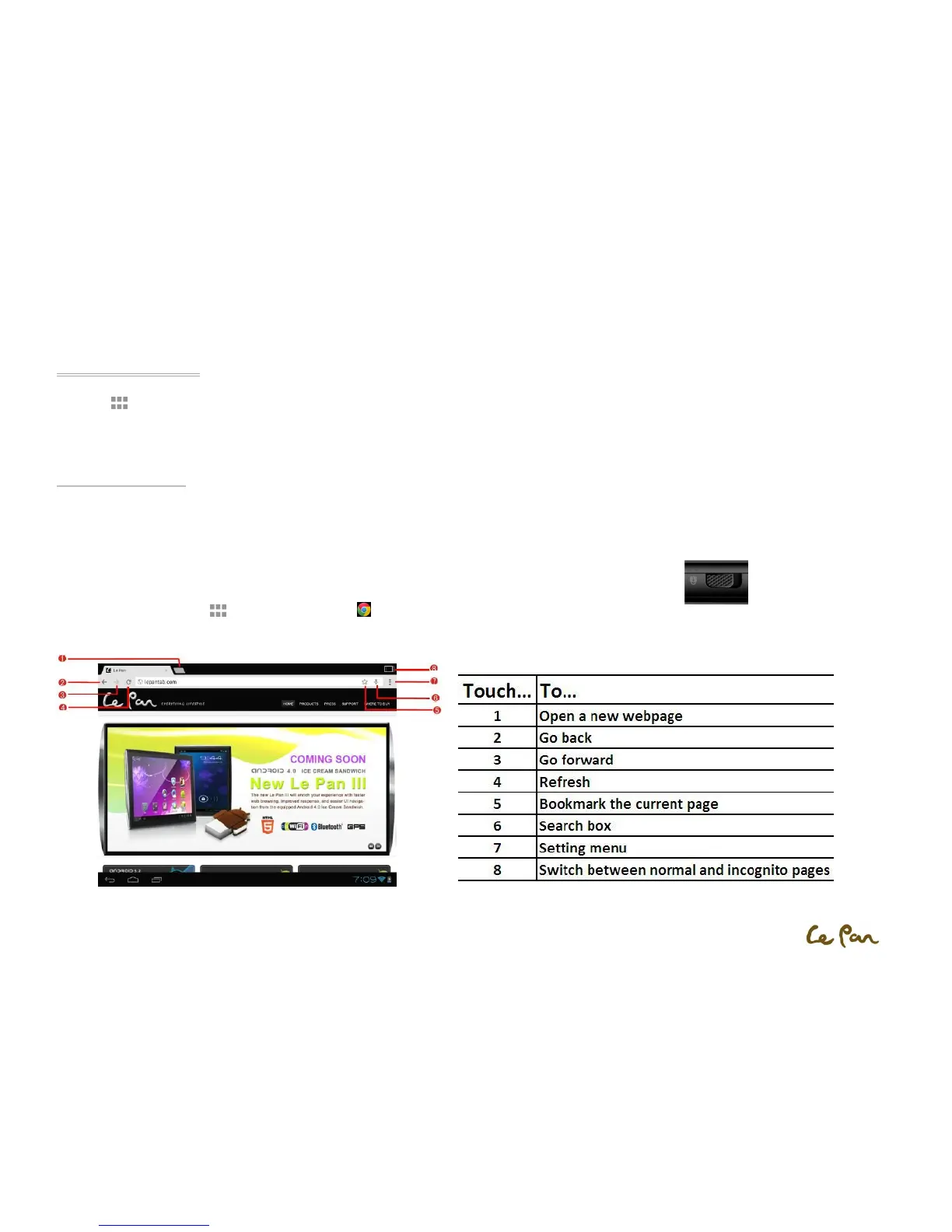
Open a Web Browser:
Press Applications , and then touch Chrome .
**Note: Browser automatically opens when you touch a web link in an email.


 To Next Page