- 25 -
CH7. MULTIMEDIA
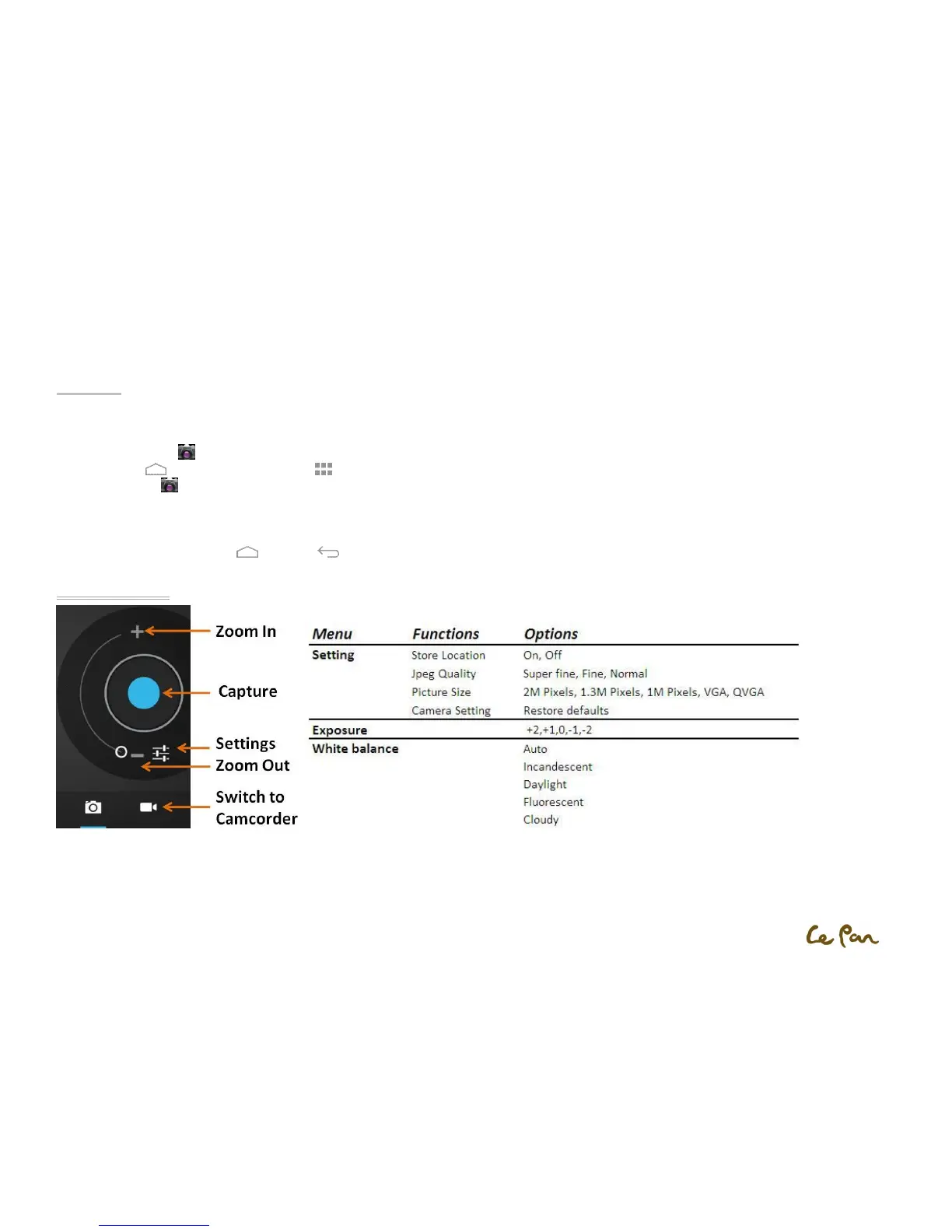
Camera
Your tablet has a front 2-megapixel camera which allows you to capture pictures and record videos.
Turn On the Camera :
1. Press Home , then touch the Applications .
2. Select Camera . The screen automatically switches to landscape orientation when you access the Camera.
**Tip: You can easily switch to the other capture mode while you are in Camera. Refer to “Take a Picture” in this chapter for details.
Turn Off the Camera:
On the Camera screen, press Home or RETURN .
Capture a Picture


 To Next Page