Leaf LT2020E manual
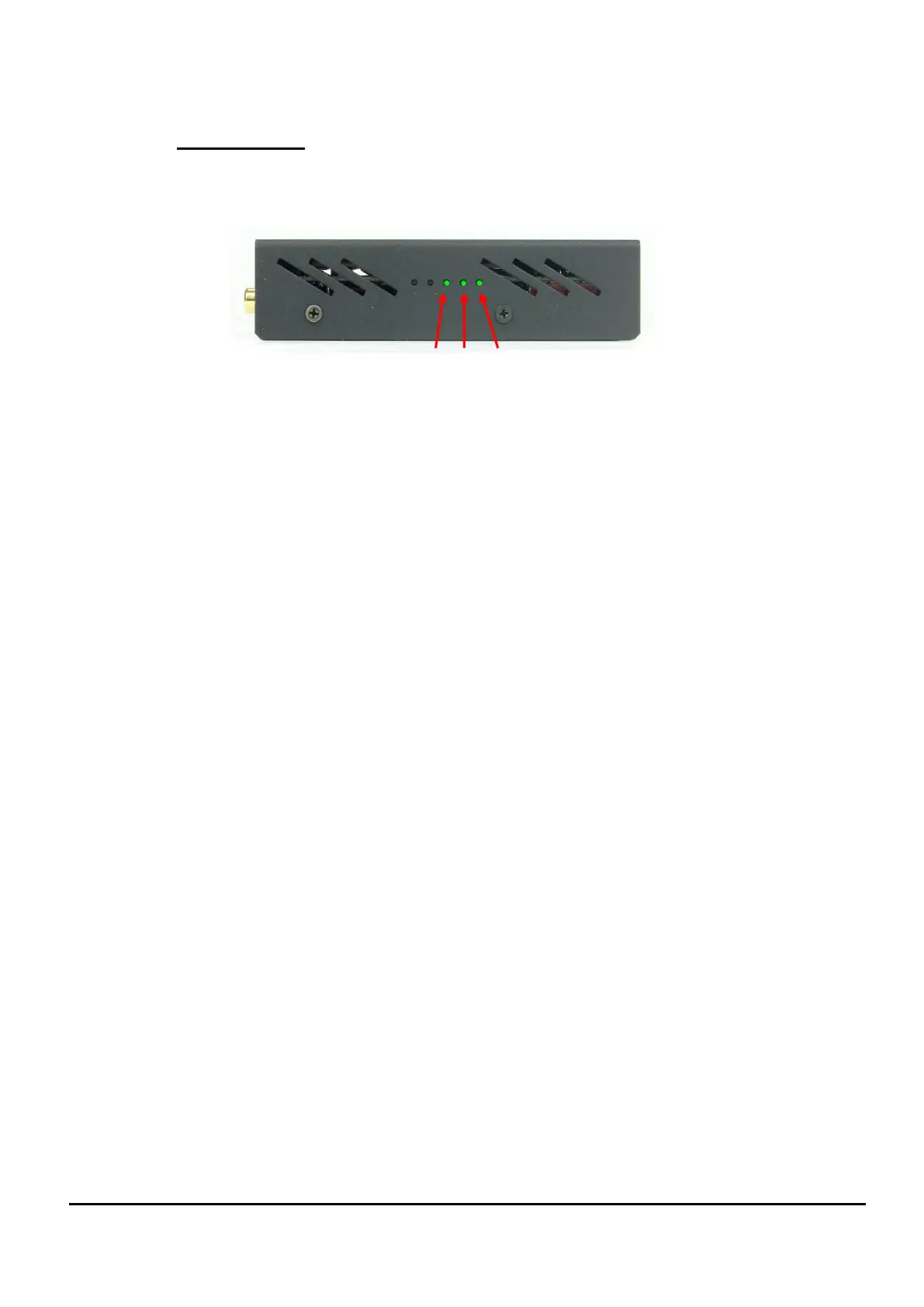
4.3 Status LEDs
A set of 3 Status LEDs are visible through apertures in the right hand side of the
LTB1E.
The Status LEDs operations are:
LED 1 FLASHING (heartbeat) = The local 12V DC power supply is
connected and active.
LED 2 ON = The HDBaseT Cat5e / Cat6 cable link to the LT2020E has
been made successfully and is ready for video.
LED 3 ON = Protected (HDCP) video content is being transferred on the
HDBaseT link.
FLASHING = Non protected (no HDCP) video content is being
transferred on the HDBaseT link. Irregular flashing may indicate an
issue with the video link.
OFF = No video content is being transferred.
(Usually means that no source has been selected for that zone).


 To Next Page