Controlled external release
Attention:
During initial set up and during any changes to the
installation, please switch off and unplug mains power
(from this system and any equipment that is to be
connected to it) prior to connecting any leads / cables.
Plug in and switch power back on again after all
interconnection leads are in place.
Do not run HDBaseT / Zone Cat5e/6 cabling with or in
close parallel proximity to mains power cables.
Do not connect any part of this equipment to Power
Over Ethernet devices. Damage may result.
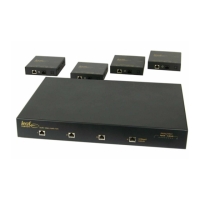
During operation the Leaf LHDMI66 and associated
LB1 breakouts may feel warm to the touch. This is
quite normal. Please ensure that these items have
sufficient cool air flow around them.


 To Next Page