14
This may also cause unexpected behavior when trying to take more
photos while in Camera mode or Night Vision mode:
• The device may request to overwrite existing photos that share the
same filename as the new photo being taken.
Parent Menu
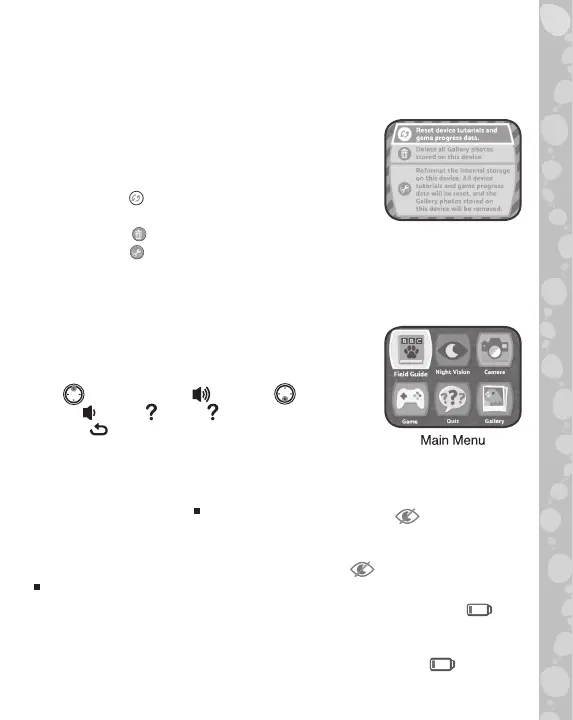
A Parent Menu is available in case parents need
to reset the device or reformat it. Below are the
Parent Menu options.
• Option 1: Reset device tutorials and game
progress data.
• Option 2: Remove all Gallery photos stored on the device.
• Option 3: Reformat the internal storage on the device. All device
tutorials and game progress data will be reset, and the Gallery
photos stored on the device will be removed.
Warning: All of the actions listed above cannot be reversed once initiated.
The Parent Menu can be accessed by pressing
the following sequence of buttons while viewing
the Main Menu:
Up , Volume Up , Down , Volume
Down , Help , Help , then hold the Back
Button for more than 3 seconds.
Battery Status
Night Vision mode requires more power from the batteries than other
modes to run. If the batteries do not have enough power, Night Vision
mode cannot be used. When this occurs, an icon will appear on
the LCD Screen indicating that the batteries are too low to use Night
Vision mode. If you want to continue to use Night Vision mode, please
replace the batteries when you see this icon .
Alkaline batteries are recommended for a better Night Vision experience.
When the batteries are almost depleted, a low battery icon will
flash on the LCD Screen. Please replace the batteries immediately
when this icon appears. The unit may automatically power off if the
batteries are not replaced soon after the low battery icon appears.


 To Next Page