10
• Press the Night Vision Button to enter Night Vision mode. Press this
button again to exit Night Vision mode and go back to Camera mode.
• Press the Camera Button or the Check Mark Button to take photos
of what’s displayed on the screen.
microSD Card Slot
• If no microSD card is inserted into the device, photos will be saved
to the unit’s internal memory, which can hold about 100 images.
NOTE: This number will vary depending on the number of colors in
the photo. Photos with more colors take up more memory, whereas
photos with fewer colors take up less memory.
• If a microSD card (not included) is inserted into the microSD Card
Slot, all photos taken will be saved to the microSD card. The Magic
Adventures
TM
Binoculars device supports microSD cards up to
32GB.
• The maximum number of photos that can be stored on a microSD
card is 30,096. If more than 30,096 pictures are taken, the device
will overwrite existing photos with the same file name.
• Removing the microSD card or powering off the unit while taking
a photo, deleting a photo, overwriting an existing photo, or while
transferring a photo to the microSD card may cause the unit to
freeze or result in the creation of corrupted photos. Corrupted
photos will be displayed with an error icon in the Gallery.
Camera Settings
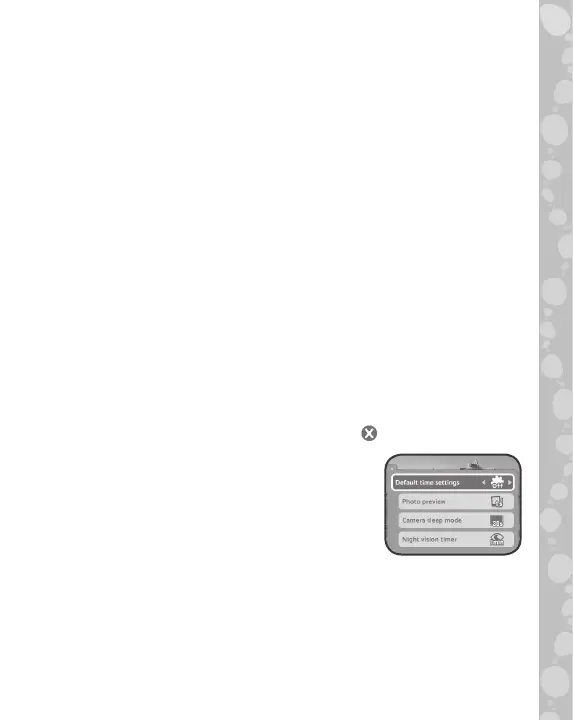
• Photo Preview
Adjust how long a new photo stays on the
screen after taking a picture with the camera.
• Camera Sleep Mode
Adjust how long it takes before the camera goes into sleep mode.
In order to preserve battery life, the LCD screen will automatically
turn off and enter sleep mode when no user input is detected for a
certain length of time. Press any button to wake up the LCD screen
and exit sleep mode.


 To Next Page