EasyManua.ls Logo

LectroSound LectroFan - User Manual

LectroSound LectroFan
12 pages
Print Icon
To Next Page IconTo Next Page
Loading...
©2013 LectroSound, Campbell, California
Electronic Fan and White Noise Machine
Owners Manual
- Getting Started
- Product Features
- Technical Reference
- Warranty Information
LectroFan

Questions and Answers

  • J
    jacksontannerJul 27, 2025
    What to do if my LectroSound Fan doesn't turn on?
    • K
      kevin02Jul 27, 2025
      If your LectroSound Fan isn't turning on, make sure the USB cable is securely plugged into the power adapter and that the adapter is plugged into a working AC outlet. If it still doesn't work, try plugging it into a different wall outlet to rule out a faulty outlet.
  • D
    Darren ClarkAug 1, 2025
    How to increase the volume on my LectroSound Fan?
    • S
      Samantha CooperAug 2, 2025
      If your LectroSound Fan is on but producing no sound, the volume might be set too low. To increase the volume, press and hold the Volume Up button until you reach your desired sound level.
  • D
    Danielle BrownAug 7, 2025
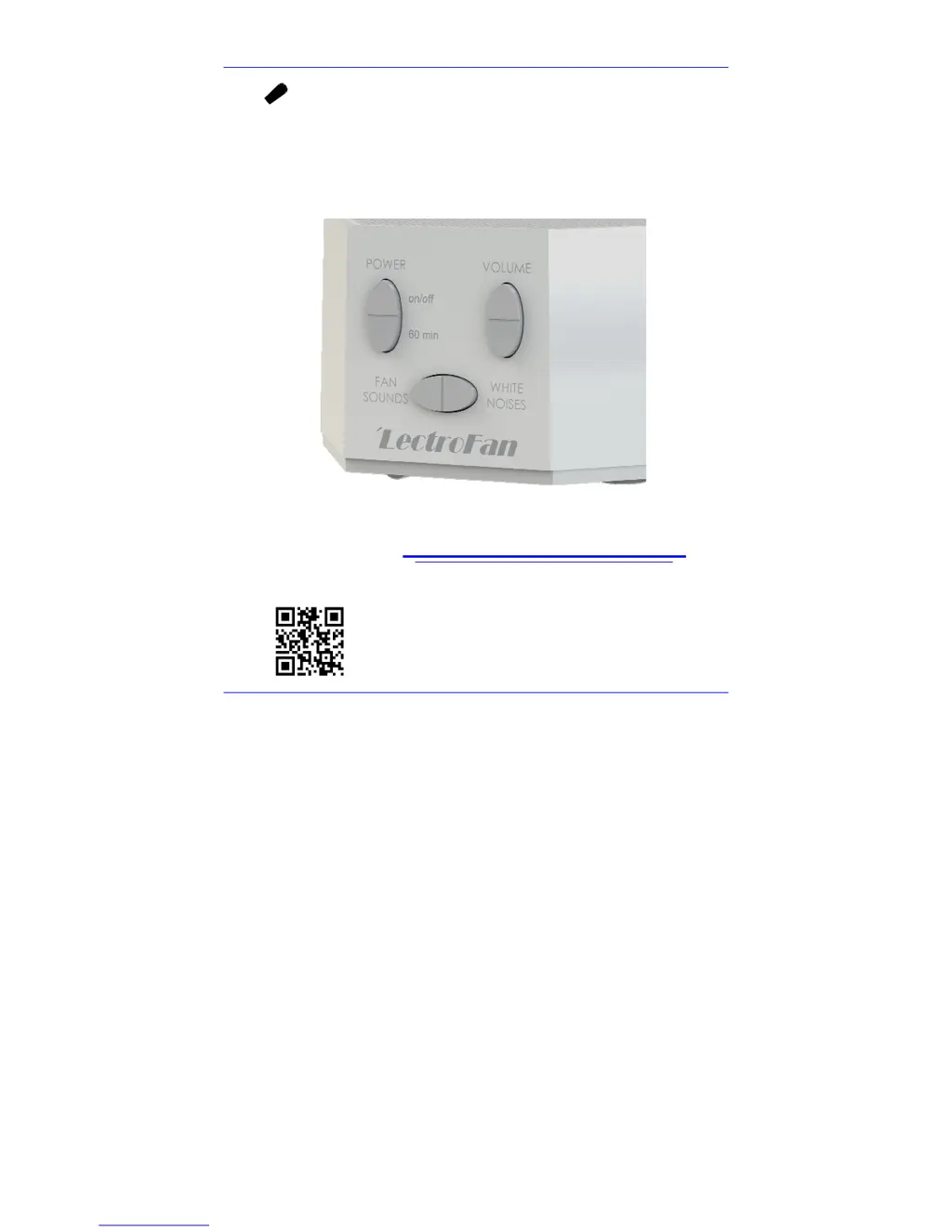
    How do I switch to noise mode on my LectroSound Fan?
    • N
      Nicole Trevino DVMAug 7, 2025
      If you're hearing a fan sound when you want a noise sound on your LectroSound Fan, it means you're in “Fan Mode”. To switch to “Noise Mode”, press the “Noise Button”. Press it repeatedly to cycle through the different white noise options until you find the one you like.
  • M
    melissaalvarezAug 14, 2025
    How do I switch to fan mode on my LectroSound LectroFan?
    • C
      Christopher LewisAug 14, 2025
      If you're hearing white noise when you want a fan sound on your LectroSound Fan, you are in “Noise Mode”. To enter “Fan Mode”, press the “Fan Button”. Press it repeatedly to step through all the fan sounds until you find your favorite.
  • R
    Ralph BrownAug 19, 2025
    Why does my LectroSound LectroFan turn on as soon as I plug it in?
    • D
      Daniel HarrisSep 12, 2025
      Your LectroSound Fan is set by default to turn on immediately when plugged in, which allows you to use an AC power timer. To disable this function: 1. Turn the unit off. 2. Press and hold the Volume Down Button. 3. Press and release the Power Button. 4. Release the Volume Down Button.

Summary

Plug it in

Connect AC Power

Instructions for connecting the LectroFan unit to AC power using the provided adapter.

Pick your Sound

Timer

Power-on Default

Procedure to disable the unit from turning on immediately when plugged in.

Restoring Factory Settings

Procedure to reset the LectroFan unit to its original factory default settings.

Technical Information

Specifications

Technical specifications including sound types, power requirements, and dimensions.

Trouble Shooting

Common symptoms, possible causes, and solutions for troubleshooting the LectroFan unit.

Safety, Warranty, and Certifications

Safety Instructions

Essential safety precautions and operating instructions for using the LectroFan device.

One Year Limited Warranty

FCC Declaration

Software Licensing

Customer Support

LectroSound LectroFan Specifications

General IconGeneral
BrandLectroSound
ModelLectroFan
CategoryFan
LanguageEnglish