5
Pick your Sound
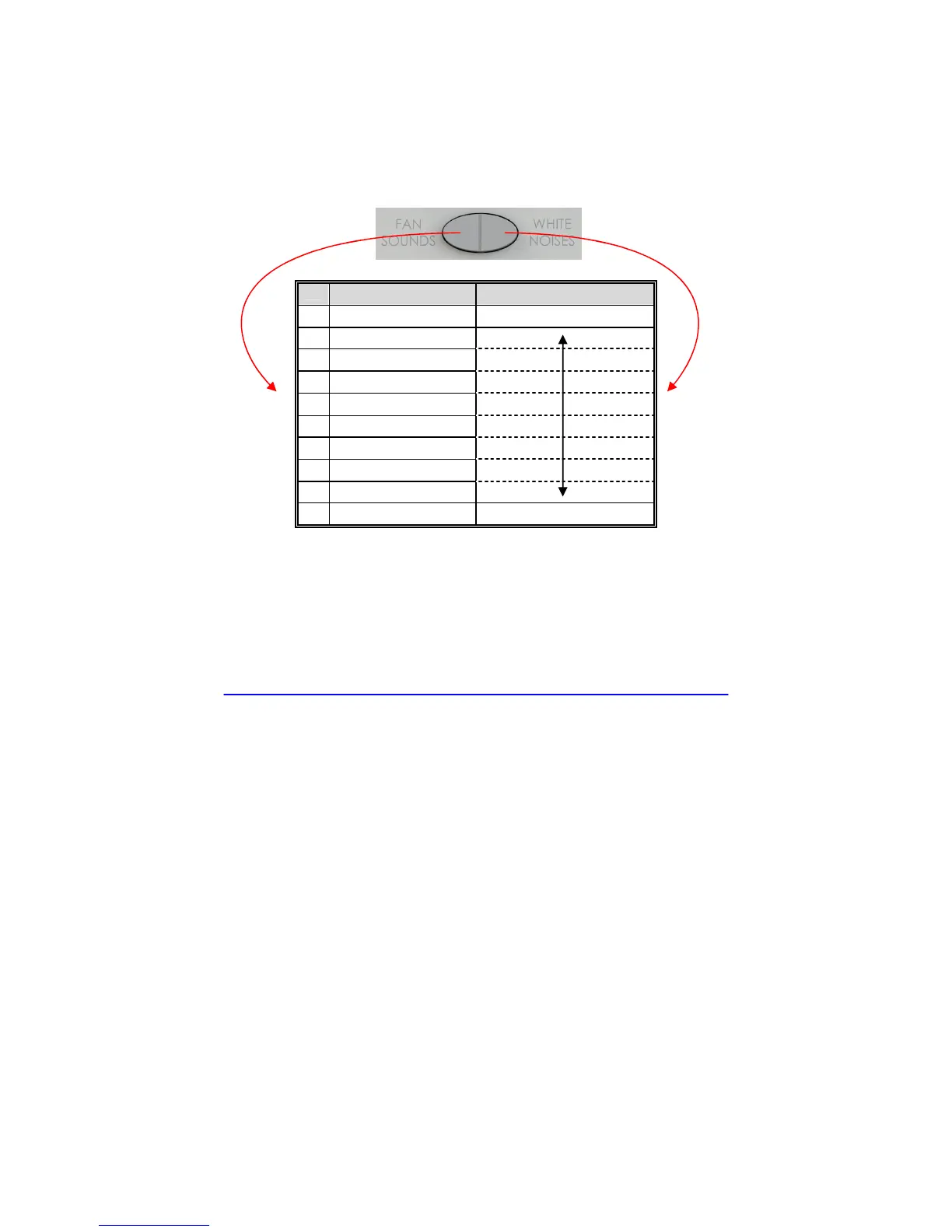
• Press the Fan Sounds button (left side) to play fan sounds. Press it
again to play the next fan sound.
• Press the White Noises button (right side) to play white noise
sounds. Press it again to play the next white noise.
FAN SOUNDS NOISE
1 Large Fan Lowest Pitch White Noise
2 Industrial Fan
3 Mellow Fan – LO
4 Mellow Fan – HI
5 Exhaust Fan
6 Attic Fan
7 Circular Fan
8 Vent Fan
9 Box Fan
10 Oscillating Fan Highest Pitch White Noise
To signal a return to the first Fan Sound or White Noise you will hear a
short rising tone (“whoop” sound).
LectroFan will remember the last Noise and Fan setting that you made
when changing Modes. This way you can easily switch back and forth
between your favorite Fan Sound and your favorite White Noise.
Step through the
Fan Sounds
Step through the
White Noises


 To Next Page