Instructions
Ledger Live features interactive setup instructions. Simply open the app to get started.
2.1.1 Setting up as a new device
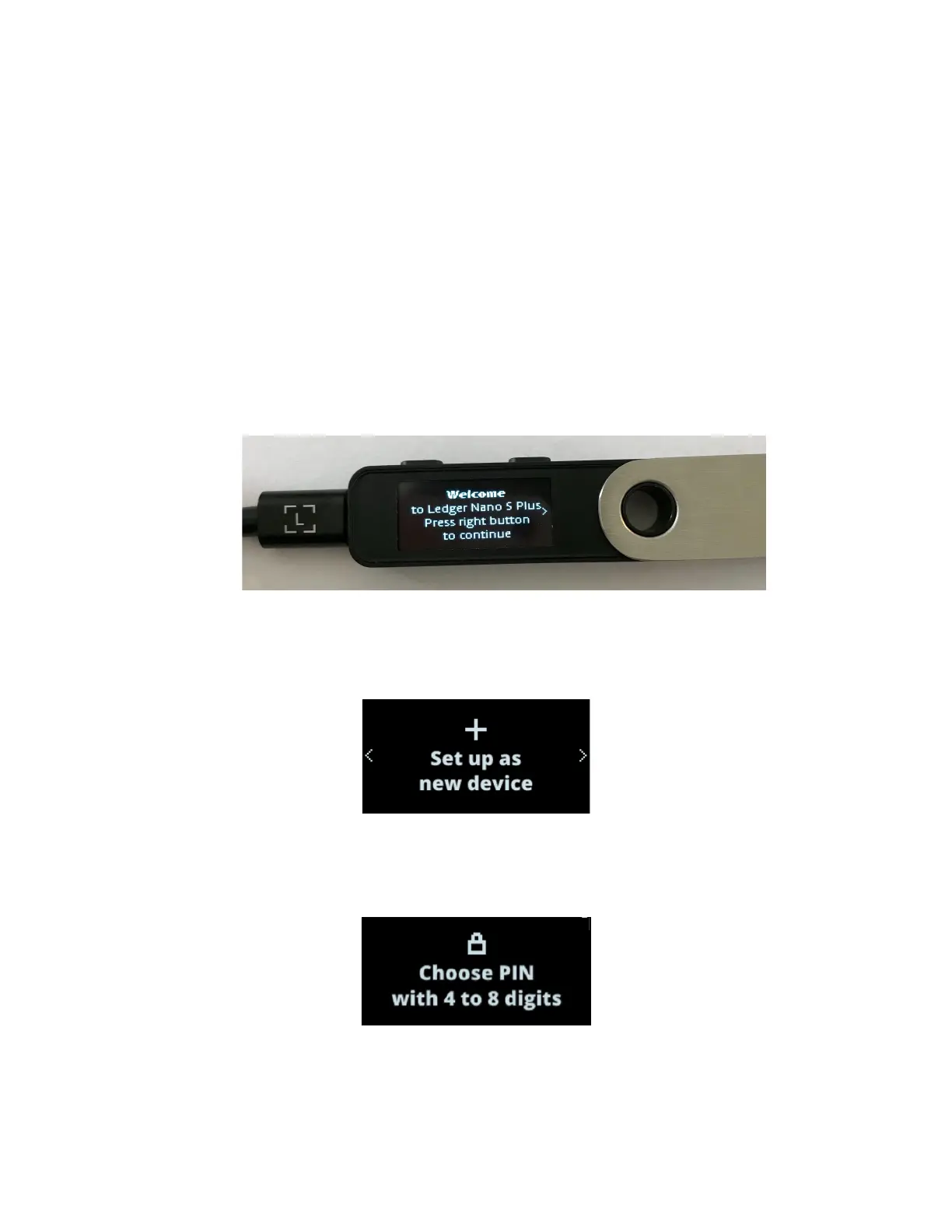
1. Connect the Ledger Nano S Plus to your computer using the supplied USBC
cable. Your device should display the following: “Welcome to Ledger Nano S Plus.
Press right button to continue.”
Note: Please contact us if the device immediately asks for a PIN code. It may not
be safe to continue using this device.
2. Press the right button to navigate through the on-screen instructions.
3. Press both buttons simultaneously to choose the option Set up as new device.
2.1.2 Choosing your PIN code
1. Press both buttons when Choose PIN with 4 to 8 digits is displayed on the device.
2. Press the right or left button to choose the first digit of your PIN code.
3. Press both buttons to enter a digit.
4. Repeat the process until you've entered 4 to 8 digits.


 To Next Page