20
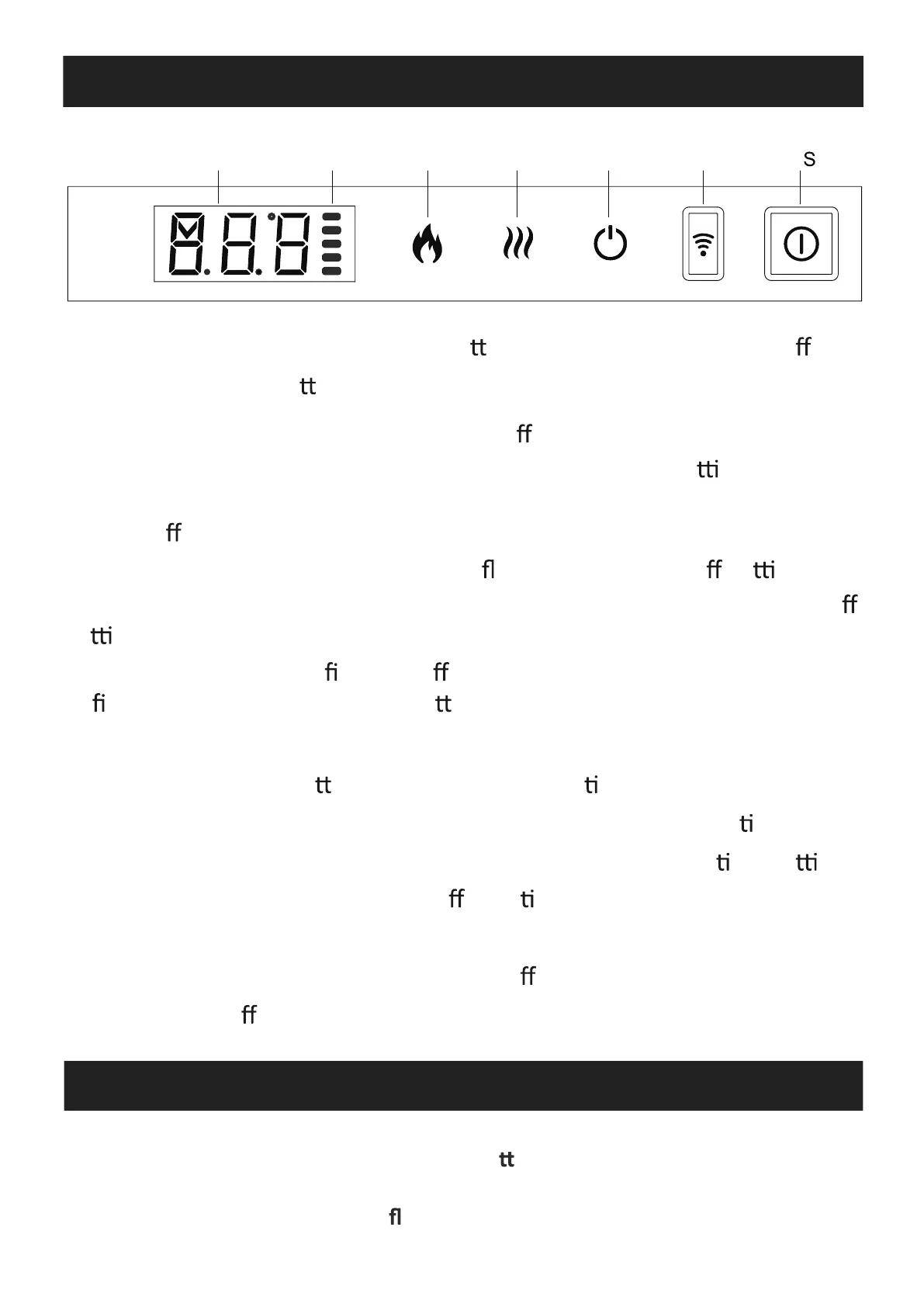
5a. Manual Control Panel
LED Display Indicator My Flame Heater Standby WIFI Manual witch
NOTE: Ensure that the handset ba eries are new and inserted
correctly. Aim the remote control at the remote receiver which is
behind the right side of the ame screen.
NOTE: Keep pressing My Flame bu on for 3 seconds to turn o the
“beep” sound for bu ons and remote control.
MANUAL SWITCH: Press to turn on or o power to the appliance.
STANDBY: Turns on the appliance with the last used se ngs without
any heat. Place the appliance into standby mode with all features
turned o .
MY FLAME: Press to cycle through 9 ame colours and o se ng.
HEATER: Press to cycle through low heater, high heater and o
se ng.
WiFi: Press to turn wi on or o . An illuminated LED indicates that
wi is turned on. Hold the bu on for 3 seconds to enter device
pairing mode.
NOTE: The manual bu on controls basic func ons, not a full range of
controls. Use the remote handset to carry out all func ons. The
controls on appliance will lose the memory for all func on se ngs
when the switch is set to the O Posi on. In order to prevent t he
product becoming too hot, there is a 10s delay when turning on the
heater and a 10s delay when turning o the heater and a 10s delay
when turning o the heater fan.
5b. Remote Control
21


 To Next Page