8
3. Installation
3.1 UNPACKING AND INSPECTION
3.2 INSTALLATION NOTE
1. Unpacking the UPS and check that whether it’s damaged during the transporta-
tion. If damaged or some parts missing, don’t start the machine and inform the
carrier and franchiser.
2. Check the annex (please consult Appendix Table 2).
3. Check if the UPS is just what you wanted to purchase. You can affirm through
inspecting the model number on rear panel of the UPS.
Put the UPS at flat place next to the equipment.
Keep UPS at least 20cm from wall or equipment or another object. Don’t block the ventilati-
on holes of the UPS front panel and bottom part, to keep the ventilation in good conditions,
avoid temperature of components inside getting high.
Keep the UPS away from high temperature, water, flammable gas, corrosive gas, dust, direct
sunlight; explosive things don’t lay the UPS outdoor
Install a double-pole joined actuator with more than 40A/63A(6KVA/10KVA) at the input
L-N, in order to cut off the power when in emergency situation.
PDU is required to connect to the UPS output to weaken the affection between loads.
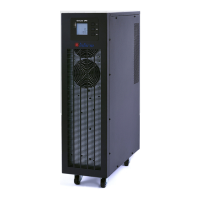
In order to fix the UPS, please lock its wheels by shifting the sheet on each wheel.
RCD load like computer, linear load and small inductive load can be connected to the UPS.
Please contact dealer if other types of loads are required to connect.
For the sake of user and equipments, please be sure to take correct power configuration.
Fig.3-1 Correct power configuration
INPUT
INPUT
UPS LOAD
L
N


 To Next Page
 Loading...