CONFIGURATION Page 7
F196
CONFIGURING THE STATION
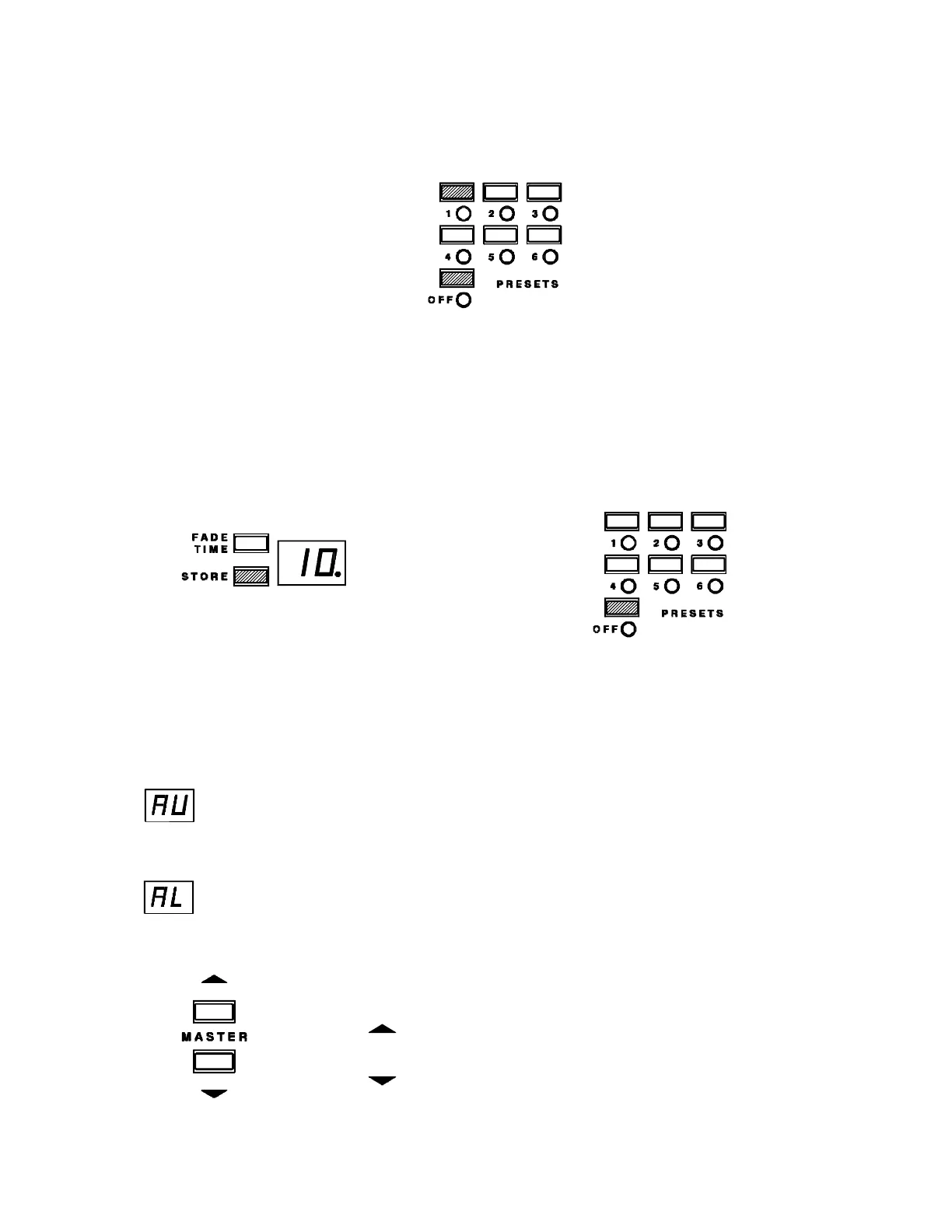
To enter Configuration Mode:
press and hold the OFF button,
then press the Preset 1 button
The first item in configure is "All
Lock". Select the items that you want to configure from those listed below. To
select another item to configure press the appropriate preset button. At any point
you may exit Configuration Mode by pressing:
1) STORE - to save any configuration 2) OFF - to exit without
changes and exit saving
ALL LOCK (BUTTON LOCK)
The display will blink the "All Lock" status as either:
AU (All Unlock Mode) - all of the buttons will function
or
AL (All Lock Mode) - all of the buttons are locked and will not
function, except to unlock the station
Press to toggle the station between locked and unlocked mode.
= locked
= unlocked


 To Next Page