EasyManua.ls Logo

Lehmannaudio Black Cube - User Manual

Lehmannaudio Black Cube
67 pages
Go to English
Print Icon
To Next Page IconTo Next Page
Loading...
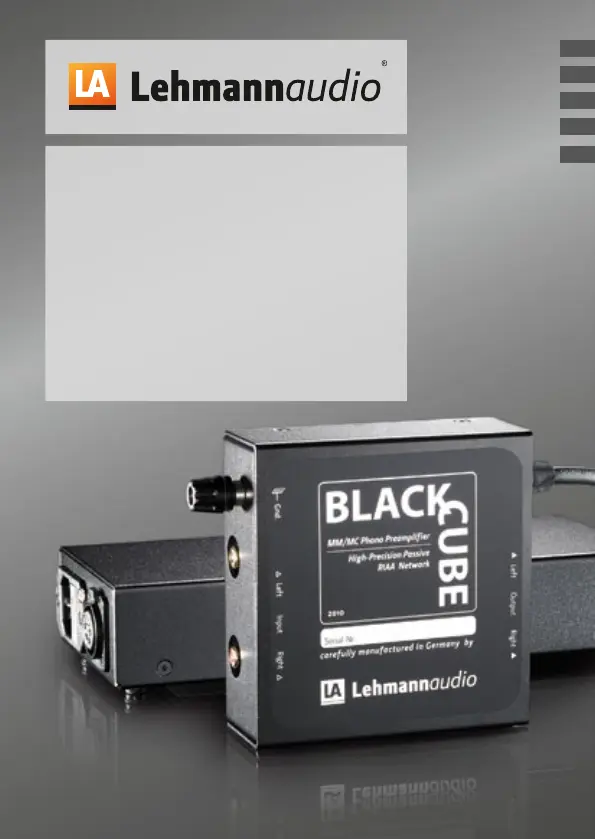
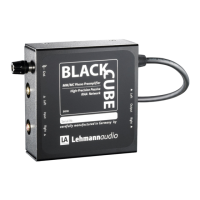
Black Cube
Black Cube SE
Phonoverstärker
Phono Stage/Amplificateur Phono
Amplificador Phono/Preamplificatore Phono
Bedienungsanleitung/Manual/Mode d’emploi/Manual de instrucciones/Istruzioni per l’uso
FR
ES
IT
DE
EN

Questions and Answers

  • J
    josephmelissaAug 15, 2025
    Why is the signal level too low on my Lehmannaudio Amplifier?
    • J
      Jennifer LeeAug 15, 2025
      If you are experiencing a low signal level with your Lehmannaudio Amplifier, it could be due to a non-optimal match between the pickup cartridge and the Black Cube/Black Cube SE. To resolve this, increase the gain factor using the DIP switches located on the bottom side of the Black Cube/Black Cube SE and/or enable the gain jumpers. Also, the selected input impedance on the Black Cube/Black Cube SE might be too low. In this case, select a resistance value for the input impedance which is at least 10 times greater than the pickup’s system impedance.
  • S
    salvarezAug 18, 2025
    How to fix the issue of signal on one channel only on Lehmannaudio Black Cube Amplifier?
    • C
      charles28Aug 18, 2025
      If you're only getting a signal on one channel of your Lehmannaudio Amplifier, there are a few potential causes: * The DIP switches might be unevenly set, or there might be only one gain jumper plugged in. Check the positions of both DIP switches or gain jumpers to ensure the settings are equal on both channels. * A connection lead may have a loose contact, be poorly plugged in, or be defective. Check the connection leads for slack joints, loose pushfits, or defects, and replace them if necessary. Check the system cable (headshell), tonearm cable, and line cable. * The subsequent input stage might be defective. Test this by connecting to different line inputs.
  • B
    Brent NavarroAug 21, 2025
    What to do if the signal sounds distorted on my Lehmannaudio Black Cube Amplifier?
    • R
      Robert WongAug 21, 2025
      If the signal from your Lehmannaudio Amplifier sounds distorted, it could be because the gain is set too high on the Black Cube/Black Cube SE. To fix this, lower the gain factor using the DIP switches located on the bottom side of the Black Cube/Black Cube SE and/or disable the gain jumpers. Another possibility is that the output of the Black Cube/Black Cube SE is connected to the subsequent phono input. In this case, connect the output of the Black Cube/Black Cube SE to a line input on the following amp.
  • D
    Dr. Jason NelsonAug 25, 2025
    Why is there no signal from my Lehmannaudio Amplifier?
    • B
      Brenda BensonAug 26, 2025
      If you are not getting any signal from your Lehmannaudio Amplifier, ensure that the mains cable is properly plugged into the power outlet. Also, verify that the power supply is correctly connected to the device. Double-check that the input and output are wired correctly on the Black Cube/Black Cube SE, ensuring the cables from the turntable are connected to the input and those going to the amp are connected to the output. If necessary, reconnect them correctly. Finally, confirm that you have selected the appropriate input channel on the amplifier.
  • B
    Barbara HerringAug 28, 2025
    How to troubleshoot a Lehmannaudio Black Cube Amplifier when the LED indicator is not lit?
    • S
      Sydney AyalaAug 28, 2025
      If the LED indicator on your Lehmannaudio Amplifier is not lit, make sure the mains cable is properly plugged into the power outlet. Also, check that the power supply is connected to the device.
  • J
    John WalshSep 1, 2025
    Why are the left and right channels reversed on my Lehmannaudio Black Cube?
    • G
      Gina BarberSep 1, 2025
      If the left and right channels are reversed on your Lehmannaudio Amplifier, the channels might be reversed in the connection lead. Check the connection leads and swap the channels if necessary. Potential causes include the system cable (headshell), tonearm cable from turntable to Black Cube/Black Cube SE, and the line cable from Black Cube/Black Cube SE to the following input.
  • C
    Chris FloresSep 4, 2025
    What causes radio interference with my Lehmannaudio Amplifier?
    • A
      Alejandra OrozcoSep 4, 2025
      If you're hearing radio interference in the background with your Lehmannaudio Amplifier, it could be that the tonearm ground is not connected on the Black Cube/Black Cube SE. Ensure the tonearm ground is connected. Another potential cause is that the standard input capacitance (100 pF) is too low for MC. In this case, consult your dealer to have the custom impedance plug-in slot fitted with an additional capacitance.
  • T
    Tony MoralesSep 7, 2025
    Why does my Lehmannaudio Black Cube Amplifier signal sound hollow?
    • T
      Thomas ChaneySep 7, 2025
      If the signal from your Lehmannaudio Amplifier sounds hollow, without proper bass and localization, it could be due to a few reasons: * The pickup system might have been connected phase-reversed; connect the system cable in-phase. * The tonearm ground may not be connected on the Black Cube/Black Cube SE; connect the tonearm ground. * Several connected devices might be creating a ground loop; ensure a correct grounding connection and consult an electrician if required.
  • Z
    zkingSep 12, 2025
    What causes audible hum in my Lehmannaudio Amplifier?
    • A
      Andrew GardnerSep 12, 2025
      If you're experiencing audible hum with your Lehmannaudio Amplifier, it might be caused by the mains transformer of a nearby device interfering at the input. Ensure there is sufficient distance between your hi-fi chain and any interfering devices.

Summary

Important Safety Notes

General Safety Precautions

Read all safety and operation notes before use. Warning notes are classified hierarchically.

Environmental and Handling Safety

Avoid heat sources, ensure proper ventilation, and keep the device away from water and moisture.

Storage and Reference Notes

Keep safety notes for future reference. Observe all warning notes printed on the device or in the manual.

Power Cable and Mains Safety

Use approved power cables, connect to grounded outlets, protect cords from damage, and disconnect during thunderstorms.

Device Handling and Maintenance

Use manufacturer-approved accessories, mount securely, clean with a dry cloth, unplug when not in use, and use authorized service.

Installation

Unpacking and Delivery Check

Inspect the device for transport damages immediately after unpacking. Check the included components.

Setup and Positioning

Place the device on a stable surface, such as a table or stand, close to the record player.

Connecting the Device

Connect the device to the mains network using the external power supply and the rear connection.

Functional Description

Input Connections

Connect the record player's output cables to the input jacks (left and right channels). Connect the ground cable.

Output Connections

Connect the RIAA filtered high-level output to a pre-amplifier or power amplifier.

Putting into Operation

Device Status Indicator

The LED indicates operational status. The device does not have a power switch.

Power Supply Connection

Connect the external power supply via the Neutrik XLR connector. Do not connect/disconnect during operation.

Initial Setup Steps

Set volume to minimum, connect power supply, set gain and impedance, connect record player, and connect to amplifier.

Common Settings

MM and MC System Configuration

Lists switch/gain jumper configurations for various MM and MC cartridge systems.

Expert Notes

Internal Adjustments and Expert Modifications

Details internal adjustment mechanisms and provides an interior view of the device.

Sound Optimisation Tips

Pickup Arm and System Adjustment

Proper pickup arm geometry and system alignment by a specialist is crucial for sound quality.

Vibration and Decoupling

Optimizing sub-chassis vibration and using a decoupling mat can improve sound.

Cable Selection and Assembly

Pay attention to cable materials and assembly for system cables, tonearm cables, and connection cables.

Technical Specifications

Performance Metrics

Details sensitivity, gain, input levels, signal-to-noise ratio, channel separation, impedance, and power consumption.

Physical Dimensions and Weight

Provides outer dimensions for the audio section and power supplies, and their respective weights.

Troubleshooting

LED Indicator and Signal Issues

Addresses problems with the LED indicator not lighting up and no signal output.

Channel and Level Problems

Troubleshoots single-channel output, reversed channels, and low signal levels.

Signal Quality Issues

Resolves muffled sound, distorted signals, and hollow sound without proper bass or localization.

Hum and Interference

Diagnoses audible hum and radio interference, suggesting distance from other devices and proper grounding.

Legal Notes

Warranty Information

Details the two-year warranty, proof of purchase, and exclusions for damages from incorrect handling.

State of Technology and Modifications

Notes that designs may change and modifications are not permitted, affecting CE conformity and warranty.

CE Conformity and Directives

States compliance with European directives, including Low-Voltage and EMC directives.

RoHS and WEEE Compliance

Confirms compliance with RoHS directive and provides WEEE disposal information for electronic waste.

Lehmannaudio Black Cube Specifications

General IconGeneral
TypeHeadphone amplifier
Input Impedance47 kOhms
Power Consumption3 W
Input Capacitance100 pF
Frequency Response10 Hz - 100 kHz
Power SupplyExternal power supply
THD+N< 0.001%
Headphone Output6.3 mm stereo jack
Gain0dB, 10dB, 20dB, 30dB, 40dB, 50dB (switchable)

Related product manuals