EasyManua.ls Logo

Lehmannaudio Decade Series - User Manual

Default Icon
71 pages
Go to English
Print Icon
To Next Page IconTo Next Page
Loading...
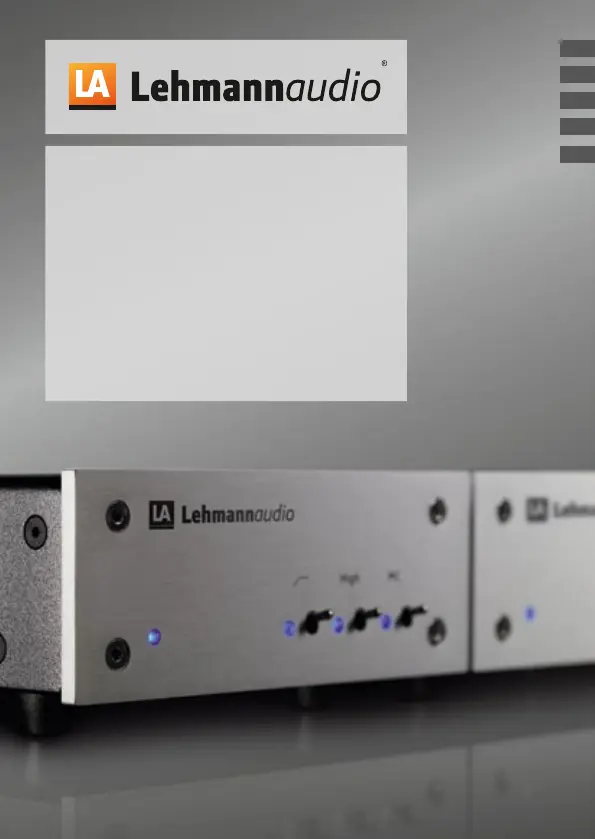
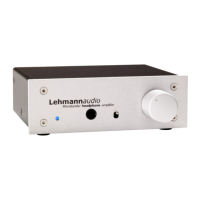
Decade
Phonoverstärker
Phono Stage/Amplificateur Phono
Amplificador Phono/Preamplificatore Phono
Bedienungsanleitung/Manual/Mode d’emploi/Manual de instrucciones/Istruzioni per l’uso
FR
ES
IT
DE
EN

Questions and Answers

  • B
    bthomasAug 14, 2025
    What to do if there is no signal from my Lehmannaudio Amplifier?
    • W
      William KellyAug 14, 2025
      If you're not getting any signal, make sure the power supply is properly connected to the device and that the mains cable is plugged into the power outlet. For the Decade model, verify that the cables from the turntable are correctly connected to the input and the cables to the amplifier are connected to the output. Also, ensure that the correct input channel is selected on your amplifier.
  • A
    Alexa RaymondAug 17, 2025
    Why does my Lehmannaudio Decade Amplifier signal sound hollow, without proper bass and localisation?
    • J
      John DelgadoAug 17, 2025
      A hollow sound without proper bass and localization can occur if the pickup system is connected phase-reversed. Ensure that the system cable is connected in-phase. Also, make sure the tonearm ground is connected on the Decade. Furthermore, ground loops caused by connected devices or interference from other power consumers can cause this issue. Try making a correct grounding connection or disconnecting other devices connected to the same electrical circuit to identify any interference.
  • A
    Alexander CareyAug 21, 2025
    Why does my Lehmannaudio Amplifier signal sound distorted?
    • M
      mlewisAug 21, 2025
      If the signal sounds distorted, the gain on the Decade might be set too high. Lower the gain factor using the switches on the front panel of the Decade, following the instructions in the user manual.
  • R
    Richard AndrewsAug 25, 2025
    What to do if the signal level is too low on my Lehmannaudio Decade?
    • K
      Kathy OwensAug 25, 2025
      A low signal level can be due to a non-optimal match between the pickup cartridge and Decade, or the selected input impedance on the Decade being too low. Increase the gain factor using the switches on the front panel of the Decade, following the instructions in the user manual. Also, select a resistance value for the input impedance that is at least 10 times greater than the pickup’s system impedance.
  • Z
    Zachary AllenAug 28, 2025
    How to fix uneven signal on one channel only in my Lehmannaudio Amplifier?
    • C
      Chad ClarkeAug 28, 2025
      If the signal sounds unevenly on one channel, check the positions of the DIP switches. Make sure that the settings are equal on both channels.
  • S
    Susan StuartSep 1, 2025
    How to stop radio interference audible in the background of my Lehmannaudio Amplifier?
    • L
      Laura MooreSep 1, 2025
      If you're hearing radio interference in the background, the tonearm ground might not be connected on the Decade. Connect the tonearm ground on the Decade.
  • T
    Taylor AndersonSep 5, 2025
    What to do if left and right channels are reversed on my Lehmannaudio Decade Amplifier?
    • E
      Eric JonesSep 5, 2025
      If the left and right channels are reversed, check the connection leads and swap the channels if necessary.
  • L
    Leonard MaloneSep 9, 2025
    Why is the LED indicator not lit on my Lehmannaudio Decade?
    • J
      johnchristianSep 9, 2025
      If the LED indicator is not lit, ensure that the mains cable is properly plugged into the power outlet and that the power supply is connected to the device.

Summary

Important Safety Notes and Operation

Electrical Safety

Details precautions for power cable, mains connection, and thunderstorm.

Device Handling and Maintenance

Covers accessories, mounting, cleaning, non-use, service, and spare parts.

Installation

Functional Description

Decade Front Panel

Overview and identification of controls on the front of the device.

Decade Rear Panel

Overview and identification of connections on the rear of the device.

Putting into Operation

Common Settings

Resistance Settings

Switch configurations for common resistance values like 47 kohms, 1 kohm, 100 ohms.

Input Capacitance Settings

Switch configurations for input capacitance from 47 pF to 1,367 pF.

Expert Notes

Technical Specifications

Performance Metrics

Details sensitivity, gain, input level, signal-to-noise ratio, and channel separation.

Electrical Parameters

Covers input impedance, output impedance, input capacitance, and power consumption.

Troubleshooting

LED Indicator Issues

Solutions for when the LED indicator is not lit.

No Signal

Troubleshooting steps for when no audio signal is present.

Lehmannaudio Decade Series Specifications

General IconGeneral
TypeHeadphone amplifier
THD<0.001%
Outputs6.3 mm jack, XLR
Gain0dB, 10dB, 20dB, 30dB, 40dB (switchable)
Frequency Response10 Hz

Related product manuals