EasyManua.ls Logo

Leibinger Jet 3 - Page 265

Leibinger Jet 3
378 pages
Print Icon
To Next Page IconTo Next Page
To Previous Page IconTo Previous Page
Loading...
Group 8 Job editor Page 263
Release R2.0 LEIBINGER JET3
Pos.
Print mode
Annotation
1.
2-line 7 dot high speed
2.
5 dot high speed
3.
12 dot high speed
4.
16 dot fast
5.
24 dot high speed barcode
6.
24 high speed
7.
24 dot fast
8.
24 dot high quality
9.
32 dot high speed
10.
32 dot fast
11.
32 dot high quality
ATTENTION
You always have to set a print mode which is larger than the selected
font matrix. Inappropriate print modes may result in incomplete print
outs.
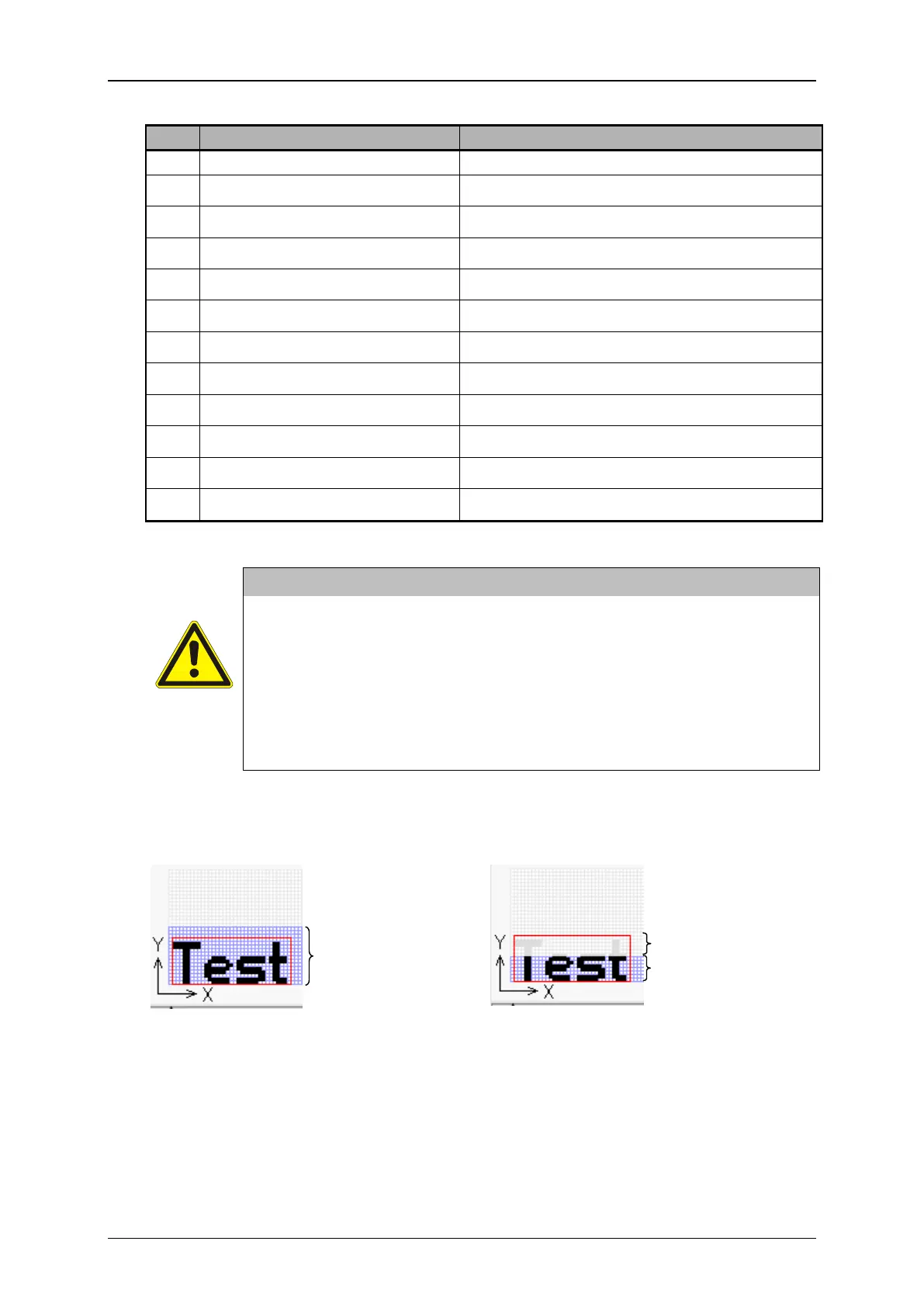
A mismatch between the selected print mode and the selected font
matrix can be identified in the preview showed in the editing area of
the Job editor.
Example (for matrix 12x 8):
Previews in the editing area of the job editor
Appropriate print mode
Inappropriate print mode
Selection 16 dots
Selection 7 dots
Non-printable area

Related product manuals