EasyManua.ls Logo

Leibinger JET2neo - User Manual

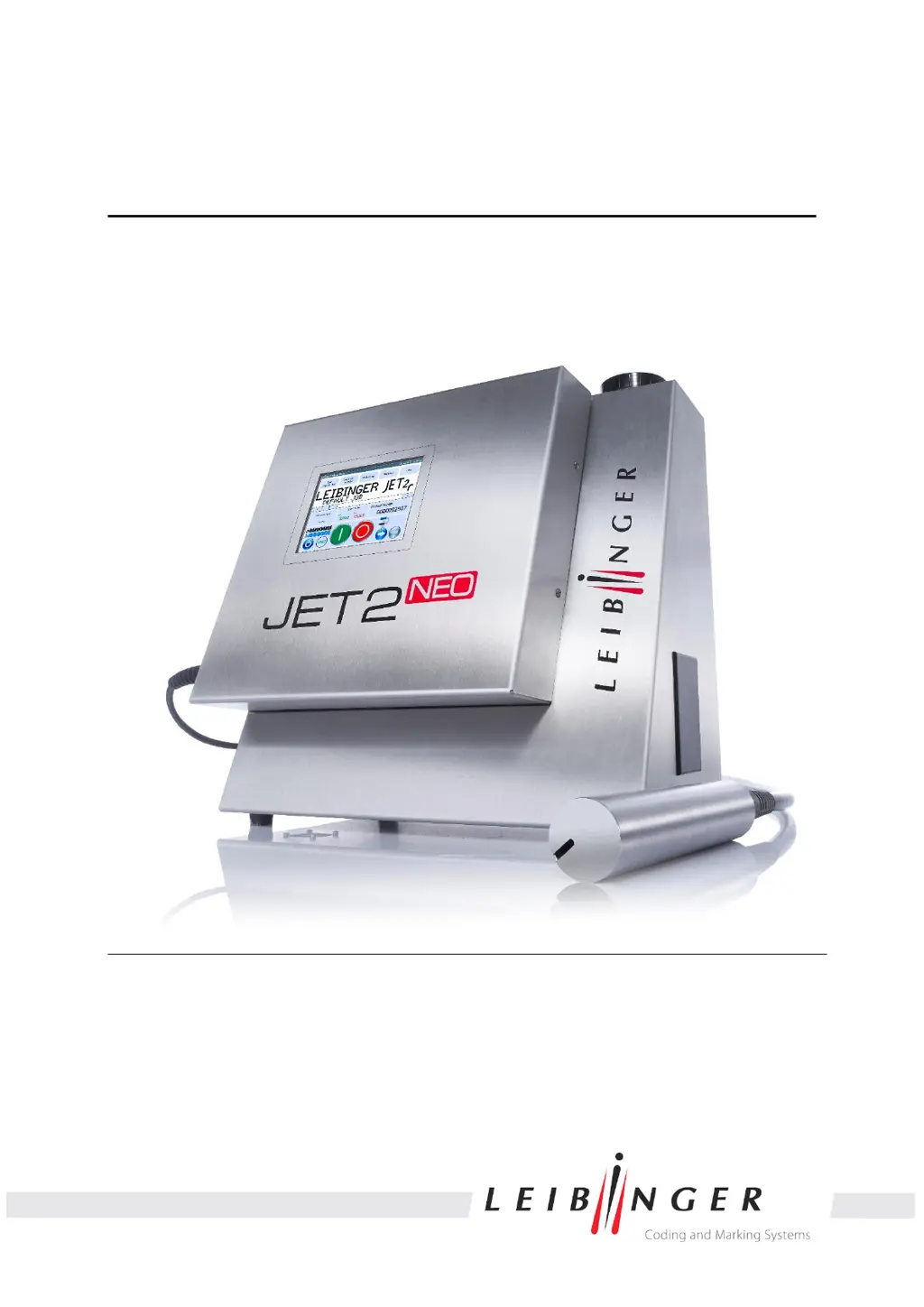
Leibinger JET2neo
294 pages
Print Icon
To Next Page IconTo Next Page
Loading...
Manual
LEIBINGER JET2NEO
Release 1.12en

Table of Contents

Other manuals for Leibinger JET2neo

Questions and Answers

  • B
    Brenda ParrishAug 18, 2025
    What to do if Leibinger Printer shows 'HV-current too high' error?
    • C
      colinharperAug 18, 2025
      If you are encountering a 'HV-current too high' error with your Leibinger Printer, it indicates a problem with the deflection plates. This could be due to dirt or dampness. You should clean the deflection plates if they are dirty, or dry them if they are damp.
  • D
    Diane JohnstonAug 20, 2025
    What to do if Leibinger Printer shows 'Ink delivery is faulty' error?
    • A
      Allison HernandezAug 20, 2025
      If your Leibinger Printer displays an 'Ink delivery is faulty' error, it means the main pump couldn't move the membrane to the central position within 2.5 seconds during normal operation. To resolve this: * Activate the permanent bleeding function for a few minutes. * Check for any leakages. * Inspect the bleeding valve and replace it if needed. * Check the main pump, replacing it if necessary.
  • G
    gharringtonAug 23, 2025
    What to do if Leibinger Printer shows 'Failure of compression' error?
    • M
      Michelle JohnsonAug 23, 2025
      If your Leibinger Printer is showing a 'Failure of compression' error, it means the compressor couldn't set the compression within 120 seconds. Check the pneumatic connections for leaks, and inspect the compressor. If necessary, replace the compressor.
  • J
    jonesguyAug 26, 2025
    What to do if Leibinger Printer has 'Leakage in hydraulic'?
    • M
      Mark SmallAug 26, 2025
      If a 'Leakage in hydraulic' error is detected in your Leibinger Printer, the leakage sensor at the cabinet bottom reports liquid. You should check the system for liquid leaks and repair them. Also, inspect the leakage sensor for dirt and clean it if necessary.
  • K
    kmorrisAug 28, 2025
    What to do if Leibinger Printer shows 'Error of drop control'?
    • S
      Steven BaxterAug 28, 2025
      If your Leibinger Printer displays an 'Error of drop control', the issue might stem from several causes. Here's what you can do: * If the charging electrode is dirty, clean it. * If the wrong frequency has been set, change the frequency. * If the oscillator is defective, replace it.
  • C
    cindychristianAug 30, 2025
    What to do if Leibinger Printer shows 'Error of oscillator voltage'?
    • J
      James PooleAug 30, 2025
      If your Leibinger Printer is showing an 'Error of oscillator voltage', here are a few things to check: * If there is a bad drop control point or the charging electrode is dirty, clean the charging electrode. * If the wrong frequency has been set, change the frequency. * If the oscillator is defective, replace the oscillator.
  • F
    fmartinezSep 2, 2025
    What to do if Leibinger Printer shows 'Print-Go error'?
    • D
      Dennis KimSep 2, 2025
      If your Leibinger Printer displays a 'Print-Go error', it means the next PrintGo signal was received during a print. To fix this: * Reduce the font width. * Check the signal encoder (sensor). * Check the signal encoder for multi-identification during a print. * Enlarge the product distance.
  • M
    Michael BurtonSep 4, 2025
    What to do if Leibinger Printer shows 'Overload of the charging voltage amplifier'?
    • K
      Kathleen RubioSep 4, 2025
      If your Leibinger Printer is showing an 'Overload of the charging voltage amplifier' error, the suggested solution is to clean the charging electrode.
  • L
    Lauren TuckerSep 7, 2025
    Why Leibinger Printer shows 'Phasing error'?
    • J
      Justin GonzalezSep 7, 2025
      If your Leibinger Printer is showing a 'Phasing error', it is caused by a dirty charging electrode. Clean the charging electrode.
  • T
    tanya90Sep 9, 2025
    What to do if Leibinger Printer shows 'Print-Go distance error'?
    • A
      alexandermariaSep 9, 2025
      If your Leibinger Printer displays a 'Print-Go distance error', it means the printing distance specified in the job editor between two prints is smaller than the print itself. To solve this, reduce the font width and increase the PG-distance value.

Summary

LEIBINGER JET2 neo Group Directory

LEIBINGER JET2 neo Publisher Information

LEIBINGER JET2 neo Introduction

LEIBINGER JET2 neo Document Information

LEIBINGER JET2 neo Guarantee Conditions

LEIBINGER JET2 neo Safety Guidelines

2.1 Dangers

Identifies potential health, equipment, and operational dangers.

2.2 Safety Instructions and Recommendations

Explains safety symbols and provides general safety recommendations.

2.3 Intended Use

Defines the proper applications and limitations of the JET2neo printer.

2.4 Safety Sticker Identification

Illustrates and explains the safety stickers applied to the device.

2.5 Operating Staff Responsibilities

Specifies qualifications and responsibilities for operating personnel.

2.6 Dangers from Electric Energy

Details risks associated with electrical components and safe handling procedures.

2.7 Personal Protective Equipment

Lists necessary personal protective equipment for safe operation and handling.

2.8 Protective Devices and Safety Concept

Outlines built-in protective devices and the overall safety concept.

2.9 Safety Measures at Installation Location

Provides crucial safety measures for device installation and environment.

2.10 Dangers from Consumables

Warns about dangers related to handling inks and solvents.

LEIBINGER JET2 neo Accident Prevention

3.1 Storage and Handling (Normal Use)

Provides guidelines for safe storage, handling, and general precautions for consumables.

3.2 First Aid Measures

Details immediate first aid procedures for eye, skin, and inhalation exposure.

3.3 Fire Fighting Measures

Outlines recommended extinguishing agents and risks during fires.

3.4 Measures in Accidental Release (Spillage)

Provides procedures for handling accidental spills and environmental protection.

LEIBINGER JET2 neo Technical Data

4.1 Housings, Dimensions, Weights

Lists physical dimensions, materials, and weight of the device and print head.

4.2 Electrical Connection Values

Details input voltage, current consumption, and power consumption values.

4.3 Ambient Conditions

Specifies acceptable temperature and humidity ranges for operation.

4.4 Interfaces, Inputs, Outputs

Lists available interfaces, digital inputs, and digital outputs for device integration.

4.5 Performance Parameters

Describes printing capacity, character height, and printing speed capabilities.

4.6 Fonts Supported

Lists supported font types, sizes, and features for printing.

4.7 Types of Writing Styles

Details various text writing styles like mirror-inverted and backwards.

4.8 Font Combinations

Explains how fonts can be combined in a single print output.

4.9 Device Functions

Lists key automatic functions like nozzle seal and drop control.

4.10 Software Capabilities

Outlines software functions including print delay, text combinations, and counters.

LEIBINGER JET2 neo Transport and Start-up

5.1 Transport, Storage, and Shipping

Provides instructions for safe transport, storage, and shipping of the device.

5.2 Device Mounting

Details safety precautions and requirements for mounting the device.

5.3 Installation Procedures

Covers mains supply, grounding, and explosion protection during installation.

5.4 Starting and Commissioning

Guides through initial startup procedures like removing safety devices and filling tanks.

5.5 Device Interfaces

Describes the various interfaces available on the rear of the electronics cabinet.

LEIBINGER JET2 neo Operation Guide

6.1 Device Construction and Structure

Explains the two-part stainless steel cabinet and main components.

6.2 Functional Principle Explained

Details the continuous ink jet process, drop creation, charging, and deflection.

6.3 Operational Safety Instructions

Highlights critical safety warnings related to flammability and ink exposure.

6.4 Essential Operating and Information Elements

Describes the components of the basic menu, including title bar and display area.

6.5 Basic Operating Processes

Covers fundamental operations like device initialization, power on, and shutdown.

LEIBINGER JET2 neo Data Entry and Programming

7.1 General Data Handling

Introduces data entry methods and control via digital signals.

7.2 Main Menu Navigation

Explains the main menu and its functional areas: Job, Extra, Settings, Service.

7.3 Editing Current Jobs

Provides procedures for editing the currently loaded print job.

7.4 Loading Jobs for Printing

Guides on selecting and loading saved jobs for printing.

LEIBINGER JET2 neo Job Editor

8.1 Job Editor Structure

Describes the layout of the job editor, including menu bar and buttons.

8.2 Job Editor Tools

Details creation tools (text, barcode, graphic) and edit tools (copy, paste, delete).

8.3 Parameter Setting Tools

Explains how to set parameters for print style, PrintGo, encoder, and date.

8.4 Object Settings

Covers settings for font, contrast, position, bold level, ICG, orientation, and display.

8.5 Parameter Settings Detailed

Provides settings for Printstyle position, Printstyle values, and PrintGo parameters.

8.6 Printing Elements

Details implementation and parameters for Barcodes, Date/time, Counters, and Shift codes.

LEIBINGER JET2 neo Malfunctioning and Troubleshooting

9.1 General Troubleshooting Approach

Offers guidance on using error diagnosis and contacting service.

9.2 Device Message Display

Explains the difference between warning and error messages and their display.

9.3 Error Messages and Workarounds

Lists error codes, reasons for failure, and recommended workarounds.

LEIBINGER JET2 neo Equipping and Maintenance

10.1 Equipping Procedures

Covers safe handling of consumables, electrostatic discharge, and TAG reader system.

10.2 Service and Maintenance

Details daily, weekly, and annual servicing tasks and safety warnings.

10.3 Print Head Cleaning

Provides instructions for cleaning the print head and necessary safety precautions.

LEIBINGER JET2 neo Taking Out of Operation and Dismantling

11.1 Taking Out of Operation

Guides on removing ink/solvent and draining the system.

11.2 Dismantling and Disposal

Covers safe dismantling and disposal according to regulations.

LEIBINGER JET2 neo Appendix

12.1 Circuit Diagrams of Interfaces

Provides circuit diagrams for various device interfaces.

12.2 Interface Connection Examples

Illustrates wiring examples for outputs and inputs.

12.3 Component Drawings

Includes diagrams of the print head and the main cabinet.

Leibinger JET2neo Specifications

General IconGeneral
TypeContinuous Inkjet Printer
TechnologyContinuous Inkjet (CIJ)
Print TechnologyContinuous Inkjet (CIJ)
Protection ClassIP 65
Operating Temperature5 - 45°C
ConnectivityEthernet, USB
Font Height0.8 mm to 12 mm
Power Supply100 – 240 V AC, 50/60 Hz

Related product manuals