Group 7 Data entry/Programming Page 85
JET2 neo Release R1.12 en
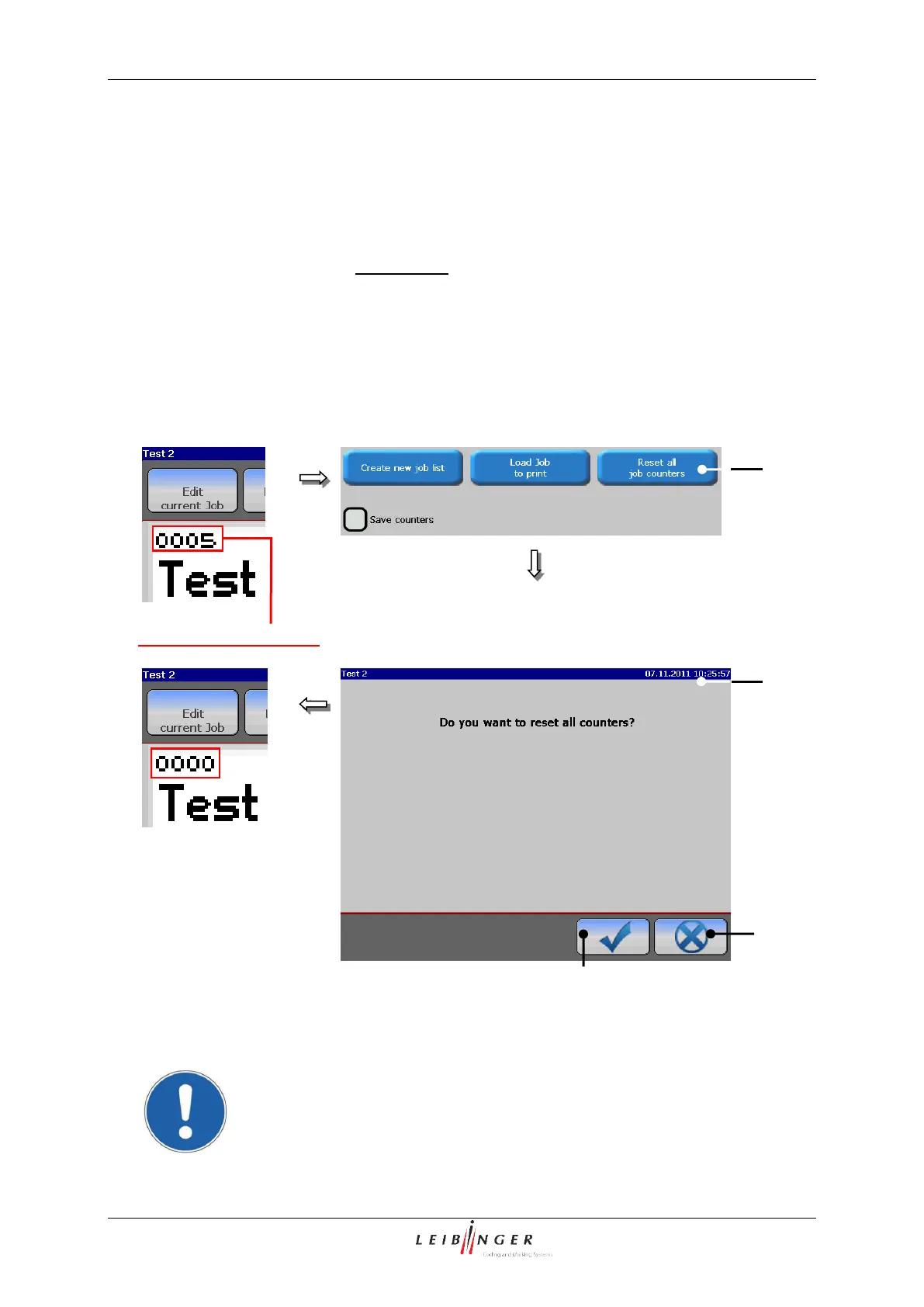
7.2.1.6 Reset all job counters
With this function, all existing job counters in the current loaded job can be reset.
Press the option <Reset all job counters> (1).
A safety query (2), if all job counters have been reset is faded in.
Confirm the reset by pressing the button <OK ()> (4) or cancel the process with the
button <Cancel> (5).
All job counters are reset.
Product counter (Reset job counter)
1 – Button <Reset all job counters>
2 –Message <Safety query>
Attention! The reset of the job counter is irrevocable!



 To Next Page