Page 156 Data entry/Programming Group 7
Release R1.12 en JET2 neo
This function calculates the number of ink drops used for the laste print job.
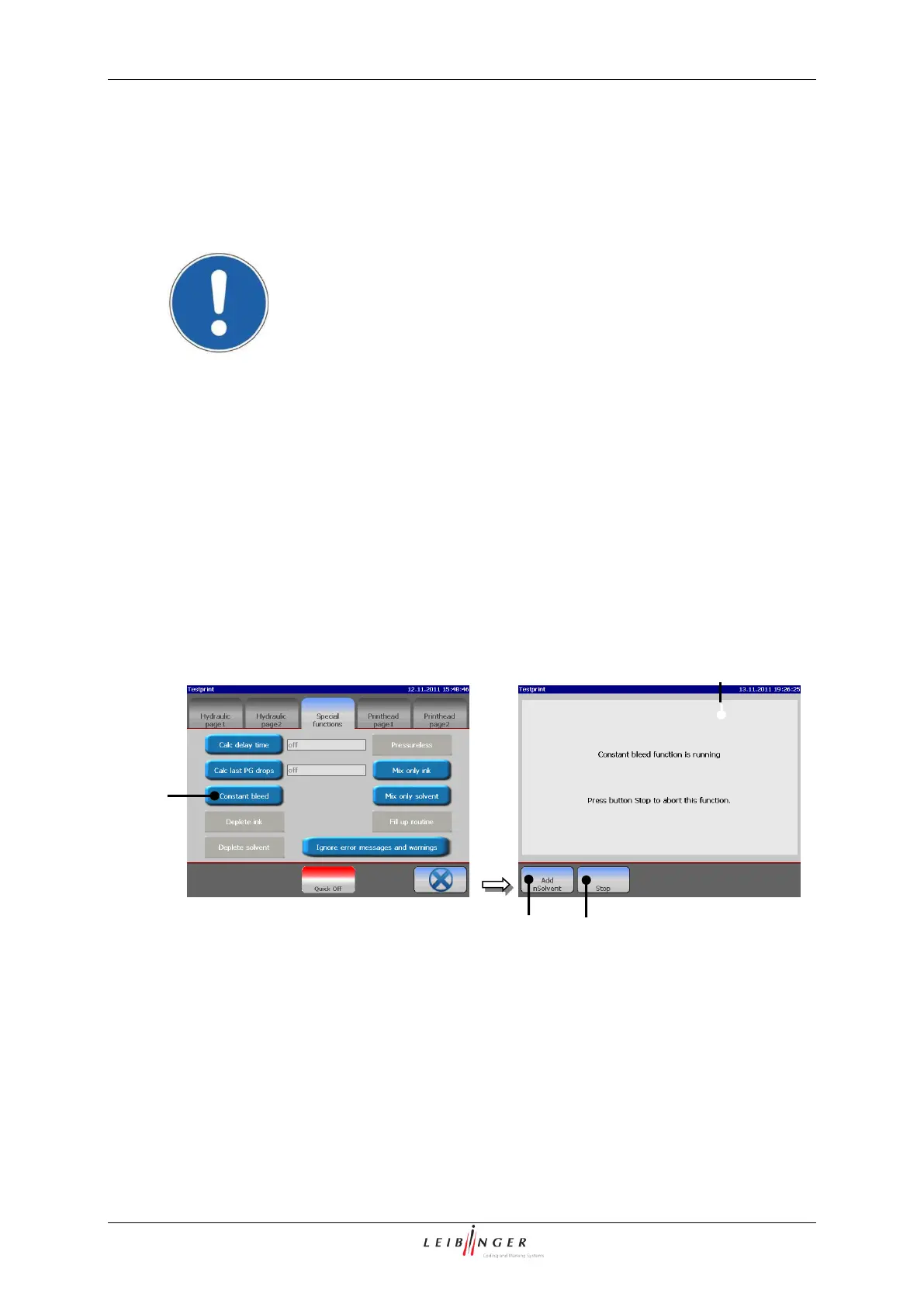
The function constant bleeding is only activated or functional
under the following device conditions:
Ink suction is turned on
Nozzle is closed
Head cover has been detached
By pressing the button <Constant Bleed> (1) the constant bleeding of the device is
started. During the process the message „Constant Bleed“ (2) is displayed. The
bleeding can be canceled any time by pressing on the button <Stop> (3). During this
process the visco pump is activated for 3 sec. every minute to ensure a purging of the
pump.
With the button <Add Solv> (4) you can add only solvent. This function provides
specially filling operations to bleed e.g. the solvent tube or to set the viscosity of the ink
faster to a lower value
1 – Button <Constant bleed>
2 – Message <Constant bleed>



 To Next Page