Page 184 Job editor Group 8
Release R1.12 en JET2 neo
This function provides a fast access to editable objects.
The following objects can be defined as <Prompt fields>:
Time/Date object only if declared as expiry date*
* There has to be set a value > 0 for the expiry date offset. Otherwise the prompt function
is not available for a date or time object.
Depending on the object type the editability is different. If an object is declared as a
<Prompt field> it is possible to edit it without entering the editor. The editing can be done
directly on the WYSIWYG screen.
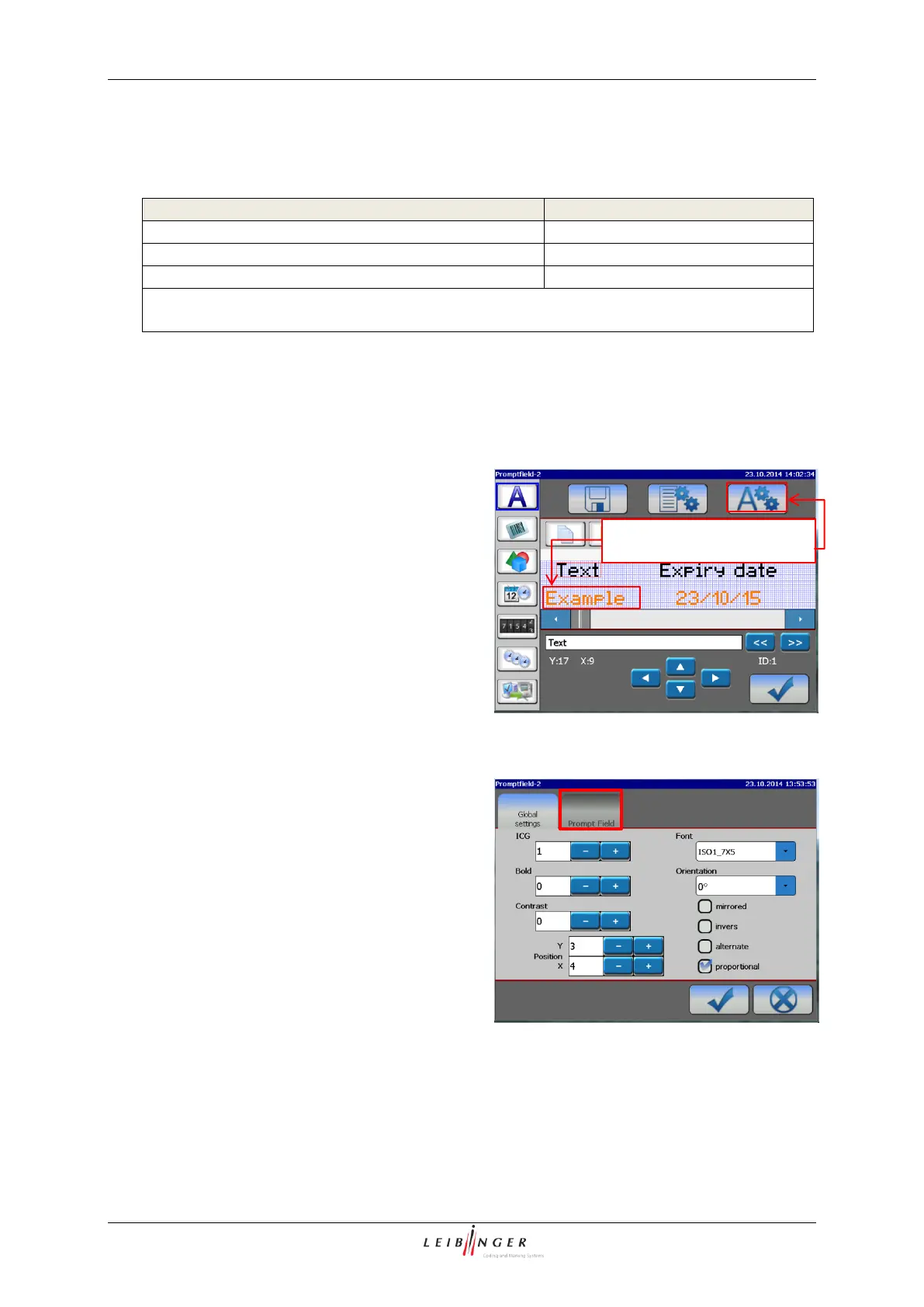
Text object in the JET2neo job editor
To use an object as a <Prompt field> select
the object in the JET2 job editor and open
the object settings menu
Declaring an object as a <Prompt Field>
Global object settings
Click on the tab caption <Prompt Field>
This opens the <Prompt Field> tab
<Prompt Field> tab in the <Object settings>
1. Select text object
2. Open objects settings menu



 To Next Page