EasyManua.ls Logo

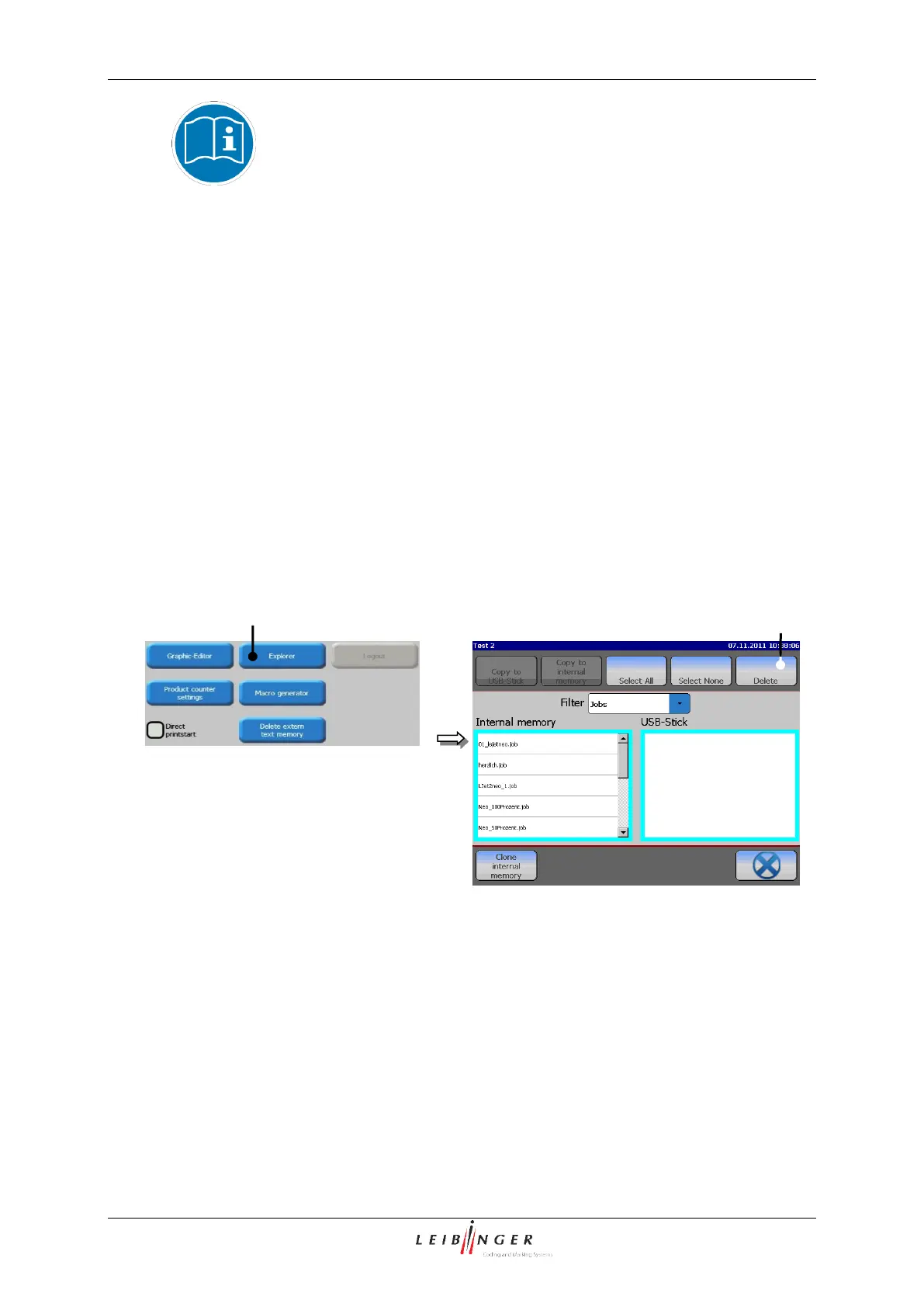
Leibinger JET2neo - Explorer; Figure 47 Start Explorer; Start Explorer

Leibinger JET2neo
294 pages
Print Icon
To Next Page IconTo Next Page
To Previous Page IconTo Previous Page
Loading...
Group 7 Data entry/Programming Page 99
JET2 neo Release R1.12 en
You will find further information regarding the working with number
blocks in the chapter Number block (page 61)!
The button <OK ()> (6) closes the menu.
7.2.2.2 Explorer
The explorer administrates the data of the LEIBINGER JET2neo. As the explorer of the
PCs, the explorer in the JET2neo allows the deletion of data as well as the free saving
and loading of data on different media (e.g. USB-stick) or of the internal memory. Selection
window and filter functions allow a clear and easy to operate data management.
7.2.2.2.1 Start explorer
Press the button <Explorer> (1) to open the menu <Explorer> (2).
Figure 47
Start explorer
1 Button <Explorer>
2 Menu <Explorer>
2
1

Table of Contents

Other manuals for Leibinger JET2neo

Related product manuals