Group 7 Data entry/Programming Page 143
JET2 neo Release R1.12 en
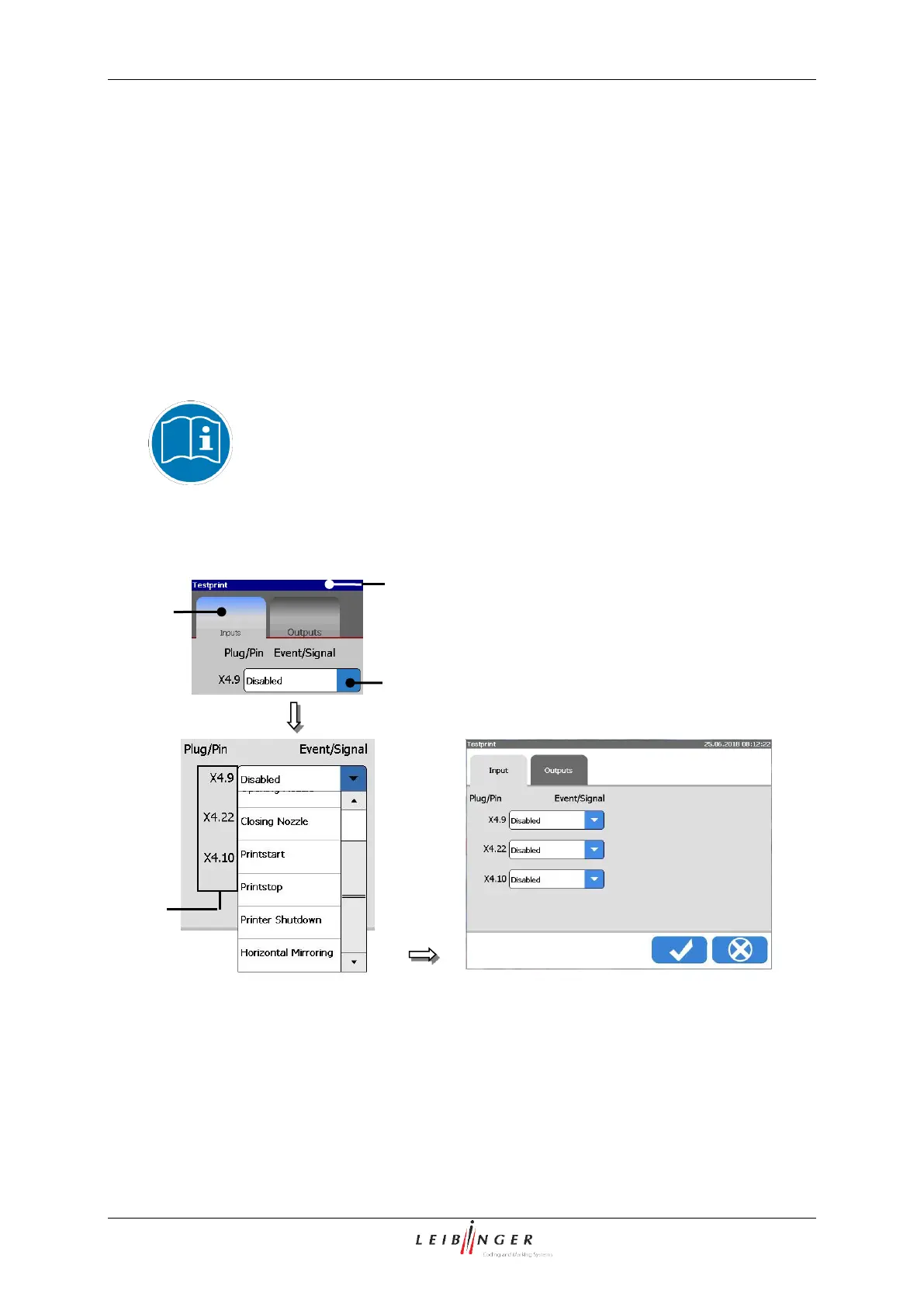
With the register card <Inputs> you can define the assignment of the available inputs.
E.g.: Input 1 (X4.9 (of the Pin No. 9 of interface X4)) should be assigned.
Press on the register card <Inputs> (2) to select the functional area.
Press on the arrow button of the pop-up window of the input 1 [X4.9] (3). The pop-
up window opens for selection.
Now select the required event/signal.
You will find further information in the chapter Interface X4 (Inputs) (page
48)!
Carry out input assignment
3 – Pop-up Fenster <X4.9>
2 – Register card <Inputs>



 To Next Page