Group 7 Data entry/Programming Page 137
JET2 neo Release R1.12 en
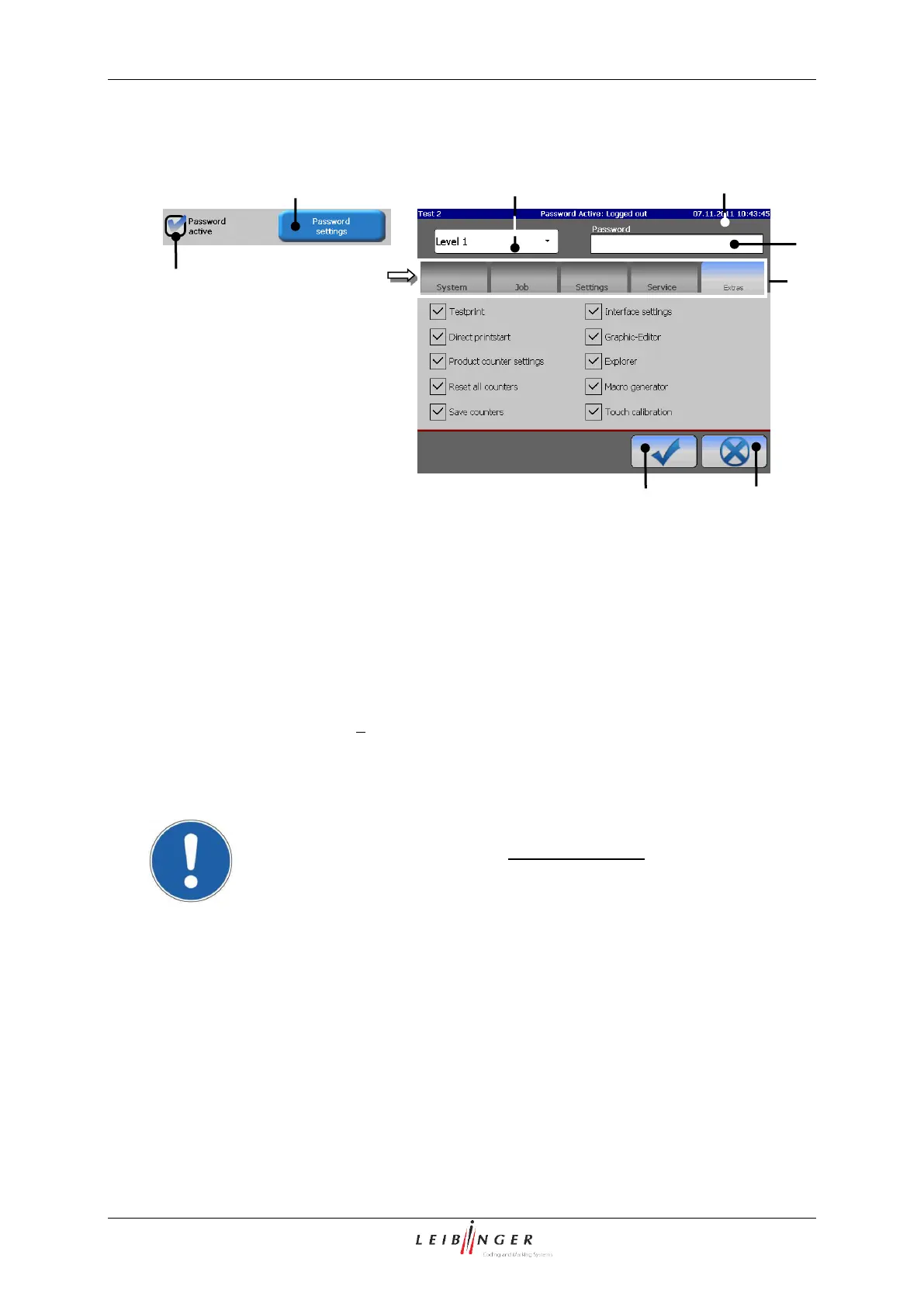
1 – Control box <Password active>
5 – Pop-up window <Level>
2 – Button <Password settings>
6 – Input field <Password>
3 – Menu <Password settings>
Press on the control box <Password active> (1) to activate the function. An activated
function is displayed by in the control box.
Now press the button <Password settings> (2).
The menu <Password settings> (3) is faded in.
Attention!
The function „Password active“ must be activated to be able to save the
settings in the menu „Password settings“!



 To Next Page