Group 7 Data entry/Programming Page 149
JET2 neo Release R1.12 en
7.2.4.3 Data logging (Log File)
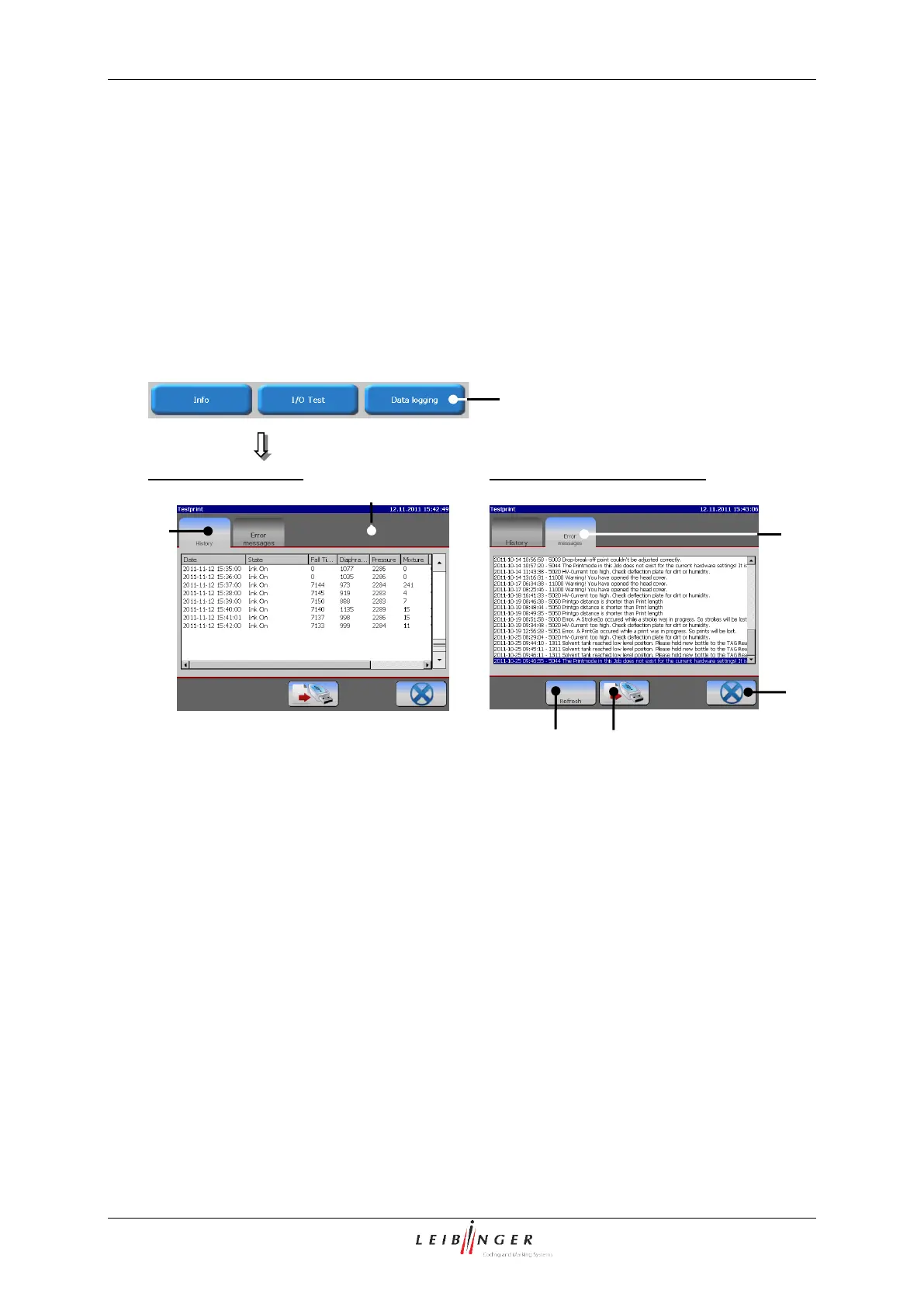
In the log file all events and reports of the last 72 hours are saved in cycles of approx.
every minute. With the obtained history, processes can be reproduced and causes can be
identified.
The menu is divided into two function areas by register cards for better clarity.
An additional function allows to select and export the current machine relevant data.
Register card „Error messages“
1 – Button <Data logging>
3 – Register card <History>
4 – Register card <Error messages>
With the button <Export> (5) you can save the recorded machine relevant data on an
external memory device.
With the button <Refresh> (6) the display of the error messages can refreshed.
The button <Close> (7) closes the menu.



 To Next Page