Page 178 Job editor Group 8
Release R1.12 en JET2 neo
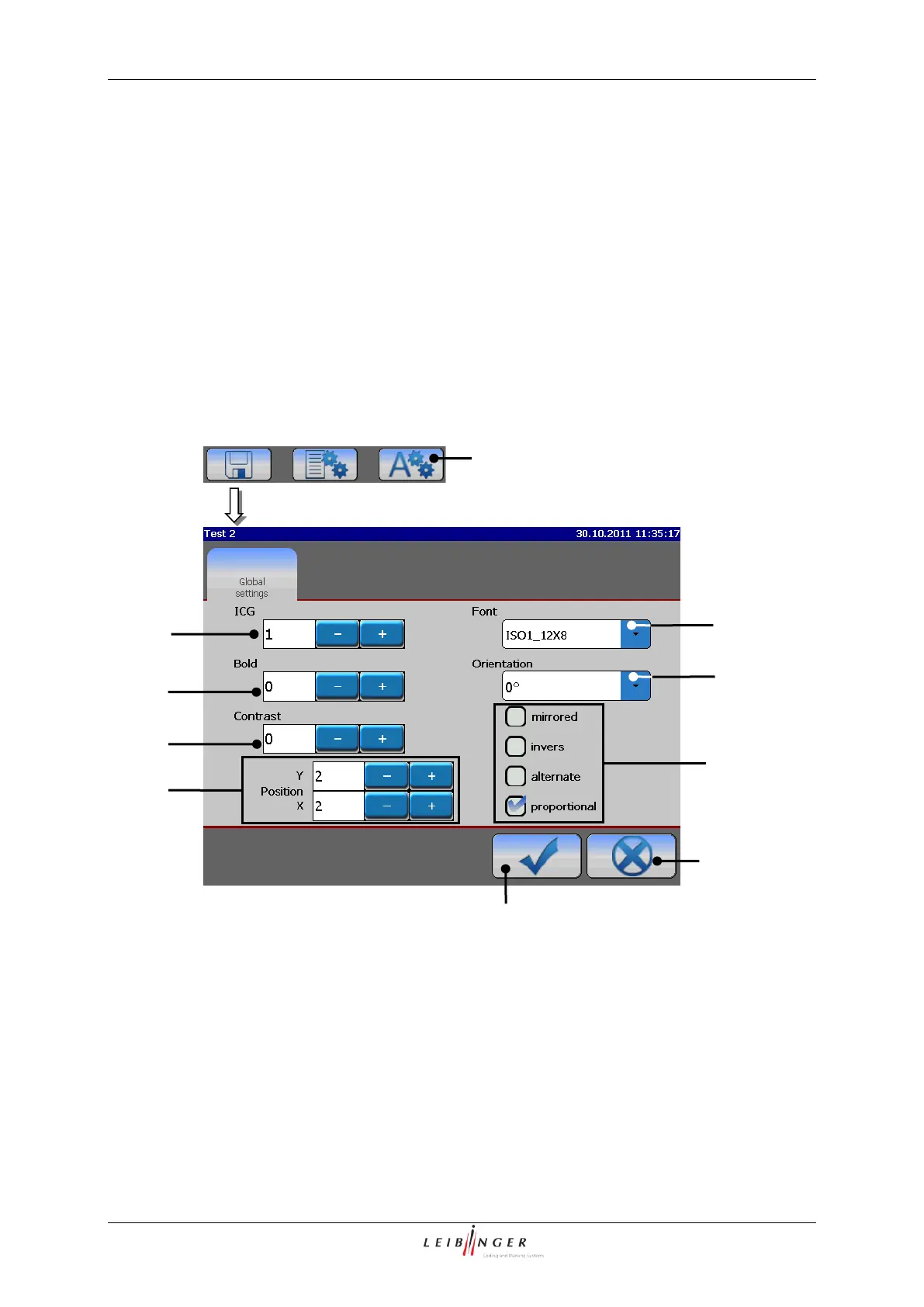
With the button <Object settings> (1) the submenu „Object settings“ is displayed.
In the menu <Global settings> you can assign several printing elements to different object
settings (e.g. font, contrast, alignment etc.).
That means the carried out settings have only effects on the selected or applied printing
element.
The form of the faded in menu always depends on the selected printing element (e.g. text,
graphic, barcode etc.). The menu may be divided into appropriate functional areas.
Object setting menu (Example view)
1 – Button <Object settings>
2 – Display field <ICG-value>
7 – Display field <Orientation>
3 – Display field <Bold (level)>
8 – Control box <Display options>
4 – Display field <Contrast value>
5 – Display fields <Position X/Y>



 To Next Page