Group 7 Data entry/Programming Page 119
JET2 neo Release R1.12 en
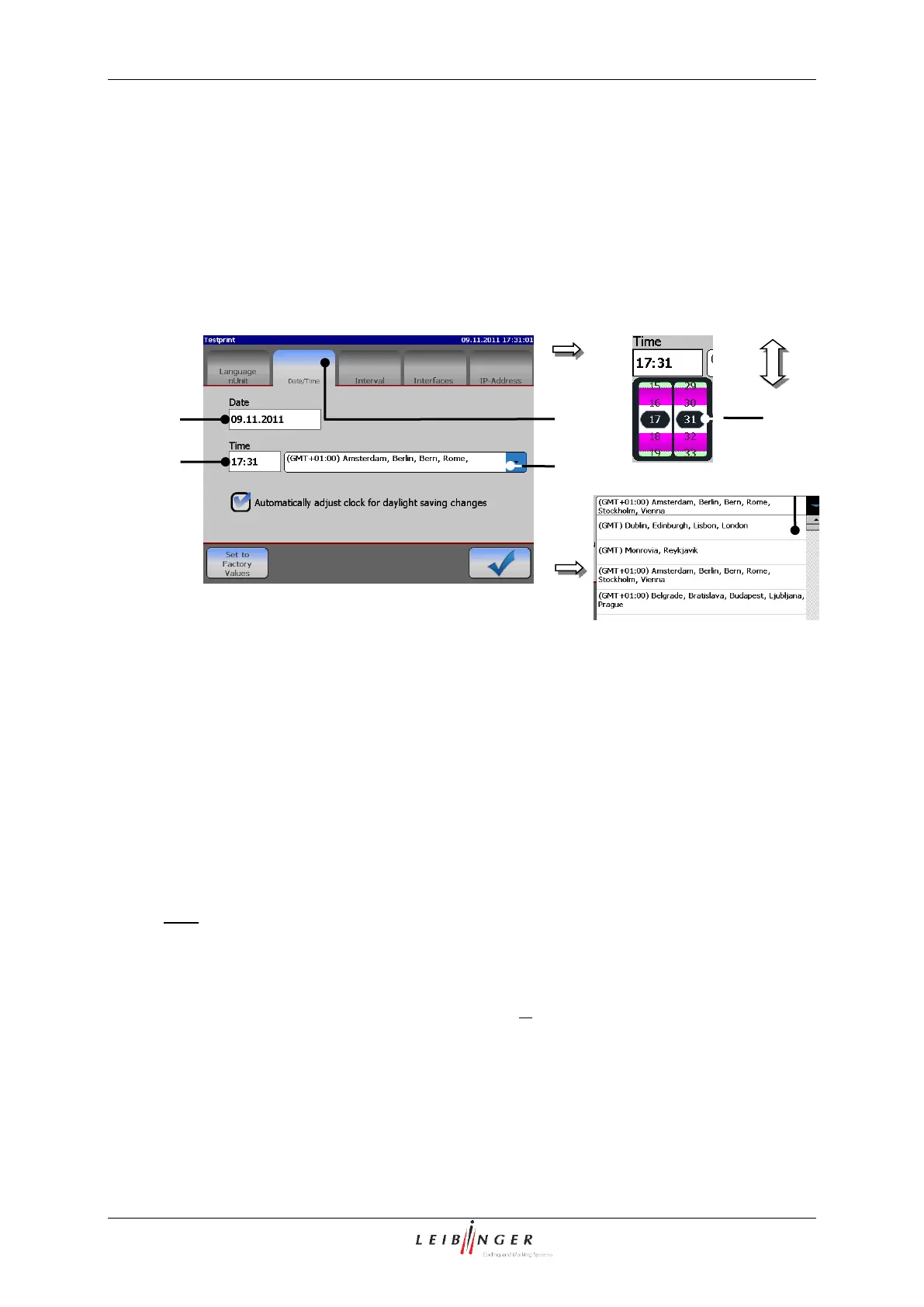
Select the required time by scrolling the hour and minute block. The setting block is
closed by clicking on the block again or on the display window <Time> (2) and the
time is saved.
To define the time zone press on the pop-up window <Time zone> (4). The pop-up
window opens for selection.
Now select the requested time zone.
1 – Register card <Date/Time>
2 – Display window <Date>
5 – Pop-up window <Zeitzone>
3 – Display window <Time>
3. Automatic clock change:
The function enables you to activate or deactivate the automatic change to summer-
and wintertime (daylight savings time [DST]).
E.g.:The automatic change to summer- and wintertime should be activated.
Press on the register card <Date/Time> (1) to select the functional area.
Now activate the automatic clock change by clicking on the control box (2). An
activated automatic change is displayed by in the control box.



 To Next Page