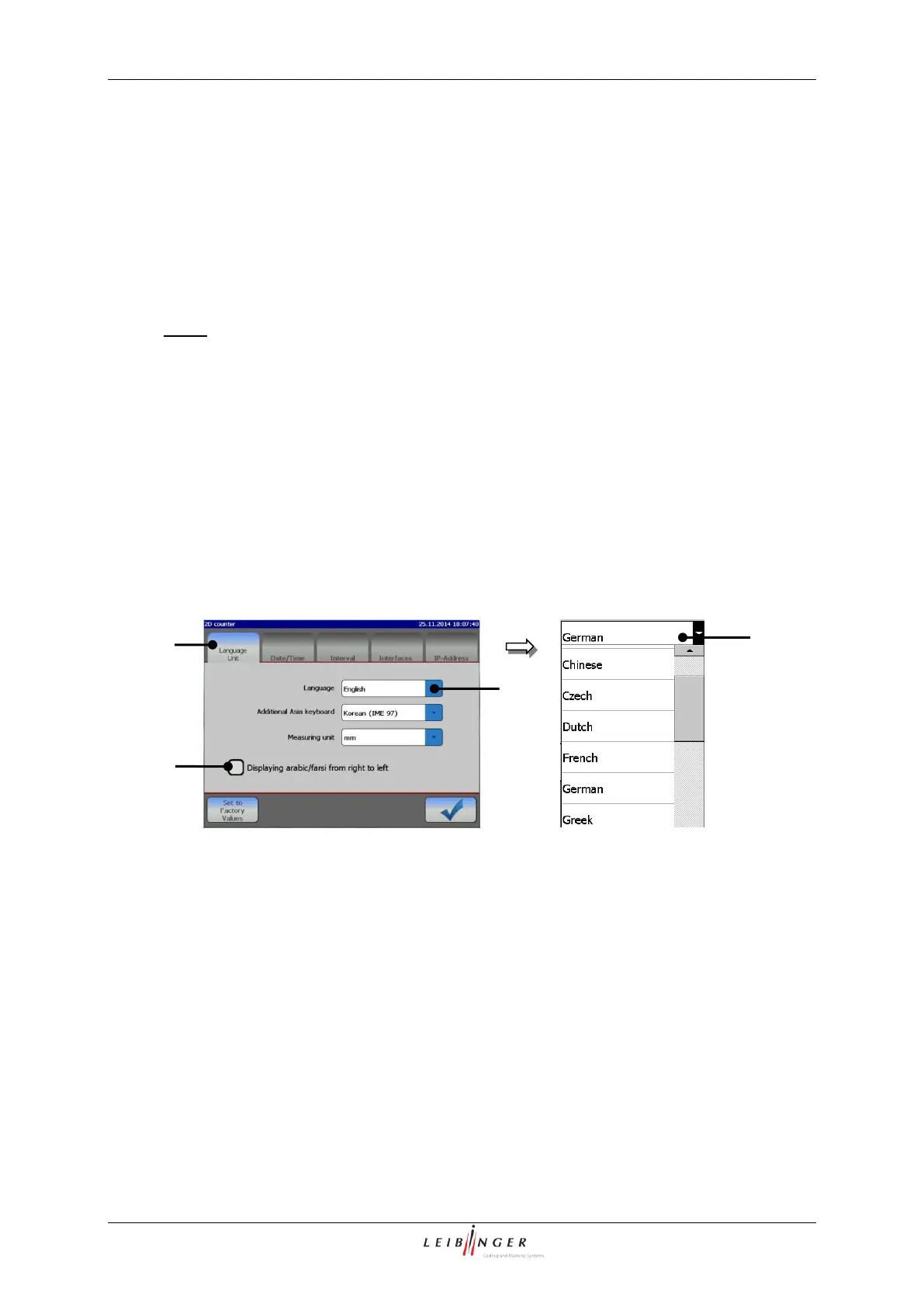
The JET2neo allows the selection of the operation language and of the used measuring
unit. The parameters which are set currently are displayed in the pop-up windows.
The available menu languages are listed in the pop-up window. The available
languages depend on the ordered version of the printer.
Note:
The function is also helpful to simplify the communication (e.g. in case of service)
with the dealer or the LEIBINGER service-hotline because English language can be
generally selected irrespectively of the installed language package.
With the selected language the accordant ISO-font is assigned automatically to the
keyboard.
If the control box <Displaying arabic/farsi…> (3) is activated the text elements are
display from right to left.



 To Next Page